PageProof expands FinalFile® delivery across leading work management, storage, and DAM tools
PageProof’s FinalFile® delivery now connects approval directly to even more work management, storage, and DAM platforms, including OneDrive, Canto, and Bynder.
AUCKLAND, NEW ZEALAND — September 21, 2026 — PageProof, the industry-leading, online proofing platform for enterprises, creative agencies, and marketing teams, today announced the expansion of FinalFile® delivery to include OneDrive, Canto, Bynder, and other leading work management and digital asset management (DAM) platforms.
The expansion builds on FinalFile® delivery to MediaValet and work management tools monday.com, Asana, Airtable, ClickUp, Jira, and Trello — giving teams a direct, automated path from final approval to the platform where their approved assets belong.
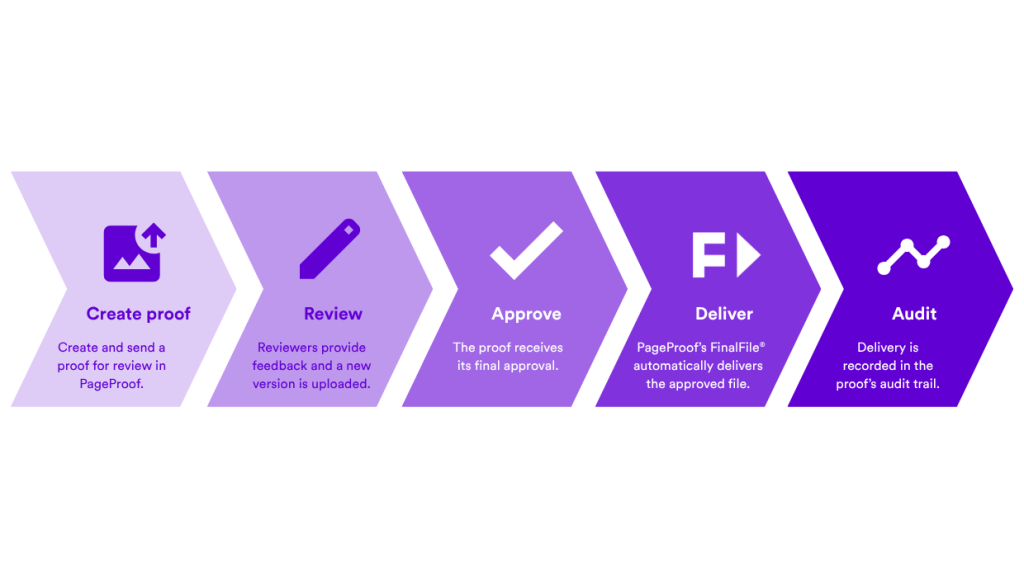
The FinalFile® delivery workflow — from proof creation to delivery.
What is FinalFile® delivery?
PageProof’s FinalFile® delivery removes the manual handoff between approval and asset delivery.
Instead of downloading the approved file, renaming it, and uploading it manually, teams can configure PageProof to automatically deliver the final approved file to a connected work management tool, storage platform, or DAM as soon as sign-off is complete.
Delivery is triggered by a tag applied in the proof setup screen, such as the name of the destination platform. That tag can be added manually or built into a proof template, so the delivery path is established before review even begins.
Once the proof receives final approval, FinalFile® delivery sends the approved asset to the configured destination. Depending on the platform, this may include delivery to a specific project, folder, or category, together with metadata linking the asset back to its source proof and approval history.
For OneDrive, the approved file is delivered without additional metadata.
Nothing about the review process changes. What changes is what happens when review finishes: the manual export, download, rename, and upload process is replaced by a consistent, automated delivery workflow.
“FinalFile® gives organizations a faster, more reliable path from approval to delivery — reducing manual work, minimizing errors, and getting approved assets where they need to be.”
Gemma Rann, CEO, PageProof.
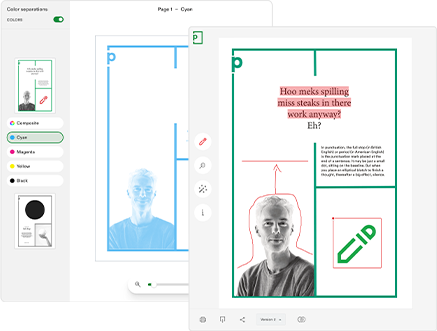
What are the key benefits of FinalFile® delivery?
No misplaced or outdated files
Approved assets are delivered through the same configured process every time, reducing the risk of uploading an outdated version or sending a file to the wrong destination.
Fewer manual steps, fewer errors
Removing the export, download, rename, and upload steps saves time and reduces the opportunities for mistakes — particularly for teams managing a high volume of creative assets.
Consistency across the whole team
Whether one person approves a proof or multiple stakeholders are involved, FinalFile® delivery uses the same trigger and delivery process for every asset.
A built-in audit trail
Delivery is recorded in the proof’s audit history. Where supported by the destination platform, metadata can also link the delivered asset back to the original proof, its unique ID, and the complete approval history.
Enterprise-ready governance
For teams in regulated industries, managing high volumes of assets, or working across multiple regions, it is important to demonstrate that assets were reviewed, approved, and delivered correctly.
FinalFile® delivery helps establish that consistency by applying the same controlled process to every approved asset, with delivery activity clearly logged.
“Approval should be the moment an organization’s creative workflow accelerates — not where another manual process begins.
FinalFile® connects those two stages, helping teams deliver the approved asset consistently, securely, and with a clear record of what happened.”
Marcus Radich, CTO, PageProof.
Where is FinalFile® delivery available?
FinalFile® delivery now supports a growing range of leading work management, storage, and digital asset management platforms, available now with access varying by plan:
- Work management — monday.com, Asana, Airtable, ClickUp, Jira, and Trello (available on Team, Team Plus, and Enterprise)
- Storage — OneDrive (available on Team Plus and Enterprise)
- Digital asset management — MediaValet, Canto, and Bynder (available on Enterprise).
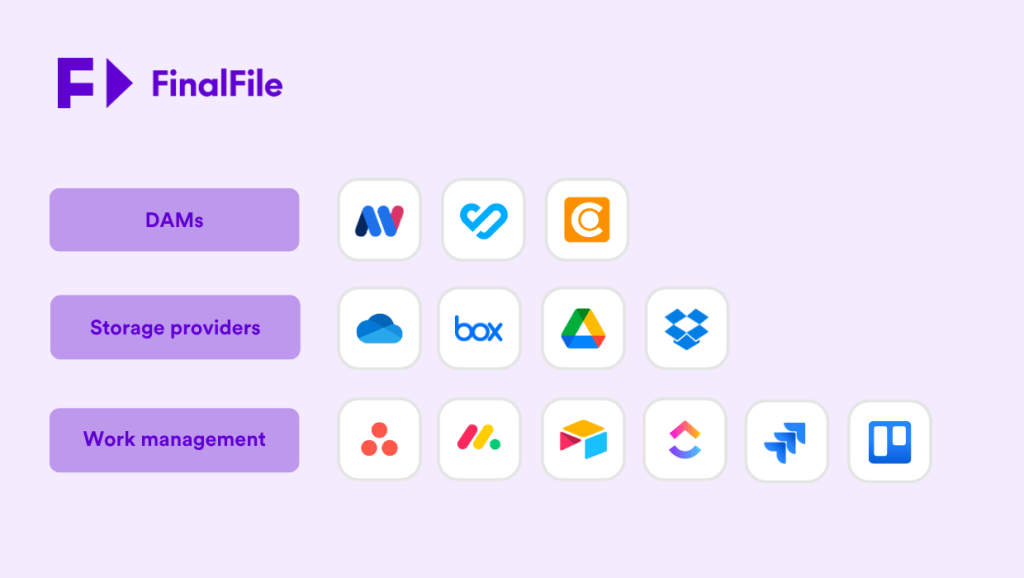
FinalFile® delivery now sends approved files to more leading DAMs, storage, and work management tools.
About PageProof
PageProof is the leading online proofing platform for reviewing and approving creative work. It enables teams to securely share any type of file, gather feedback, and manage approvals — all in one place.
With powerful workflow automation, advanced proofing tools, and AI-assisted review capabilities, PageProof helps teams move creative work forward faster and with greater accuracy.
PageProof integrates with tools including Adobe Creative Cloud, Canva, Figma, Microsoft Office, Asana, monday.com, Airtable, ClickUp, and Jira, and delivers exceptional return on investment, as recognized in customer reviews on G2.
Built for enterprise, PageProof offers patented triple-layer encryption, robust security controls, and scalable infrastructure to support teams worldwide.
Book a demo to learn more or go to pageproof.com, and follow PageProof on LinkedIn.