How to get your final approved files into your DAM automatically

For teams with an online proofing solution in place, review is often no longer the bottleneck in the creative review process. But an issue that teams still run into is what happens after a file is approved.
Someone still has to manually download the file and place it into where approved files are stored, which in many instances is a DAM, and that’s where things quietly go wrong. A file can get uploaded to the wrong folder, a version can get renamed inconsistently or not renamed at all, leaving no way to tell which is final. Metadata can get applied inconsistently from one person to the next, or skipped entirely under deadline pressure. An old draft can stay live in the DAM because nobody removed it, and sooner or later, someone downstream grabs the wrong file and it ends up in a live campaign by mistake.
The solution to this issue is FinalFile® delivery.
What is FinalFile® delivery?
FinalFile® delivery is a direct connection between PageProof and your DAM that removes the manual handoff entirely. Instead of someone downloading the approved file, renaming it, and uploading it manually, the asset is sent straight into the DAM the moment sign-off happens, without anyone needing to export, download, or upload it themselves.
The trigger is a tag applied to the proof, for example, the name of the destination DAM, which tells the system where the final approved file needs to go. That tag can be added manually or built into a proof template, so the delivery path is set before review even begins, not decided after the fact.
Once the proof receives final approval, the file, and only that approved file, is sent to the correct folder or category in the DAM, along with metadata tying it back to the original proof: its name, a unique ID, and a direct link to the full approval history.
Nothing about how teams review work changes. What changes is what happens the instant review finishes, a manual, error-prone handoff replaced with one that happens the same way, every time.
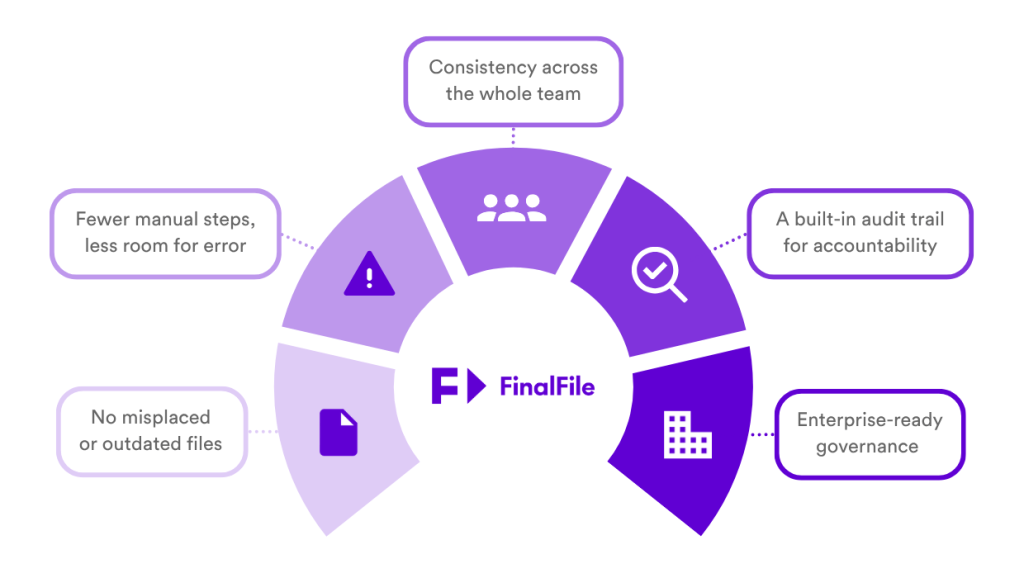
FinalFile® delivery reduces delivery risk at every stage, from individual files to enterprise governance.
How FinalFile® delivery works
1. A proof is created and tagged for delivery
A tag identifying the destination DAM is added to the proof, for example, the DAM’s name or a short code for it. A tag can be added manually on individual proofs, or built directly into a proof template.

A tag for MediaValet.
2. The proof goes through its normal review cycle
From here, nothing about the review process changes. Reviewers leave markup and comments, request changes, and the owner uploads a new version as needed, all inside the same workflow they’d use for any other proof.
Multiple versions can move through review, and each one stays linked to the same proof and audit trail. Delivery to the DAM is not triggered by any of this, only by final approval, so a reviewer approving version 3, while version 4 is still in progress, can’t accidentally push the wrong file downstream.
3. The proof receives final approval
Once every required reviewer in the workflow has signed off and the final approver marks the proof as Approved, the proof is considered finalized. This is the single trigger point for delivery, nothing is sent to the DAM before this step.
4. The approved file is sent directly to the DAM
Using the connection and destination configured when the tag was applied, the approved file is delivered to the correct folder or category in the DAM.
5. Metadata and audit history travel with the file
The file that lands back in the DAM also arrives with metadata tying back to the original source: the proof name, a unique proof ID, and a link to the full approval history, including who approved the proof and when. Anyone looking at the file later after the project has finished can trace exactly how and when it was approved.
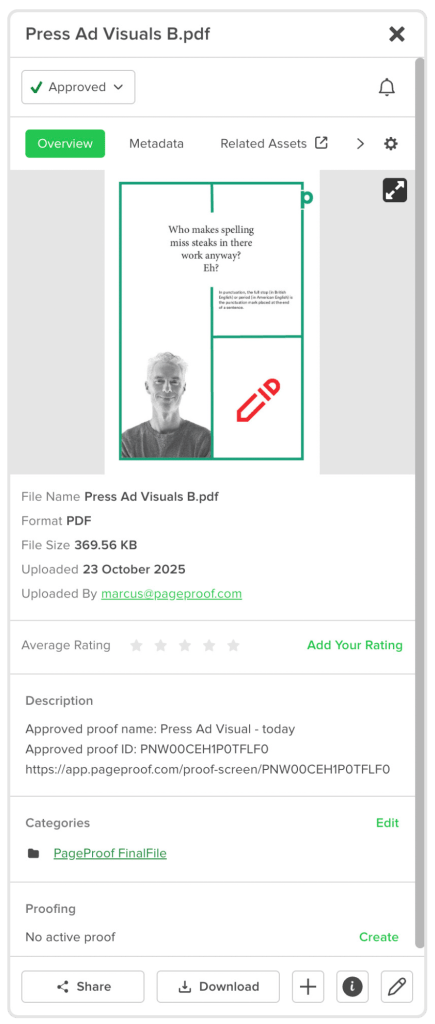
An overview of the ‘Press Ad Visuals B’ proof metadata. Including the proof name, file type, uploader, and more.
The benefits of FinalFile® delivery
No misplaced or outdated files
Delivery happens the same way every time, so assets land in the correct destination automatically, with no risk of an old version being uploaded in place of the final one.
Fewer manual steps, less room for error
Removing the export, rename, and upload steps also removes the points where mistakes have historically been introduced, freeing up time for teams handling high volumes of assets.
Consistency across the whole team
Whether one person approves a proof or several stakeholders are involved, delivery happens through the same tag and the same trigger, so every asset is handled identically regardless of who’s managing it.
A built-in audit trail
Every delivered file carries metadata linking it back to the source proof, including the proof name, proof ID, and a link to the full approval history, so provenance is never in question.
Enterprise-ready governance
For teams managing a high volume of assets, those in regulated industries, and those distributed across regions, often need to prove assets were handled correctly. FinalFile® delivery makes that possible because every asset follows the exact same process into the DAM, a process that can be checked and confirmed every time.
FinalFile® delivery: coming to your DAM soon ⎯ so more teams can retire the manual handoff for good.
FinalFile® delivery is available now for MediaValet, Canto, Bynder, and OneDrive, with support for additional DAMs and storage platforms on the way.
- MediaValet – available now (PageProof Enterprise plan)
- Canto – available now (PageProof Enterprise plan)
- Bynder – available now (PageProof Enterprise plan)
- OneDrive – available now (PageProof Team Plus and Enterprise plans)
- Sharepoint – available now (PageProof Team Plus and Enterprise plans)
- Dropbox – available now (PageProof Team Plus and Enterprise plans)
- Box – coming soon
- Google Drive – coming soon
For teams currently using MediaValet, Canto, Bynder, and OneDrive, FinalFile® delivery is ready to set up now. For teams using other DAMs and storage platforms, the same reliable, automated path from approval to storage is on its way.
See how FinalFile® delivery solves manual handoff.