Review and approve video without leaving DaVinci Resolve
Why we built the PageProof plugin for DaVinci Resolve
Video editors live in DaVinci Resolve. The platform has grown to become the third most used video editing platform globally for creative teams across film, broadcast, and content production. But feedback? That’s usually scattered across email threads, shared drives, and tools that have nothing to do with your timeline. It breaks focus, disconnects comments from context, and turns what should be a simple revision round into a coordination problem.
The PageProof plugin for DaVinci Resolve Studio solves this by bringing structured review and clear approvals directly into your editing environment. Feedback lands at the exact timecode, stakeholders stay aligned, and your creative momentum never stalls.
From proof creation to final review, the experience stays consistent and efficient — now inside DaVinci Resolve.
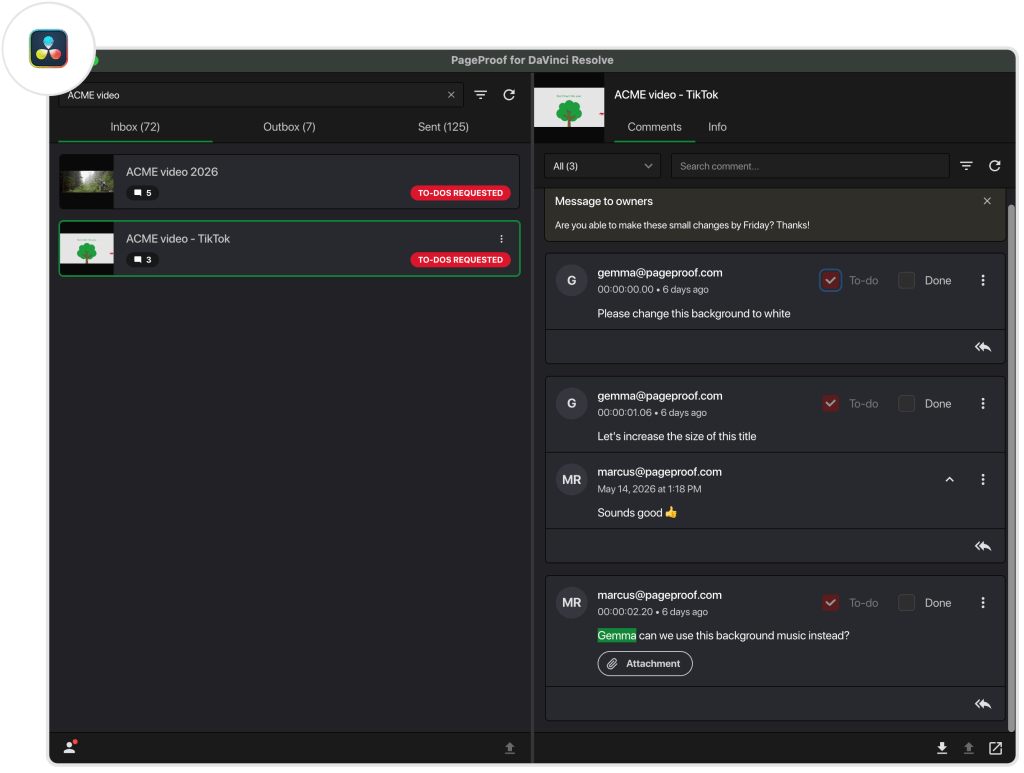
The full PageProof plugin panel inside DaVinci Resolve Studio — inbox, comments, to-dos, and replies, all without leaving your editor.
Installing the PageProof plugin for DaVinci Resolve Studio
Getting started takes less than two minutes. Download the .pkg file from go.pageproof.com/davinci-resolve-plugin, unzip the folder, and double-click the file. Follow the install instructions. With your project open in DaVinci Resolve Studio and navigate to Workspace → Workflow Integrations → PageProof for DaVinci Resolve to get started.
The PageProof plugin is compatible with DaVinci Resolve Studio version 21 or higher.
How PageProof for DaVinci Resolve works
The PageProof plugin makes it easy to send video and audio files for review, view and action comments, and manage approvals — all without leaving DaVinci Resolve. With everything connected in one place, editors can move through feedback faster, keep versions organised, and stay aligned with reviewers throughout the entire production process.
1. Create a proof directly from DaVinci Resolve Create proofs and new versions directly from your DaVinci Resolve project and send them into a PageProof workflow — with automated reminders, reviewer checklists, and complete visibility of progress. The proof name autofills, choose your format (MP4 or QuickTime) and sequence range, and upload. Your video or audio file is live for review in seconds — no exporting, no emails, no friction.
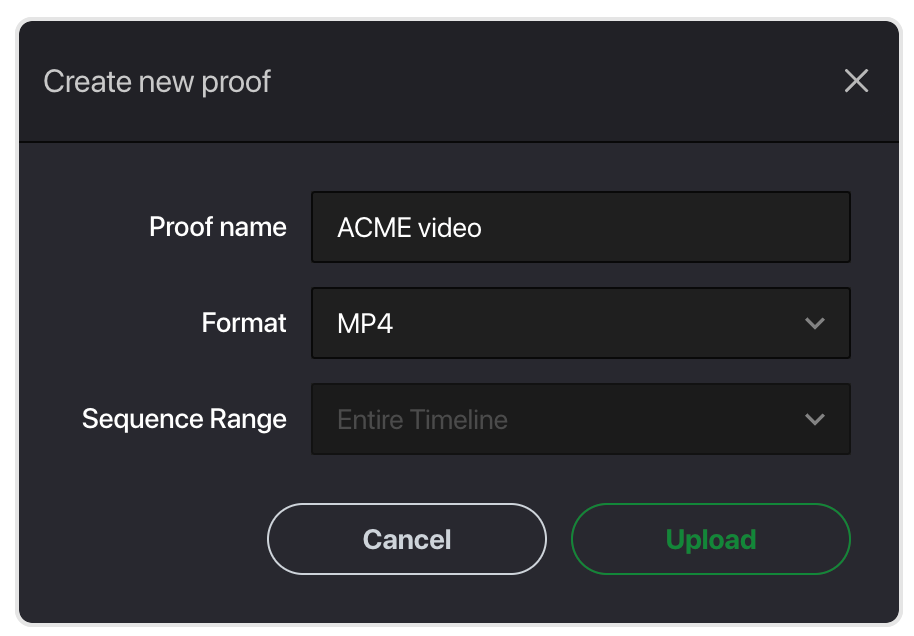
Creating a new proof from DaVinci Resolve Studio — proof name autofills, choose your format and sequence range, then upload.
2. View and action comments inside DaVinci Resolve When feedback comes in, open the PageProof plugin panel to see comments as markers positioned at the exact timecode on your timeline. No more cross-referencing timestamps or deciphering vague feedback — every comment lands exactly where the change needs to be made. Reply to comments, download attachments, @ mention teammates, and mark items as done — without switching tools.
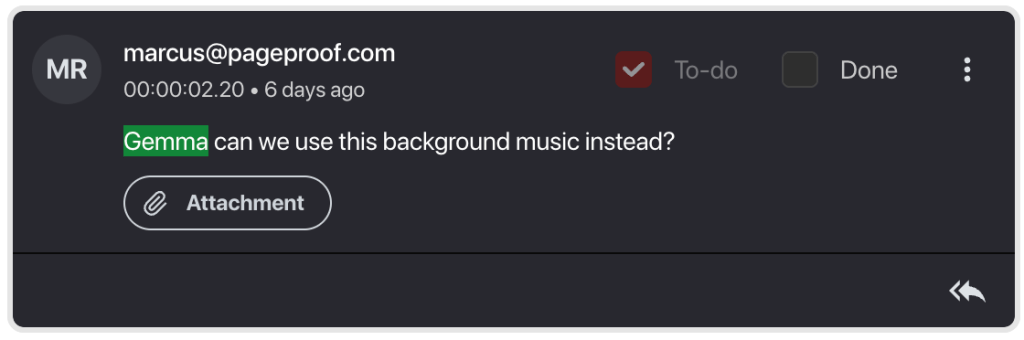
@ mentions, attachments, timecodes — reviewer feedback exactly where you need it.
3. Upload a new version Once changes are complete, upload a new version right from DaVinci Resolve. Every proof, version, and comment is automatically tracked in PageProof’s secure audit trail, keeping your creative process clear and connected from first draft to final approval.
From first cut to final approval — faster.
With the PageProof plugin inside DaVinci Resolve, you can:
- Create new proofs and versions directly from your project
- See feedback as markers at the exact timecode on your timeline
- Download attachments, reply to comments, and action feedback without leaving DaVinci Resolve
- Mark comments as done to keep your workflow organized
From video edits to audio productions, the plugin keeps your projects moving smoothly from first draft to final approval — faster and with less rework.