
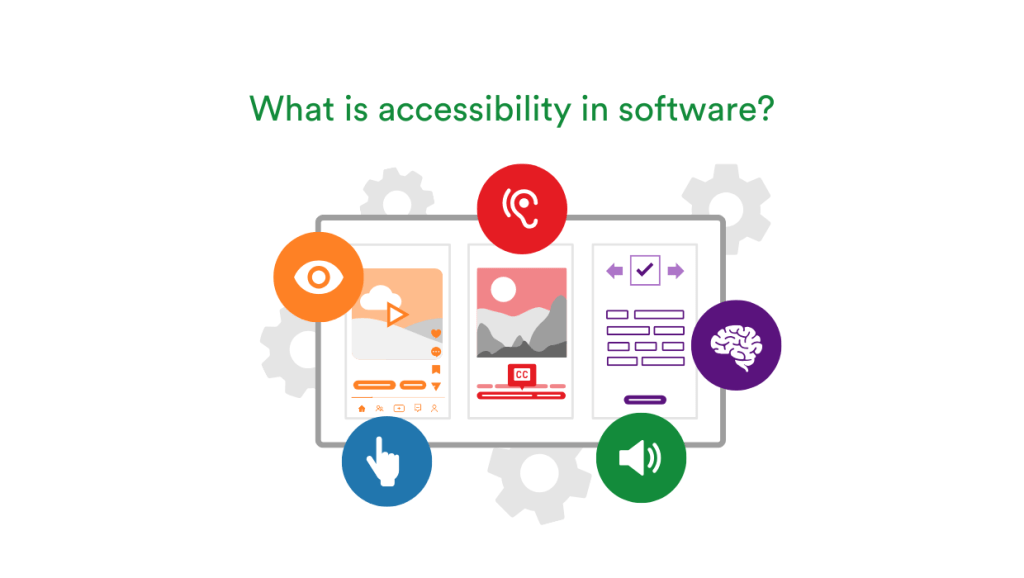
Accessibility plays a factor in everything we do; for some, it shapes their lives. The goal of accessibility is to ensure that everyone has equal and inclusive access to information, goods, services, and surroundings, irrespective of their abilities or limitations. Examples include how we navigate public transport to how we access education. It’s also a vital consideration for the software we rely on every day, whether at work or at home.
Key takeaways
- Reach a wider audience by ensuring your software is accessible to all users, including those with disabilities.
- Avoid legal risks by complying with accessibility standards like WCAG and ADA.
- Strengthen your brand reputation by demonstrating a commitment to inclusivity and social responsibility.
- Drive business growth by tapping into a larger market and fostering customer loyalty.
To ensure accessibility, software must be designed to work seamlessly with tools like screen readers, magnifiers, voice commands, and text-to-speech functionality, ensuring ease of use for all users, regardless of their abilities.
Inclusive design not only removes barriers for individuals with visual, hearing, physical, or cognitive challenges but also allows your business to reach a broader audience, demonstrate a commitment to inclusivity, and comply with legal standards such as the Americans with Disabilities Act (ADA) and Web Content Accessibility Guidelines (WCAG).
It’s about creating equal opportunities in the digital ecosystem often creating a better experience for everyone. If you’re a software developer, business owner, or decision maker, understanding accessibility ensures you make informed decisions that genuinely serve all users.
Key principles of accessible software
For software to be fully accessible, it’s crucial to follow guidelines that support users regardless of their abilities or disabilities. The following four principles — perceivable, operable, understandable, and robust — outline key strategies to enhance accessibility and ensure your platform serves a diverse audience.

Here’s how accessibility can be integrated into your software design:
1. Perceivable
Your content should be accessible to all users, no matter how they experience it. This means making sure your software is perceivable through visual, auditory, and tactile means.
- Alt text for images: Add descriptions for images so users who rely on screen readers can understand them. For example, instead of just showing an image of a cat, include alt text like, “A gray tabby cat sitting on a windowsill.”
- Captions and transcripts: Provide text versions for video and audio content. Captions help users who are deaf or hard of hearing, while transcripts offer a complete written version of the content.
- Color contrast: Ensure sufficient contrast between text and background to make it easier for users with vision impairments to read.
2. Operable
For software to be accessible, it must also be usable by people with all levels of physical ability.
- Keyboard navigation: Users should be able to navigate your software with just a keyboard. This includes having a clear tabbing order and keyboard shortcuts for important actions.
- Avoid time-limited tasks: Give users more time to complete tasks. Some may need extra time due to physical disabilities or cognitive impairments, so make sure they can pause or extend time limits when needed.
- Consistent navigation: Use the same navigation elements throughout your software so users know exactly where to go next.
3. Understandable
Your software needs to be easy to understand for all users, including those with cognitive challenges.
- Clear instructions: Provide simple, direct instructions for tasks. Instead of saying “Click the link to access the full report,” say “Click here to read the full report.”
- Consistent UI: Keep the design and layout of your software predictable. Buttons, menus, and other interactive elements should be easy to find and operate.
- Error prevention and guidance: Design to help users avoid errors, and provide helpful feedback if something goes wrong. For example, if a form is incomplete, explain what needs to be corrected.
4. Robust
Finally, your software must be strong enough to work well with assistive technologies and adapt as digital standards evolve.
- Assistive technology compatibility: Test your software with tools like screen readers and alternative input devices to ensure everything works as expected.
- ARIA standards: Implement ARIA standards to make dynamic content accessible to screen readers. This is especially important for apps that rely on real-time updates or interactive features.
- Cross-platform compatibility: Make sure your software works smoothly on desktops, tablets, and smartphones. Users should be able to engage with your content however they prefer.

Three levels of conformance from WCAG standards.
The benefits of accessibility in software
Ensuring your software is accessible brings numerous benefits beyond just ticking a box in an attempt to be inclusive.
Accessibility is a critical component of a modern, responsible business strategy, impacting legal compliance, social responsibility, and your bottom line.
Here’s why prioritizing accessibility matters:
Legal compliance
Ensuring that software is accessible isn’t just a best practice — it’s the law in many places, including the U.S. Under regulations like the ADA, businesses are required to provide accessible digital experiences.
Ignoring these standards can lead to lawsuits, fines, and other costly penalties. This is especially critical for government departments, which are held to even stricter accessibility standards.
They must ensure all digital services and communications are fully accessible to people with disabilities, as non-compliance can not only result in legal consequences but also hinder public access to essential services.
By designing with accessibility in mind, you protect your business from legal risks and ensure compliance with these important regulations.
In the U.S., state and local governments must meet WCAG 2.1 Level AA standards by April 2026 for larger entities and by 2027 for smaller ones. While not specifically mandated by the DOJ, private businesses are encouraged to follow these guidelines to avoid legal risks. In the European Union, the European Accessibility Act mandates that businesses comply by June 2025.
Businesses must assess and improve their digital accessibility now, ensuring they meet these requirements ahead of the deadlines. By doing so, they can avoid legal issues, improve user experience, and expand their audience reach.
Social responsibility
Accessibility is about creating a more inclusive digital world. Making software accessible empowers people with disabilities to fully engage in the digital space. By integrating accessibility into your Corporate Social Responsibility (CSR) strategy, you demonstrate a commitment to fairness and inclusion, showcasing values that resonate deeply with both employees and customers. It’s a powerful way to foster inclusivity, support diversity, and create technology that is more equitable for everyone.
A commitment to accessibility amplifies your brand’s appeal, highlighting your role as a compassionate and forward-thinking business that cares about the community it serves. Customers value brands that prioritize equity and fairness, fostering loyalty and advocacy that transforms casual interactions into enduring relationships.
Business benefits
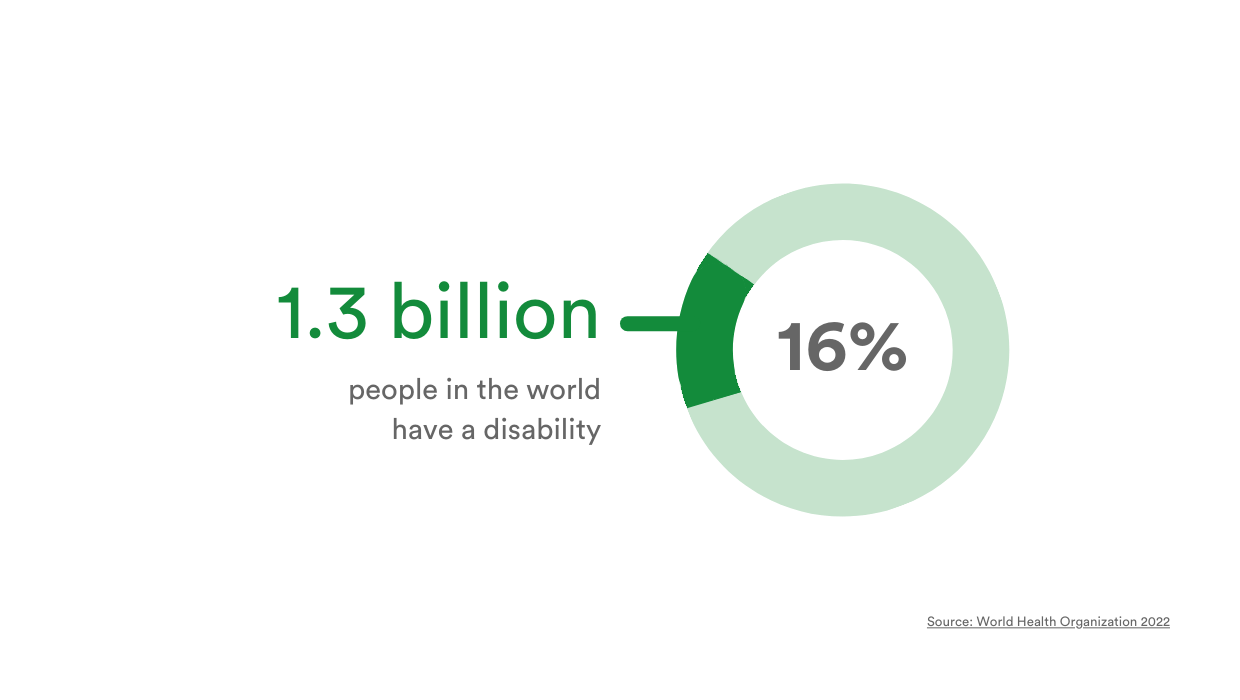
Accessibility is not only the right thing to do but also smart business. With an estimated 15% of the global population living with some form of disability, accessible software opens your business to a much larger audience.
Prioritizing accessibility not only enhances your software but also has a positive impact on your business. Companies that invest in social purpose, such as accessibility, see a 6% increase in market value and generate 20% more revenue compared to those that don’t, according to Project ROI.
Championing accessibility elevates your ethical standing, positioning your business as a principled leader in its industry. It enhances your brand’s reputation, illustrating your dedication to ensuring everyone, regardless of ability, has equal access to information and services.
This can mean more customers, increased revenue, and a stronger brand reputation. Showing that valuing inclusivity can also build trust and loyalty, giving your business a competitive edge.
5 examples of accessible software
Whether you’re managing a project, drafting a document, browsing the web, or collaborating on creative content, accessibility features allow everyone to use these tools effectively.
Here are five standout software solutions that make inclusivity a priority, offering support for features like screen readers and more. These tools are designed to help people work smarter and more efficiently, no matter their individual needs.
Let’s explore some of the top examples:
1. Microsoft Office
Microsoft Office includes powerful accessibility features like Narrator, a screen reader that reads text aloud, and Immersive Reader, which enhances readability with customizable text size, spacing, and fonts.
With support for keyboard shortcuts, voice typing, and writing checkers, users can work more efficiently, regardless of their needs.
These tools make Microsoft Office an accessible choice for individuals with various abilities, ensuring smoother navigation and improved productivity.
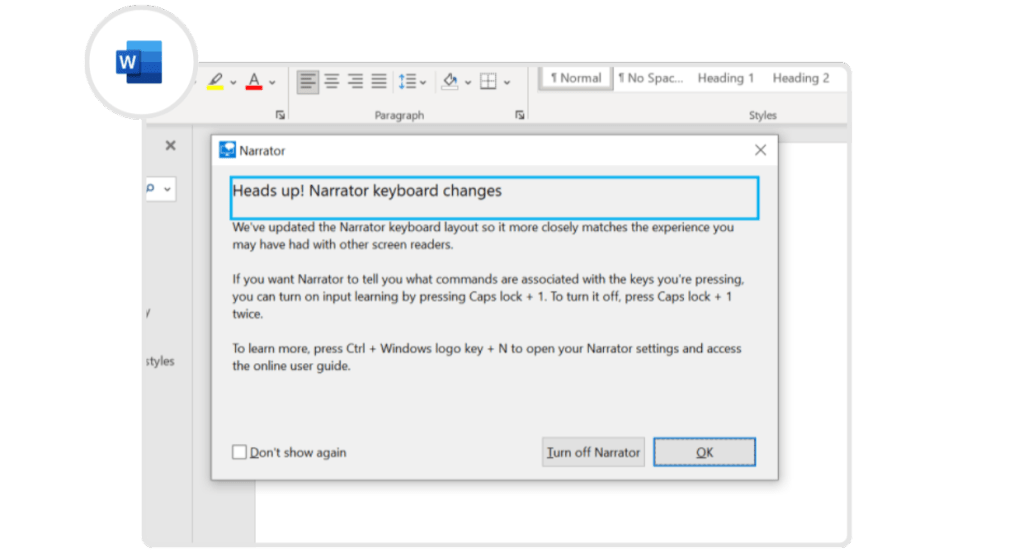
The ‘Narrator’ features within Microsoft Word support screen reading tools.
2. The Apple ecosystem
Apple’s ecosystem offers a range of accessibility tools, including VoiceOver, a gesture-based screen reader, and Dynamic Type, which lets users adjust text size for better readability.
Features like Eye Tracking allow users to control their devices with just their eyes, while real-time captions and hearing device integration enhance communication.
With a focus on inclusivity, Apple’s accessibility tools ensure that everyone can interact with their devices in a way that suits their needs.
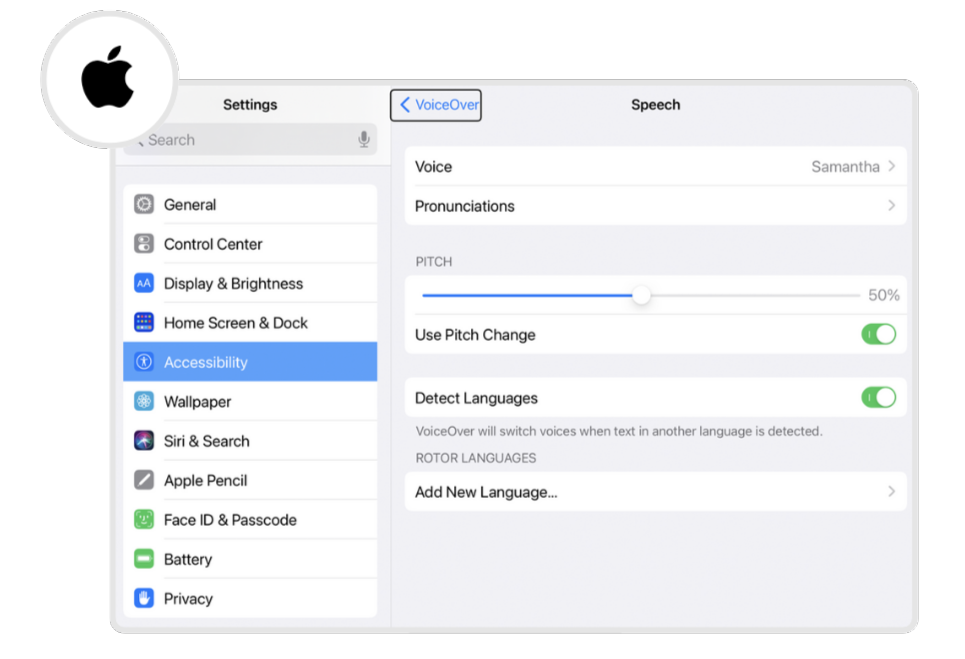
The Apple ecosystem’s ‘VoiceOver’ functionality supports accessibility initiatives.
3. Google Suite
Google Suite provides built-in accessibility features like ChromeVox, a screen reader designed for Chrome devices, and magnifiers to improve visibility.
The Select-to-Speak tool reads content aloud, while Voice Typing allows for hands-free text input. Google’s automatic captioning service generates real-time captions during presentations, making it easier for everyone to follow along.
These tools combine to create an inclusive and accessible experience for all users.
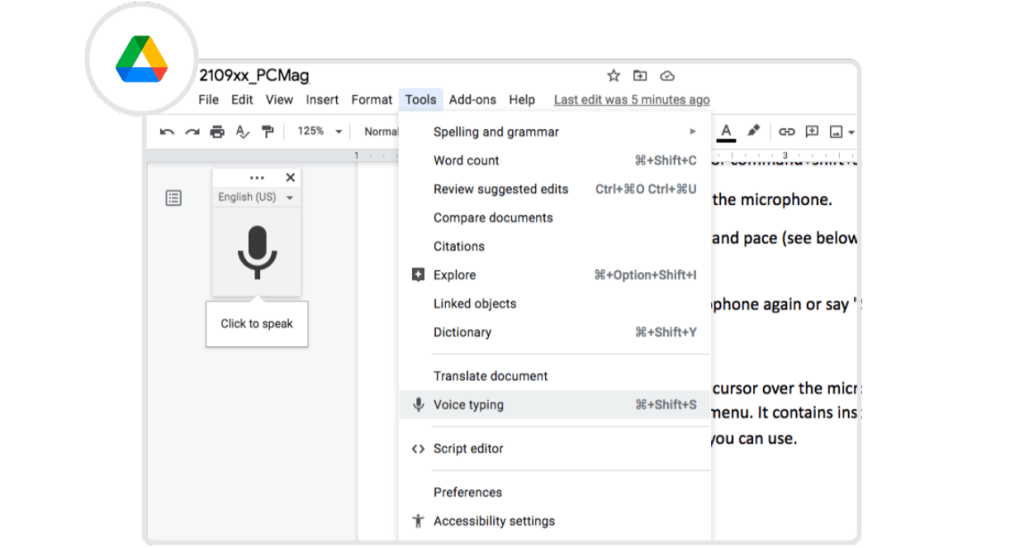
Google Docs supports voice typing as part of their accessibility functionality.
4. Adobe Acrobat
Adobe Acrobat offers several accessibility features designed to make PDF documents easier to navigate, including support for screen readers, alternative text for images, and optimized reading orders.
Users can adjust document colors for better contrast, making it easier to read content. Acrobat also allows for customizable zoom settings and page layouts, providing a personalized and accessible experience for all users working with PDF files.
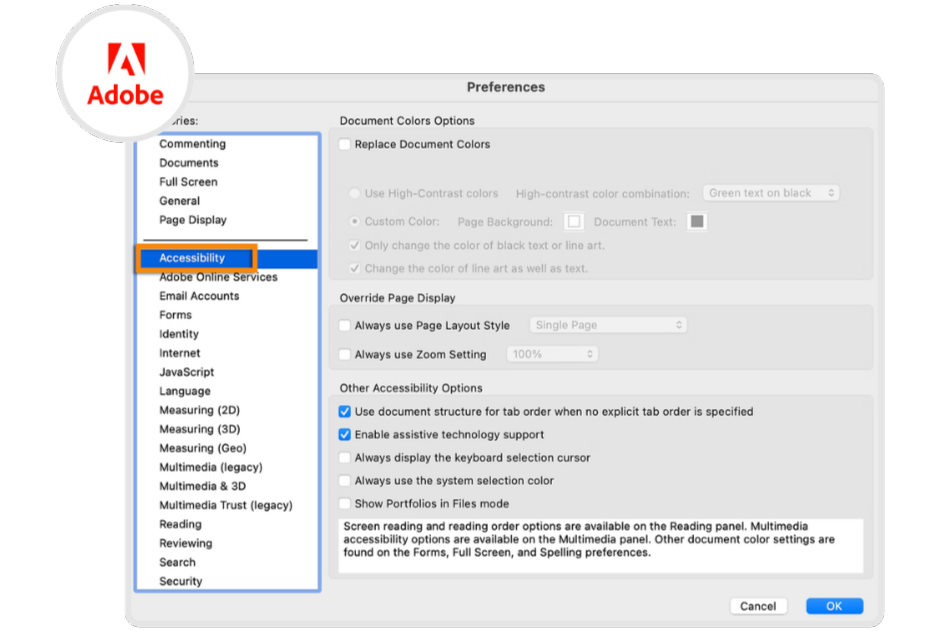
The Adobe suite supports a wide range of accessibility friendly features.
5. Zoom
Zoom prioritizes accessibility with features such as closed captioning, enabling participants to read the spoken dialogue in real-time during meetings.
The platform also supports keyboard shortcuts and screen reader compatibility, ensuring users with visual impairments can navigate the interface effectively.
With virtual background adjustments and visual accessibility settings like high contrast mode, Zoom ensures an inclusive experience for participants of all abilities.
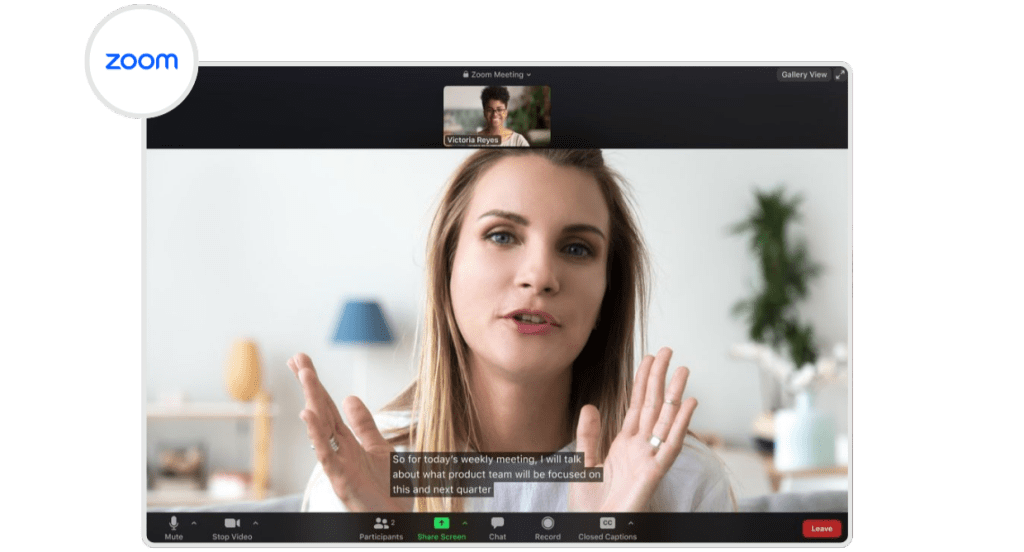
Zoom’s closed captioning provides an accessible way for hearing-impaired individuals to participate during meetings.
Wrap up
Accessibility in software isn’t just a best practice – it’s a necessity for creating an inclusive digital ecosystem. By incorporating accessible design principles, leveraging cutting-edge tools, and embracing inclusivity, companies can improve the digital ecosystem into a space that serves everyone equally.
At PageProof, we are committed to making our platform inclusive for everyone. As part of our journey toward full accessibility across the entire platform, we’re excited to announce recent enhancements to the accessibility of our proofing screen.
This ensures that users of all abilities can interact with the proofing screen seamlessly, fostering greater collaboration and inclusivity within your team and client workflows.
Stay tuned as we continue to expand accessibility throughout PageProof, empowering every user to contribute and collaborate effortlessly. If you spot any areas where we can do better, we’d love to hear from you. Your feedback helps us create a more inclusive experience for everyone.
