
In video production, having the right tools can make all the difference. Whether you’re an experienced editor or just starting, Apple Final Cut Pro stands out as incredibly versatile video editing software. But to fully leverage this tool, try exploring plug-ins to enhance your video production process.
We’ve curated a list of the 15 best Final Cut Pro plugins to elevate your video projects. These plugins offer stunning effects, advanced color grading, captioning, and efficiency-driving video proofing tools – covering every stage of video production.
We’re also excited to introduce PageProof’s brand-new plugin for Final Cut Pro, designed to simplify the video review and approval process, helping you speed up your time to market.
Dive in and learn the tools that will help take your video production to the next level!
Key takeaways
- Elevate your video quality with top Final Cut Pro plugins for effects, color grading, and motion tracking.
- Speed up feedback cycles using PageProof’s new plugin for seamless video review and approval.
- Enhance accessibility with powerful title, captioning, and subtitle tools that broaden your audience reach.
- Simplify your workflow by integrating plugins that drive efficiency across every stage of video production.
The benefits of Final Cut Pro plugins
Final Cut Pro plugins offer a fantastic way to elevate your production quality, bringing a versatile range of features to your toolkit. Not only do these plugins enhance the visual appeal of your work, but they also streamline your editing process, allowing you to work more efficiently and effectively.
Plus, many are very cost-effective, offering high-quality results without the hefty price tag – making them a smart investment, even if you only need them for one project. With seamless integration into Final Cut Pro X, these plugins keep your video creation workflows smooth and intuitive while allowing you to work the way you want.
The best Final Cut Pro plugins
Effect and visual enhancement plugins
Effect and visual enhancement plugins modify and improve the appearance of visual content. They add artistic effects, adjust color balance, apply filters, and can enhance image details to create a more polished and engaging look. Video editors commonly use these plugins to elevate the quality and aesthetics of visual media.
5 of the best effect and visual enhancement plugins.
1. FxFactory Pro
FxFactory Pro offers a comprehensive toolkit with animations, filters, overlays, audio effects, transitions, motion blurs, vibrance effects, and more. Filmmakers and social media content creators can use it to craft stunning visuals.
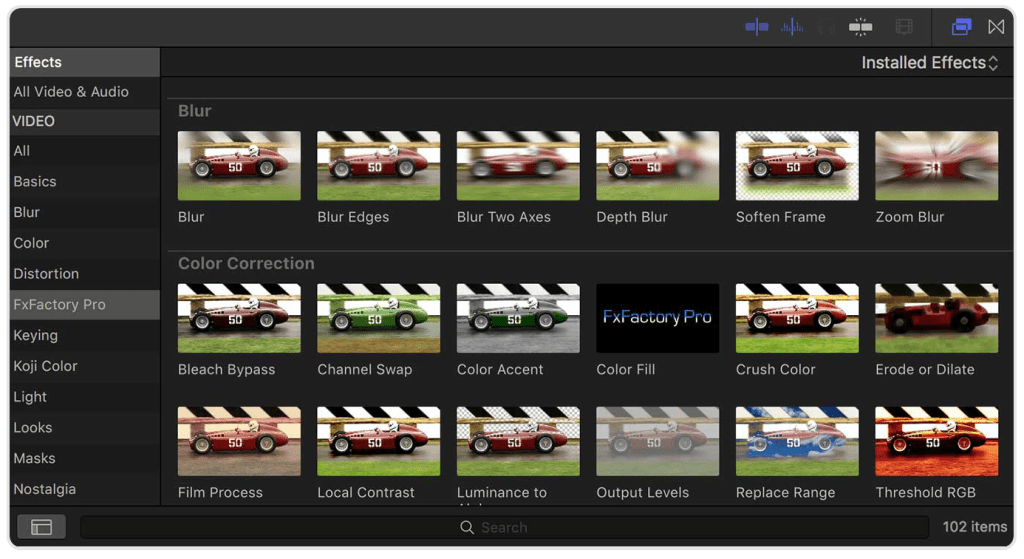
FXFactory Pro video effects panel.
2. Red Giant Software
The Red Giant Universe suite delivers 89 GPU-accelerated plugins, featuring effects such as VHS, box bokeh, sound effects, glitch, and retrograde. It serves as a treasure trove for creative video editors.
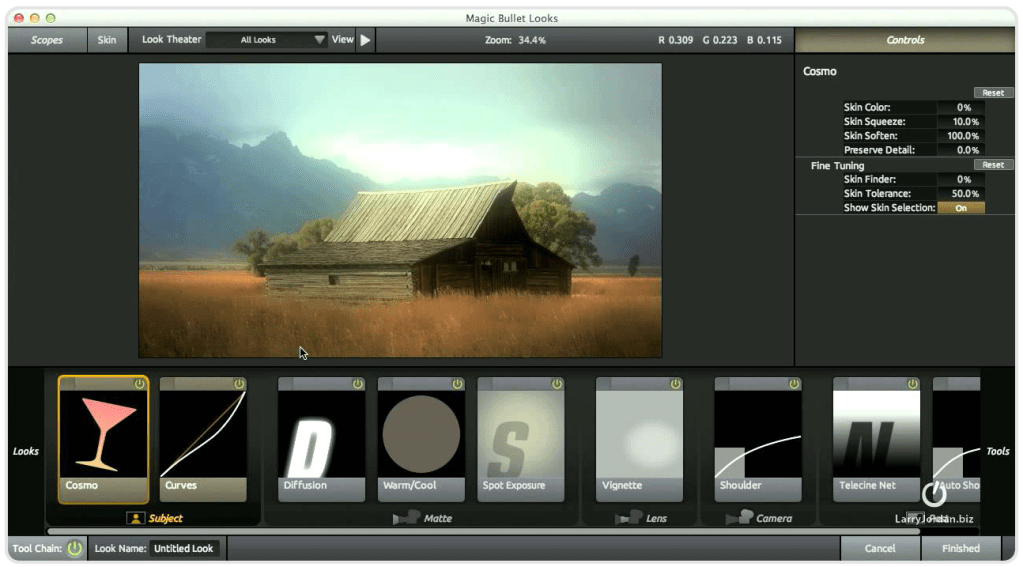
Red Giant Software ‘Looks’ interface.
3. MotionVFX
MotionVFX provides a versatile plugin for video projects with its collection of 59 presets, including titles, LUTs, transitions, social media graphics, lens flares, lower thirds, distortions, intro titles, overlays, and add-ons.
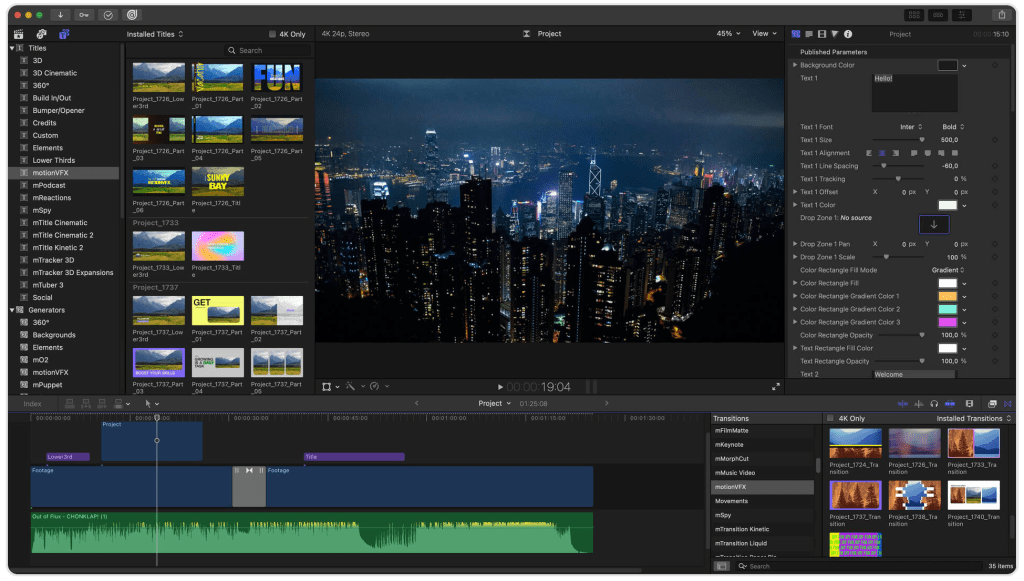
MotionVFX title preset panel.
4. False Color
Pixel’s False Color plugin colors clips by displaying exposure through color. It provides customizable False Color ranges, 13 presets, scale reference positioning, and real-time functionality in Final Cut Pro.
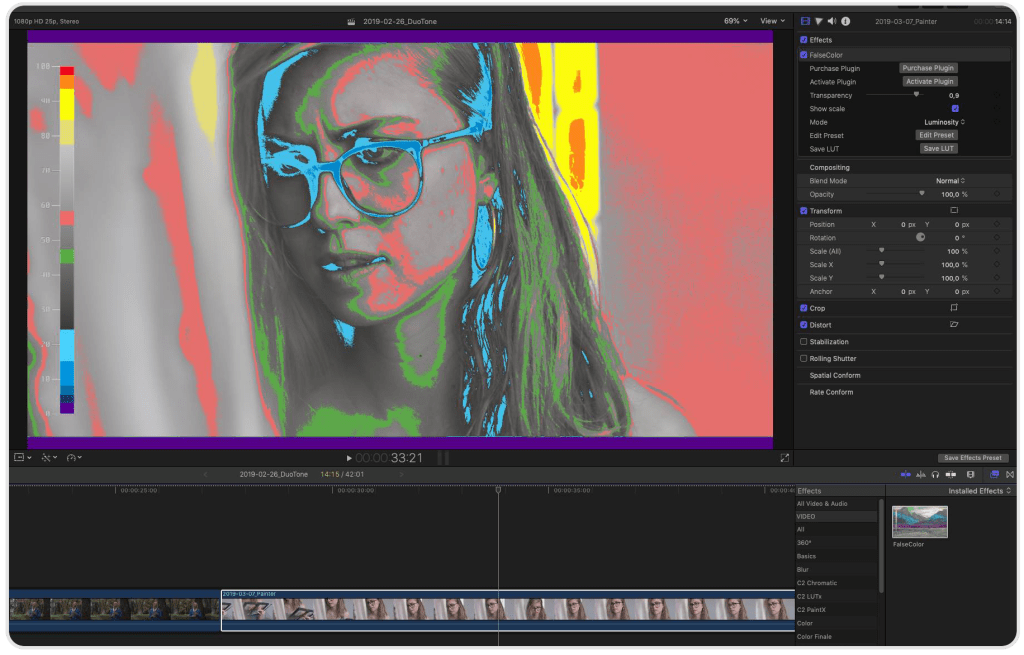
False Color interface showing color exposure settings.
5. FilmConvert
FilmConvert emulates classic film stock and supports profiles for major camera brands such as Panasonic, DJI, ARRI, Canon, GoPro, Nikon, Sony, and Blackmagic. It features 6K grain scans, 19 film stocks, and 3D LUT export options.
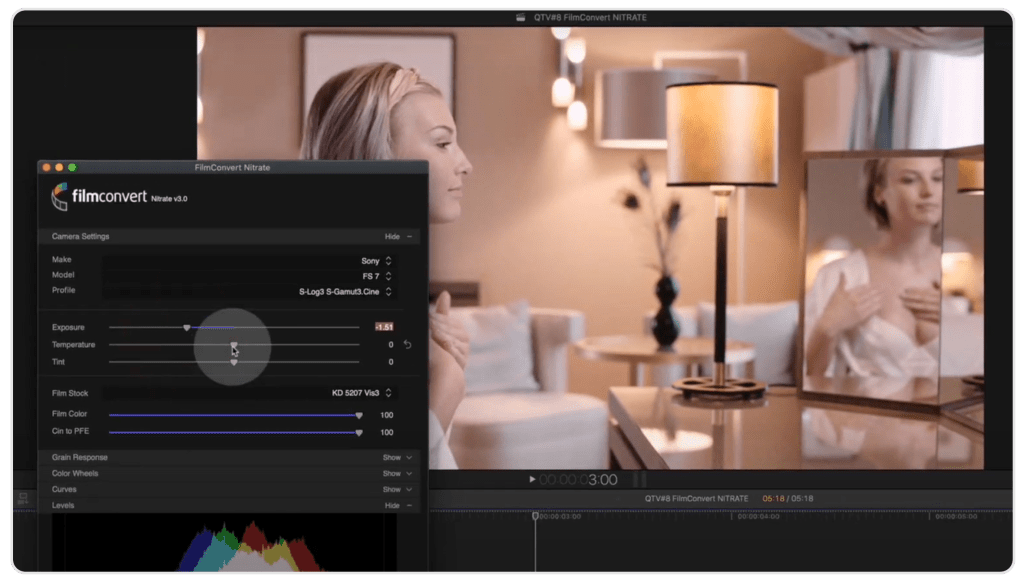
FilmConvert video editing panel.
6. Beauty Box
Beauty Box smooths skin tones and acts as digital makeup, creating a natural look for HD and 4K videos. It renders in real time and uses CUDA and OpenGL for fast playback.
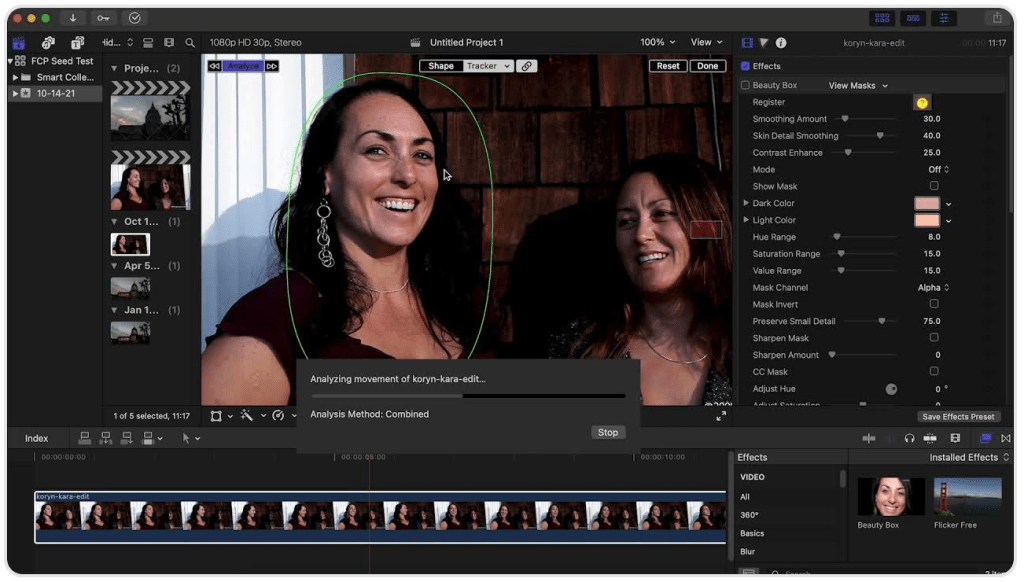
Beauty Box video skin tone and makeup adjustment settings.
Video proofing plugins
Video proofing plugins make it easier for multiple stakeholders to review and approve videos together. These tools work with video editing software like Final Cut Pro, Adobe Premiere Pro, and After Effects, allowing users to leave time-stamped comments and feedback directly on the video timeline. This streamlines the process of tracking feedback and revisions, ensuring greater accuracy and compliance.
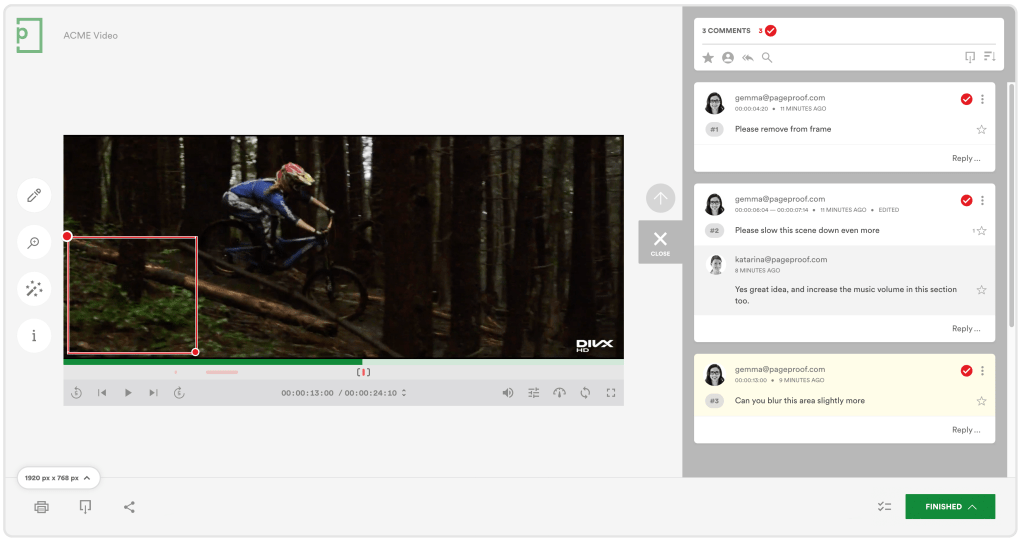
PageProof video proofing makes it simple to place precise feedback on video content.
7. PageProof
The PageProof plugin for Final Cut Pro enhances video review by integrating industry-leading online proofing tools directly into your creative workflows. Share video content for review, collect feedback effortlessly with automated workflows, and view comments layered over your timeline for easy resolution. After comments have been actioned, quickly mark them as done.
If your video includes embedded subtitles, these display in the proof as well, allowing reviewers to verify timing, readability, and accuracy without leaving Final Cut Pro.
Automated reminders ensure team members stay on track, so you never need to chase people for input – keeping the review process smooth and timely. This seamless integration removes communication delays and simplifies the video approval process, boosting efficiency and productivity for everyone involved.
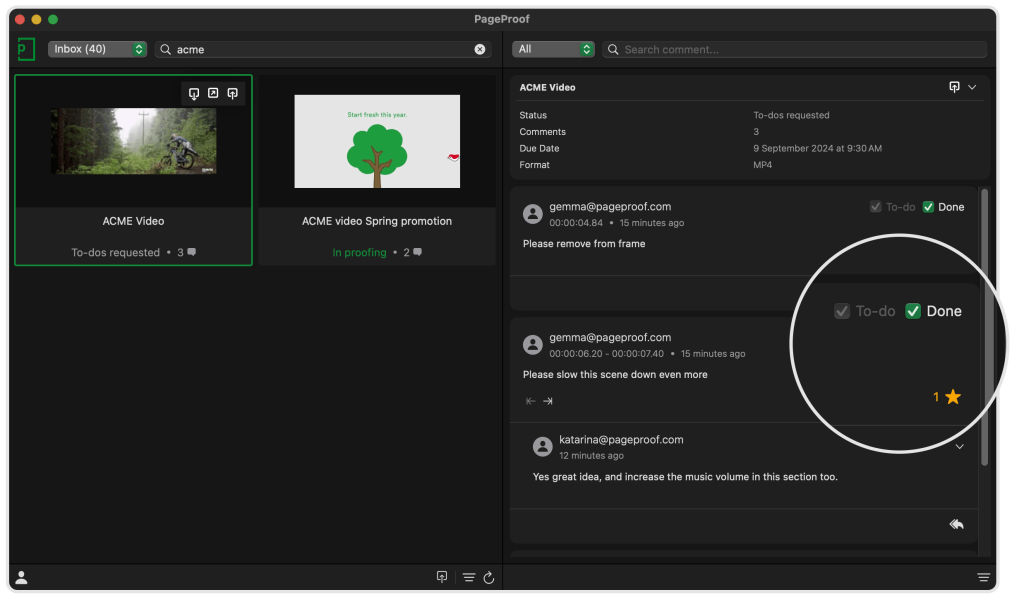
PageProof comments panel integrated within Final Cut Pro, showing feedback marked as done.
PageProof’s key video proofing features:
- Format flexibility: Support for a wide range of file types, including mp4, m4v, avi, mkv, mov, and gif.
- Subtitle, caption & embedded subtitle support: Review both standalone subtitle files like SRT and VTT, and embedded subtitles displayed directly in the proof – making it easy for reviewers to check timing, readability, line breaks, and overall accuracy alongside the video content.
- Precise feedback: Reviewers can markup and comment directly on specific video frames, ensuring clear and context-specific communication.
- Time-spanning comments: Span comments over time to easily provide feedback to cover a period of the video. Control playback speeds for meticulous examination, and also handy skip forward or back buttons, including frame-by-frame navigation.
- Automated workflows: Send proofs through automated workflows, using checklists to guide reviewers and streamline the approval process. Automated reminders also eliminate the need for manual follow-ups.
- Version comparison: Reviewers can easily compare video proof versions side-by-side with a full version history stored for each proof.

Automated workflows route your proof through reviewer groups, with each providing feedback before final approval.
Color grading and LUT plugins
Color grading and LUT (Look-Up Table) plugins enhance and adjust the color and tone of your visuals. Color grading plugins provide precise controls for modifying brightness, contrast, saturation, and color balance, helping you achieve a specific look or mood.
LUT plugins apply predefined color profiles to quickly transform your footage or images, allowing you to match different cameras or create a cinematic effect. These plugins streamline the color correction process and help you achieve professional-quality results.
Two of the best color grading and LUT plugins.
8. mLUT Loading Tool
The mLUT loading tool simplifies color grading by organizing LUTs in one place. It includes an extensive LUT pack and makes managing LUTs in Final Cut Pro a breeze.
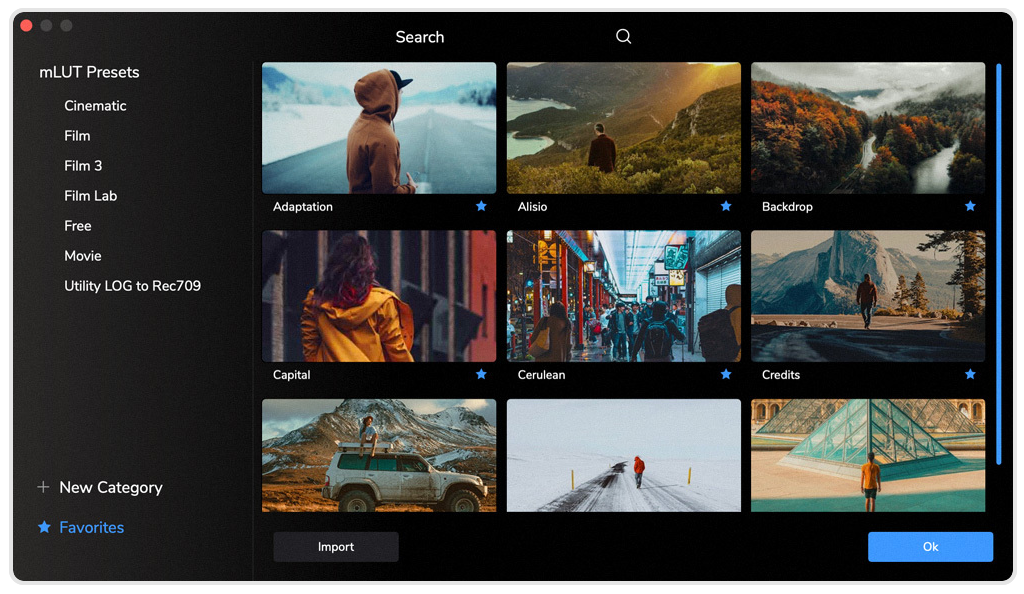
mLUT loading tool color grading preset panel.
9. De:Noise
The De:Noise feature by RE:Vision Effects is one of the most powerful de-noisers out there. While the de-noise node in Final Cut Pro is great, nothing beats a dedicated plugin for the effect. De:Noise handles everything from digital/electronic noise to blotchy spots like first on film. It’s also incredibly versatile, addressing numerous problems related to low-light shoots.
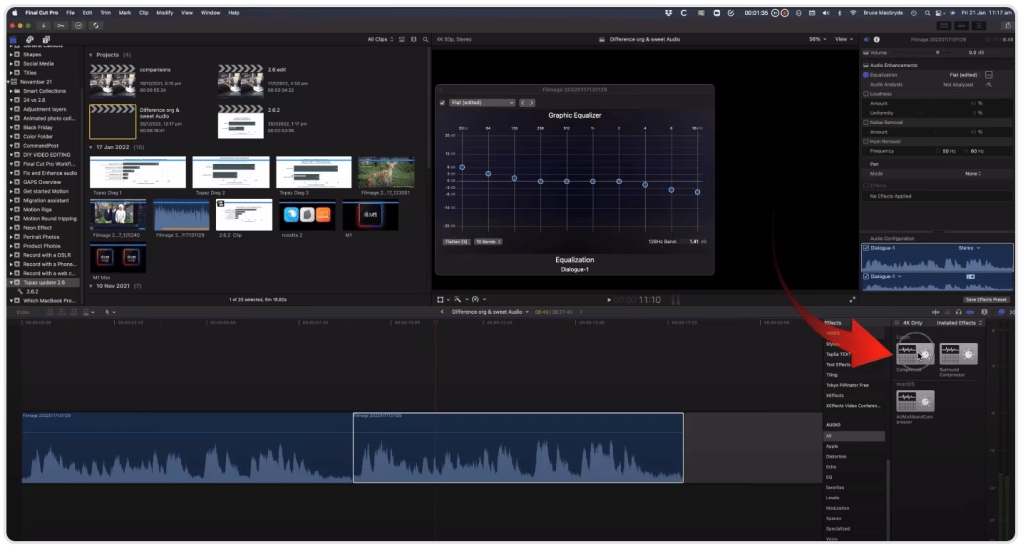
De:Noise interface for correcting digital and electronic noise in audio files.
Title, captioning, and subtitle plugins
Title, captioning, and subtitle plugins boost the accessibility and user experience of video content. Title plugins let you add and customize titles or introductory text to videos, offering context or branding. Captioning plugins create and display text on the screen that matches the spoken dialogue, making content accessible to viewers with hearing impairments or in noisy environments.
Subtitle plugins provide similar benefits but often include translations or additional information. They help viewers who speak different languages or need extra text to fully understand the content. Together, these plugins enhance engagement and ensure your content reaches a broader audience.

3 of the best plugins for managing titles, captions, and subtitles.
10. Simon Says
Captions are a vital aspect of post-production. Simon Says enables you to add captions and subtitles to footage natively within Final Cut Pro in 100 languages, enhancing production. It also offers translation options for generated transcripts.
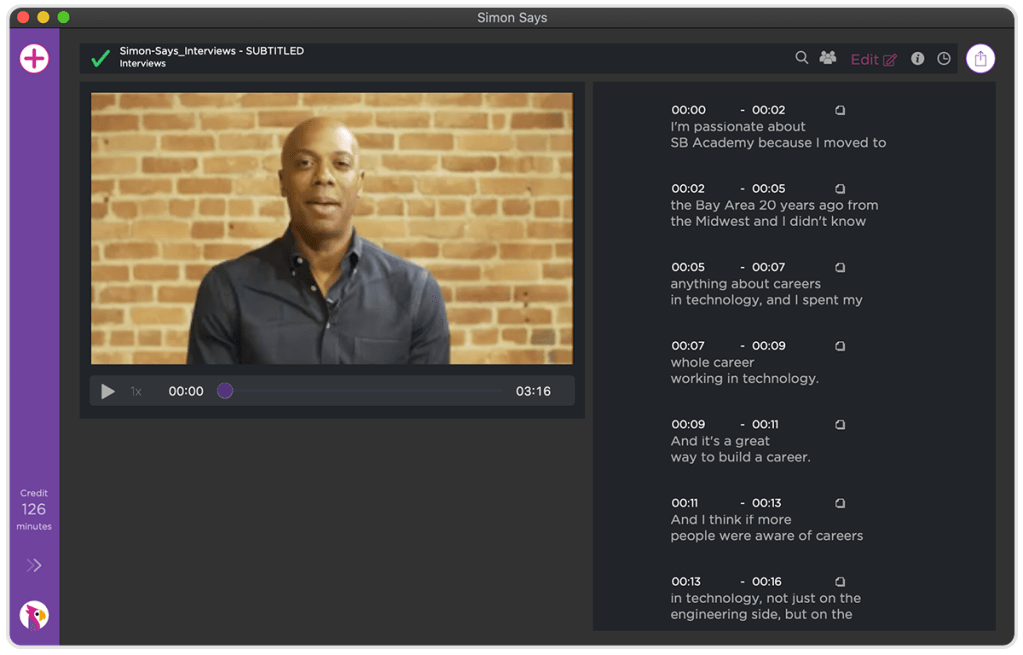
Simon Says subtitle and captioning interface for Final Cut Pro.
11. mMatrix
Infuse your projects with a touch of the iconic Matrix style using mMatrix. While the Matrix theme might be familiar, this plugin offers a range of stylish titles and effects that, when used with creativity, can impress and stand out.
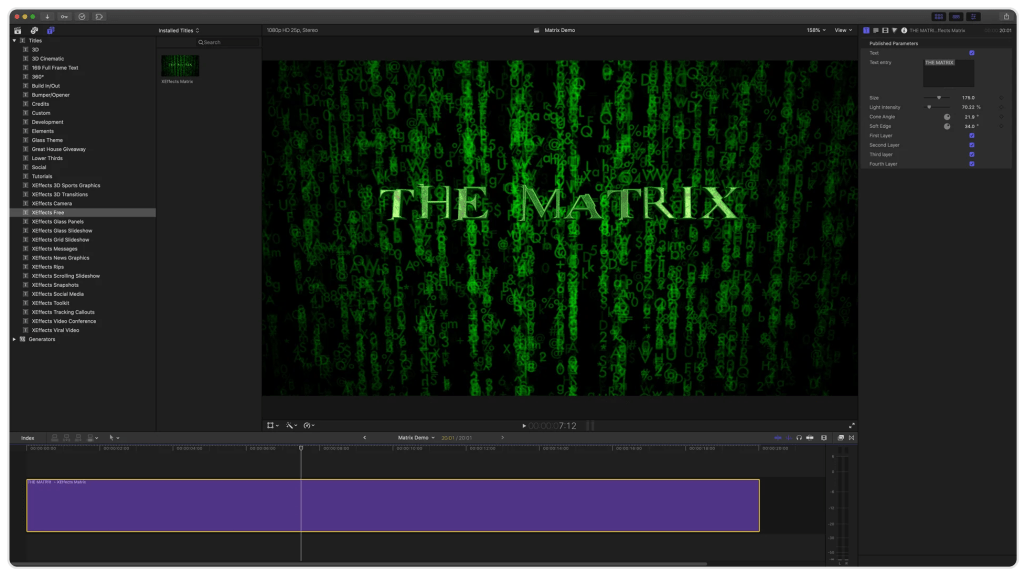
mMatrix title presets in Final Cut Pro.
12. mCallouts
Add dynamic tracked labels and annotations with mCallouts. This plugin makes it easy to highlight and draw attention to specific parts of your video, enhancing clarity and engagement.
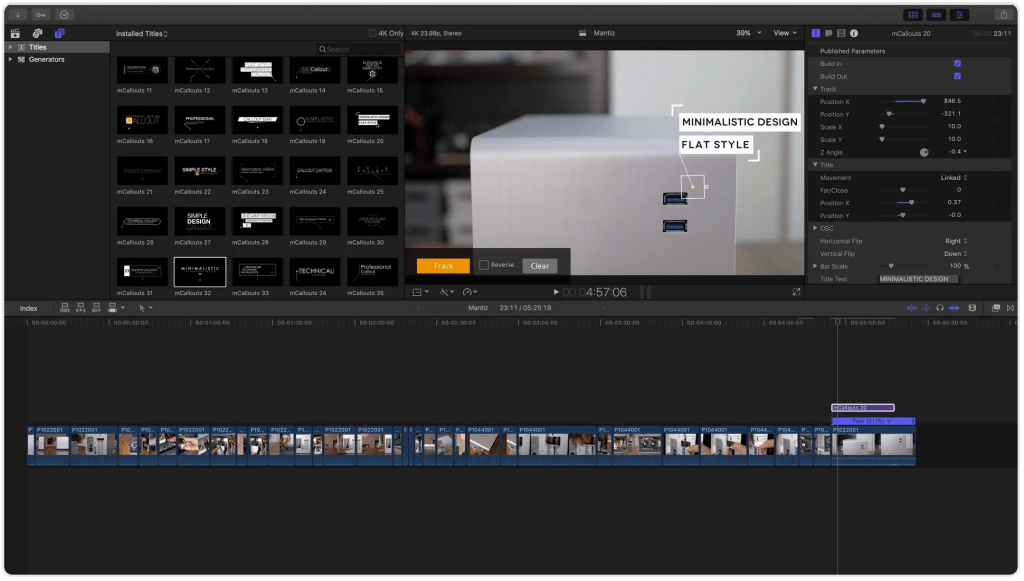
mCallouts label and annotation interface in Final Cut Pro.
Motion and tracking plugins
Motion and tracking plugins enhance video production by adding sophisticated effects and ensuring accurate object movement. Motion plugins enable users to create and control animations, transitions, and visual effects, bringing dynamic movement to static elements.
Tracking plugins, meanwhile, follow the movement of objects within a video, applying effects, text, or graphics in sync with those objects to maintain precise motion. Together, these plugins integrate animated elements and effects with moving footage, boosting the visual impact of the final product.
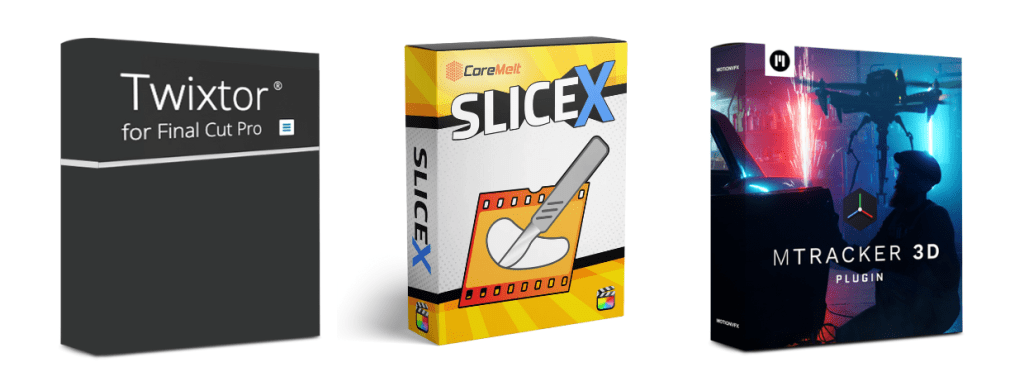
3 of the best plugins for motion and tracking functionality.
13. Twixtor
Twixtor excels at creating realistic slow-motion effects by synthesizing new frames through warping and interpolating the original sequence, resulting in smooth, artifact-free slow-motion footage.
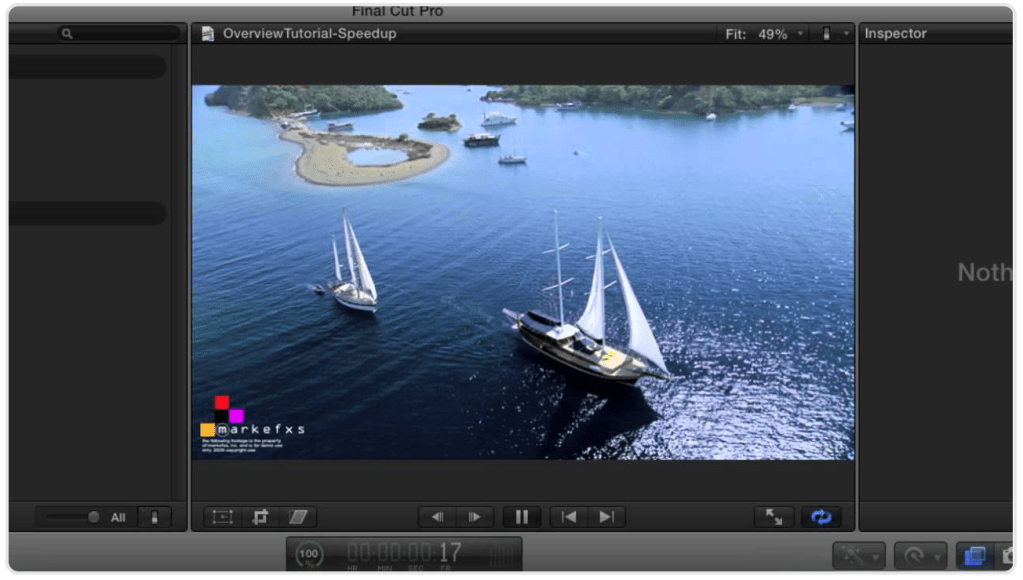
Twixtor slow motion effects panel in Final Cut Pro.
14. CoreMelt SliceX
Elevate your video editing with CoreMelt SliceX, a powerful plugin for rotoscoping and object isolation. Perfect for cutting out elements for advanced composition or blurring sensitive content while ensuring the blur tracks with the object. Although it requires a one-time purchase, its capabilities make it a valuable addition to your toolkit.
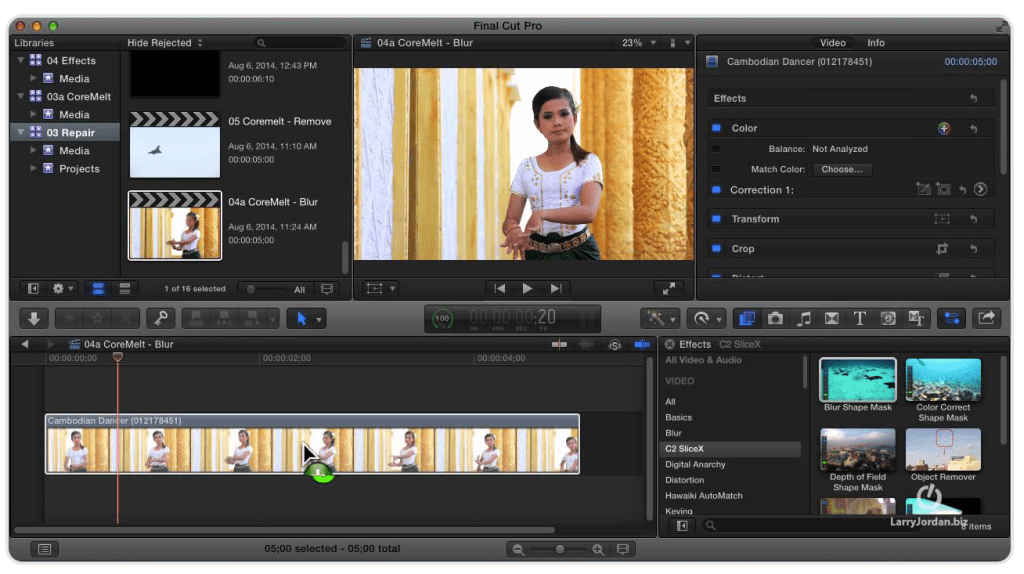
CoreMelt SliceX rotoscoping and object isolation panel.
15. mTracker 3D
Enhance your scenes with 3D elements using mTracker 3D. This plugin excels at integrating 3D objects into your footage. While its tracking may struggle with certain lens distortions, such as those from GoPro cameras, it pairs effectively with SliceX for a seamless blend of foreground and 3D elements.
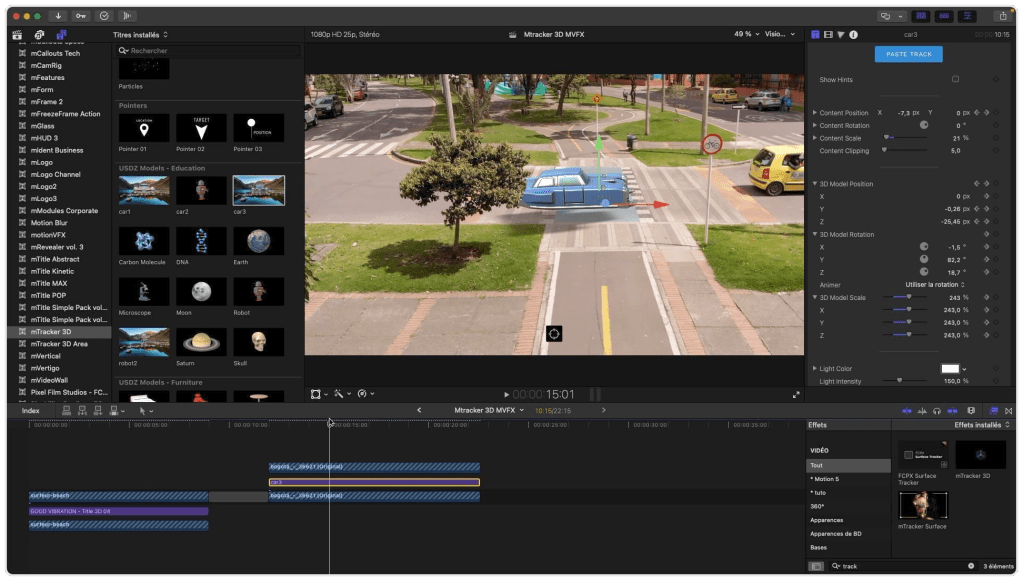
mTracker 3D interface showing 3D functionality in Final Cut Pro.
10 best free plugins for Final Cut Pro in 2024
For a fresh perspective on Final Cut Pro from an industry expert, give Brad West’s videos a watch. He recently outlined some of his favorite free plugins that can elevate your editing game:
- mLightDiffuse – This set of free presets is designed to softly transform the look of your videos. Simply drag, drop, customize, and enjoy the eye-catching glow that will make your edits stand out.
- Saber – Unleash your creativity with Saber, a powerful tool that allows you to create energy beams, lightsabers, lasers, portals, neon lights, electric effects, haze, and much more in your video projects.
- Super Starter Kit – The Super Starter Kit offers 10 amazing and fully customizable tools, perfect for enhancing your Instagram posts, YouTube videos, titles, transitions, and more, all bundled together in one convenient package.
- Red Halation – Achieve a cinematic look with Red Halation, which provides a soft highlight roll-off, a slight red tint, and grain, particularly in the highlights, giving your footage a warm, nostalgic feel.
- Logo Revealer – Elevate your brand with Logo Revealer, offering a diverse range of styles and animations that will transform your logo into a memorable spectacle.
- mLut – Keep your look-up table (LUT) files organized, accessible, and easy to use with mLut, a tool that simplifies the management of your color grading assets in one place.
- Automatitles – Simplify your title creation process with Automatitles, where you can change text and color while everything else is handled automatically, saving you time and effort.
- Truly Handheld 2.0 – Bring realistic handheld camera movements to your projects with Truly Handheld 2.0, which features six motion-tracked, real-life handheld movements integrated seamlessly into Final Cut Pro.
- PowerTools Lite – Enhance your video projects with PowerTools Lite, a diverse collection of titles, effects, and transitions for Final Cut Pro X, offering you creative flexibility and professional-grade results.
- RT Type on Cursor – Simulate the effect of text being typed on screen with RT Type on Cursor. Customize your cursor’s color, size, and position, adjust its blink speed, and overlay text on videos or photos for a polished and professional look.
Choosing the right Final Cut Pro plugin
When choosing plugins for Final Cut Pro, it’s crucial to research thoroughly to ensure you’re making the best choice for your needs. Consider whether you need a specialized plugin that excels in a specific task, such as advanced color correction or visual effects, or if a multi-purpose tool that offers a range of functions would be more beneficial.
Specialized plugins can deliver superior performance and precision for niche tasks, while multi-purpose tools provide versatility and cost-effectiveness by combining several functionalities. Weigh the pros and cons based on your project’s requirements and workflow to make an informed decision.
Streamline your video review process with PageProof
PageProof’s powerful video proofing and automated workflows is designed to simplify the review and approval process, allowing your editors and wider teams to collaborate seamlessly.
With PageProof and the new plugin for Final Cut Pro, you can enhance your creative workflow efficiency, ensuring timely feedback and faster project turnaround, and helping to scale your video output and improve overall productivity.
Schedule a demo today to see firsthand how PageProof can transform your video content review process.
FAQs
What are Final Cut Pro plugins?
Final Cut Pro plugins are third-party tools that extend the functionality of the Final Cut Pro video editing software. They provide additional features such as special effects, transitions, color grading tools, and enhanced workflow options to improve and customize video editing projects.
Where to find Final Cut Pro plugins?
Your first stop should be Apple’s marketplace – but Final Cut Pro plugins can also be found on various third-party marketplaces and websites, such as Motion VFX and FXFactory. Additionally, many plugin developers offer their products directly through their own websites, where you can browse, purchase, and download them.
Head to Apple’s App Store here.
