
As technology reshapes the creative process, proving the integrity behind work has become essential. Creatives are being asked to confirm an asset’s origin, its authorship, and, more often than not, whether AI played a role in its creation, not only for images, but for video and audio assets too.
Content Credentials provide this transparency by attaching secure, tamper-evident details about a file’s creation and editing history – making them an essential part of modern creative work.
But this creates a key challenge: how can creatives reveal those credentials in a clear, trustworthy way? That’s exactly why FinalFile.com was created – to give creatives a simple, open way to add and verify Content Credentials in seconds.
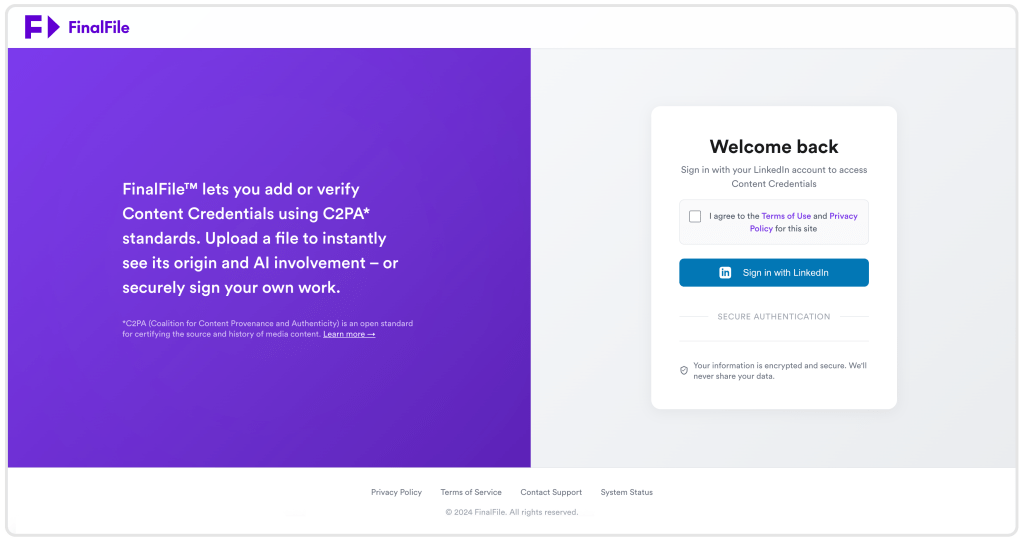
Sign in with LinkedIn to add or verify Content Credentials on any supported file.
What is FinalFile.com?
FinalFile.com is a free, secure web tool from PageProof that lets creatives add Content Credentials to their files or check whether a file already has them.
You can upload an image, video, or audio file and apply Content Credentials, or verify existing credentials in just a few seconds, without installing any software or setting anything up.
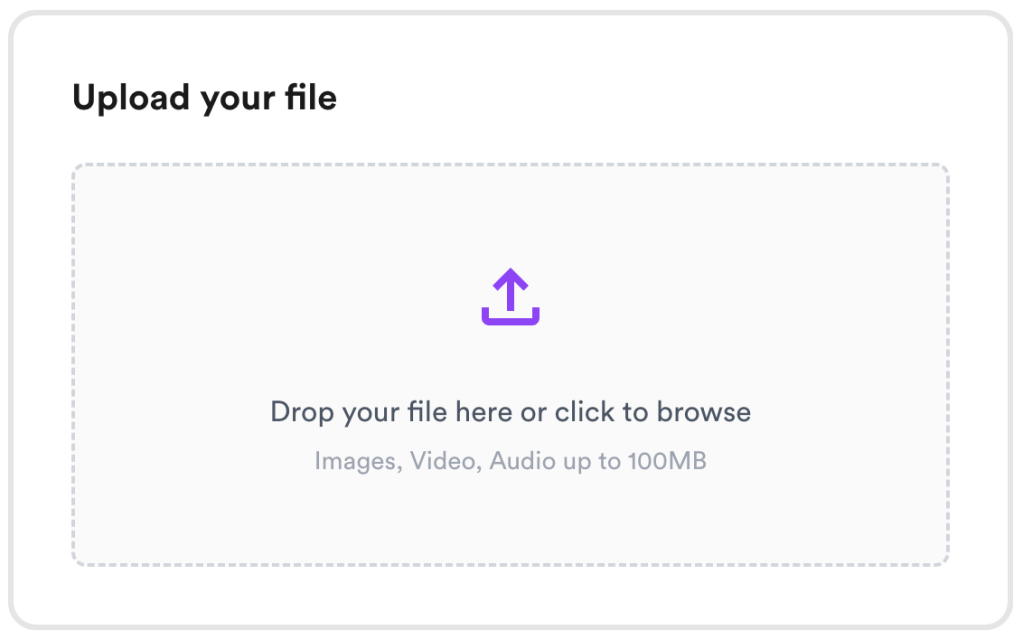
Upload your image, video, or audio file to apply or check Content Credentials in seconds.
Whether you’re delivering final artwork, reviewing assets from collaborators, or needing proof of authorship and AI usage, FinalFile™ gives you a simple way to ensure your files carry clear, trustworthy information from first draft through to final approval.
Why PageProof created FinalFile.com
FinalFile.com extends PageProof’s commitment to protecting creative work from first draft to final sign-off and beyond.
As AI becomes part of the creative toolkit and assets move quickly between teams, the need for transparency, who made something, how it was created, and what has changed along the way, has never mattered more.
FinalFile™ was created to support that shift. It reflects PageProof’s belief that authenticity should feel effortless. Creatives, agencies, and brands deserve a simple, open way to add Content Credentials to their own work or verify them in the files they receive.
By making provenance accessible in seconds, FinalFile™ helps creatives protect their craft, honor authorship, and bring greater trust to every asset from first draft to final delivery.
Designed to inform and empower creatives
FinalFile.com was built so creatives and marketers can work with greater clarity and control. Whether you’re:
- Checking whether AI was used in an image, video, or audio asset
- Confirming your own work carries the correct authorship information
- Preparing a final design, video, or audio file for delivery
- Verifying assets from freelancers, agencies, or partners
- Ensuring compliance and transparency in a regulated environment.
The tool gives you a dependable, accessible way to add and validate Content Credentials in seconds as part of your everyday creative workflow.
How FinalFile.com works
Sign into FinalFile.com with LinkedIn
To get started, sign in with LinkedIn. This provides a secure way to confirm your identity and ensures that every file you sign includes a verified author.
Upload a file to add Content Credentials
Upload any supported image, video, or audio file that you have authored, hit ‘Verify’ and FinalFile.com will sign it using the C2PA signing application from the Content Authenticity Initiative (CAI). PageProof is a proud CAI member, and FinalFile.com uses the same trusted open standards used by other leading creative and technology companies as part of this initiative.
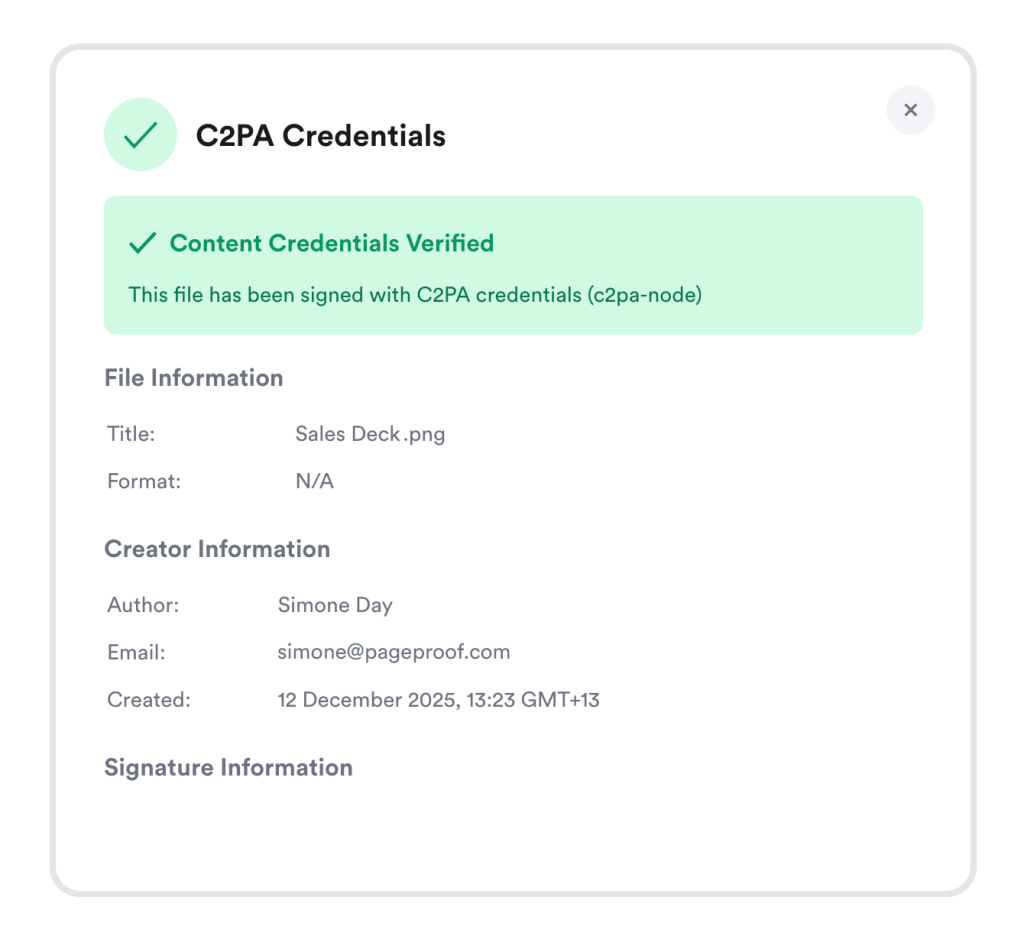
The display window showing Content Credentials have been added to this file.
Upload a file to check Content Credentials
To check a file, follow the same simple process. Head to the ‘Verify’ tab, upload the asset you want to review, select Verify, and FinalFile.com will show whether it already contains Content Credentials and display its origin, authorship, and any AI involvement.
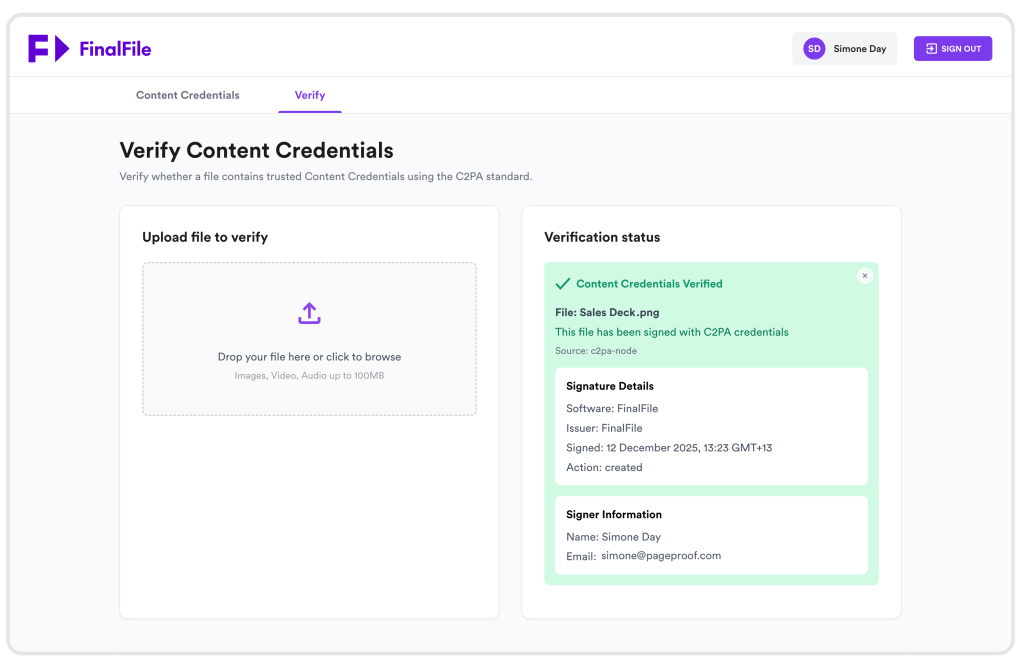
Upload a file to check whether it contains valid Content Credentials.
Automatically keep track of recent signings
Your last five signed files are stored for easy access. Re-download them, reference how they were signed, or share them with collaborators. A simple convenience not commonly offered elsewhere.
All of this is free, secure and requires nothing more than a LinkedIn sign-in.
Connected to PageProof Intelligence®
FinalFile.com is part of a broader ecosystem dedicated to bringing transparency and trust into the creative workflow.
On the proofing screen, Smart Check, powered by PageProof Intelligence® automatically surfaces Content Credentials for any supported file uploaded for review.
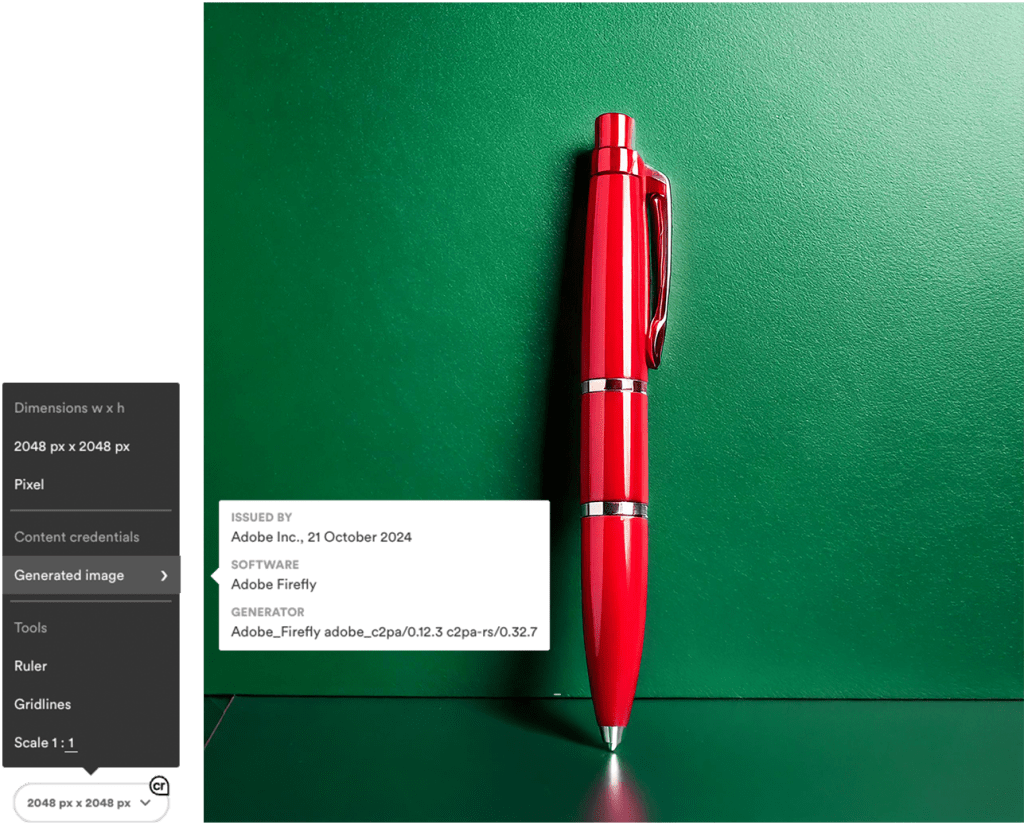
Content Credentials confirm the image was generated with Adobe Firefly.
This means reviewers can: verify authenticity, confirm authorship, see whether AI tools were used, and validate edits and history – all inside the approval workflow.
This combination of FinalFile™ and PageProof Intelligence® provides a complete solution for creatives who want to protect their work, validate the content they receive, and build trust at every stage.
Bringing trust into every final file
FinalFile.com makes it easy for creatives to ensure their work is accurately represented and transparently shared, with no barriers, no cost, and no complexity.
By adding or verifying Content Credentials in seconds, designers, marketers, and teams can work with greater confidence, knowing every file carries clear, trustworthy information from the moment it’s created through to final approval.
