
At PageProof, we’re always building smarter ways to help creative teams move faster, collaborate better, and deliver content with confidence.
This month’s updates introduce features that simplify how you manage stakeholders, streamline file handling, and maintain brand consistency — all while saving valuable time.
Key takeaways
- Save time with groups, making it easier than ever to add multiple stakeholders with preset permissions.
- Combine multiple GIFs into a single proof — with new options for borders and background colors.
- Stay consistent with visible file names on static combined proofs and enhanced metadata for creative accuracy.
- Catch up on the latest PageProof Academy on groups, users, and teams — and register now for our upcoming session on the Microsoft Office add-in.
Introducing groups
Groups let you add multiple reviewers at once, with default permissions already set. Perfect for making sure no one’s missed and everything moves faster.
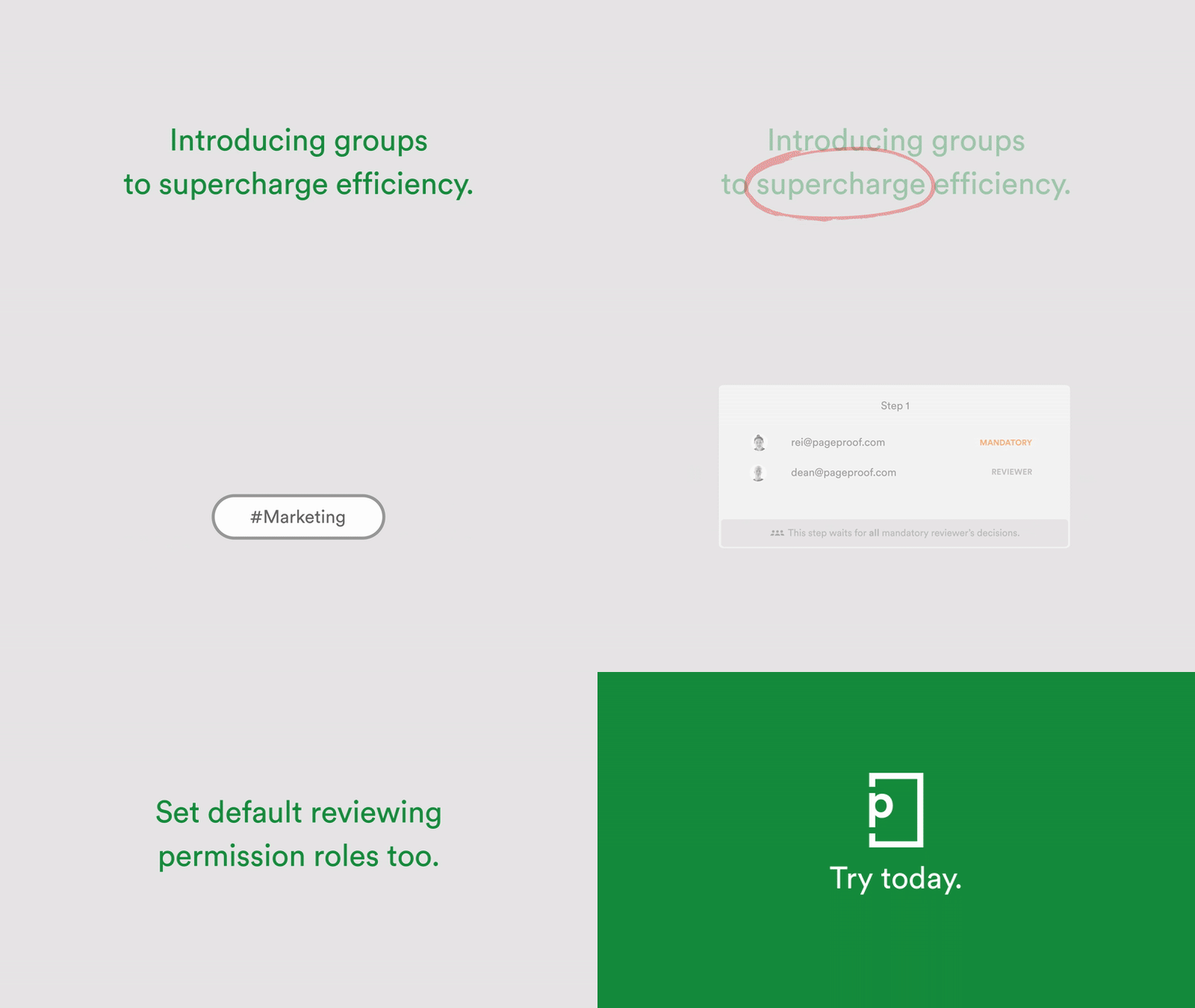
Now, Enterprise team admins can:
- Name a group and (optionally) add a description
- Add internal or external email addresses
- Set a default reviewing permission for each group member.
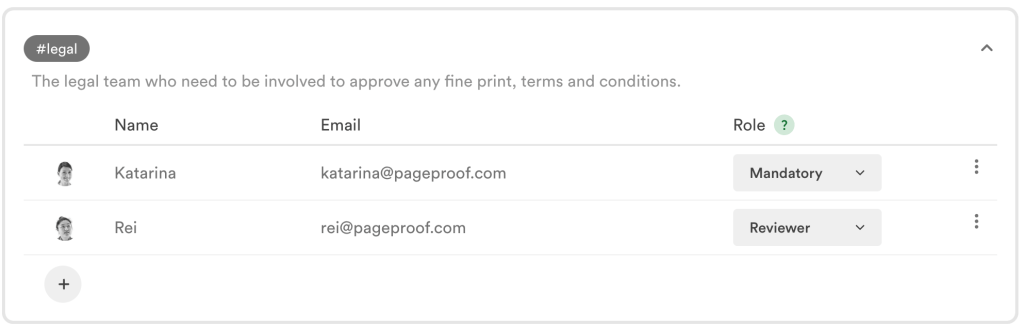
Create groups with default permission roles.
Just type # and a few letters of the group name to add it to a proof — no need to enter each email or set permissions manually. See groups in action.
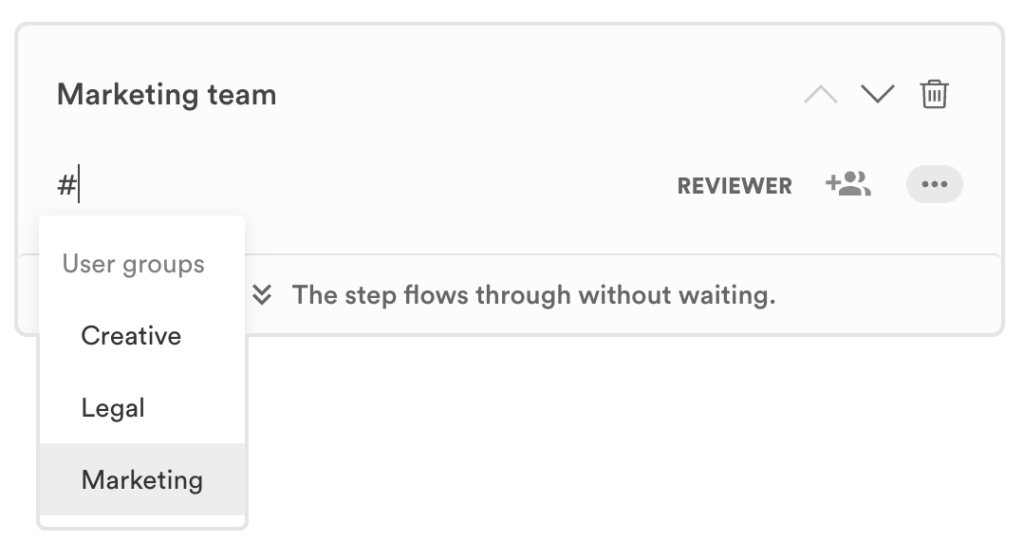
Add groups of reviewers using a simple hashtag.
Combine multiple GIFs into one proof
Our popular combine feature now supports GIFs. Simply drag and drop multiple GIF files to create a single proof. Each GIF appears on its own page with the file name and size displayed.
Reviewers can add a border (great for transparent backgrounds) and adjust the background color to see how the GIFs look in context. A visual time-saver for teams working on animated content. Learn more.
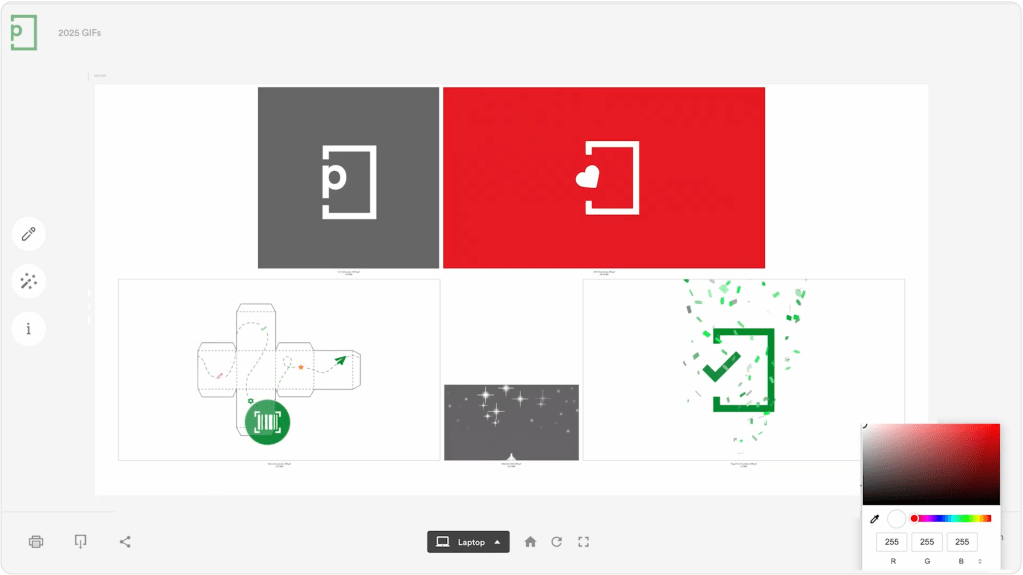
Combine multiple GIFs into one proof.
File names now visible on static combined proofs
For all static combined proofs, the file name is now clearly shown on the proofing screen — so you’ll always know which file you’re looking at.
There is also a dimension pill in the bottom left corner, which reveals enhanced metadata like fonts, colors, and linked files. A small change that makes a big difference for teams focused on consistency and quality. Learn more.
Sign up for the next PageProof Academy
Join CTO and co-founder Marcus Radich as he introduces the brand-new PageProof add-in for Microsoft Office.
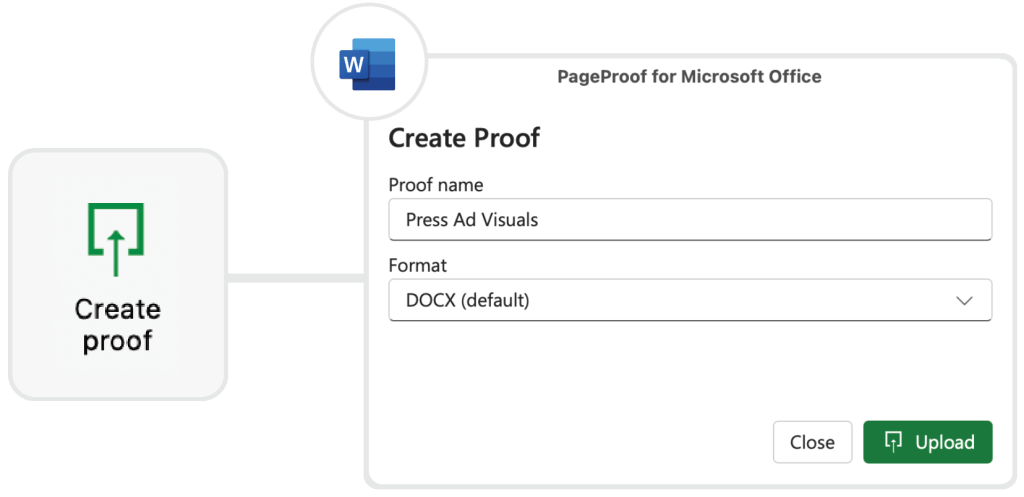
Create proofs directly from your Microsoft Office applications.
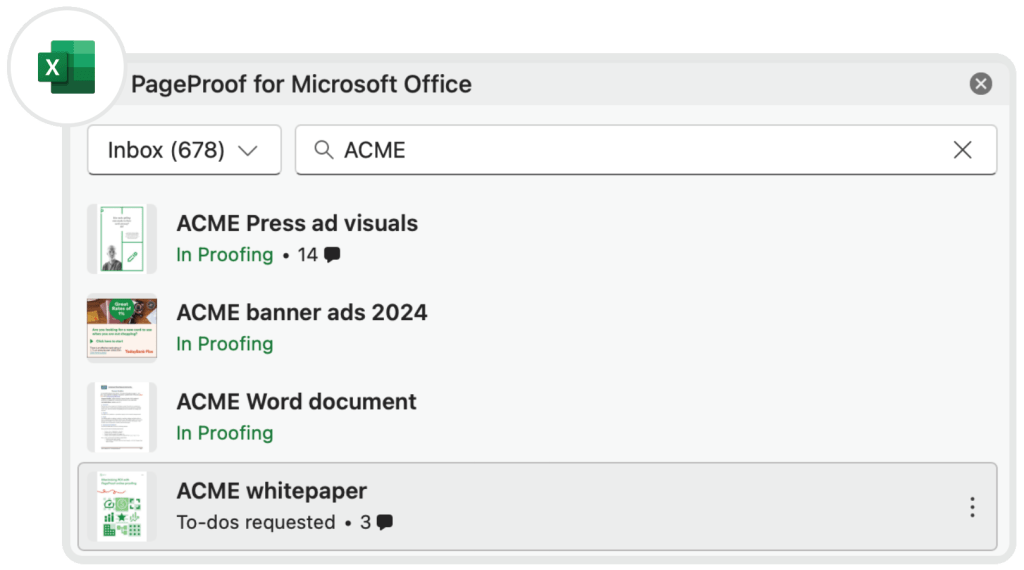
Track the progress of proofs directly in your Microsoft Office applications.
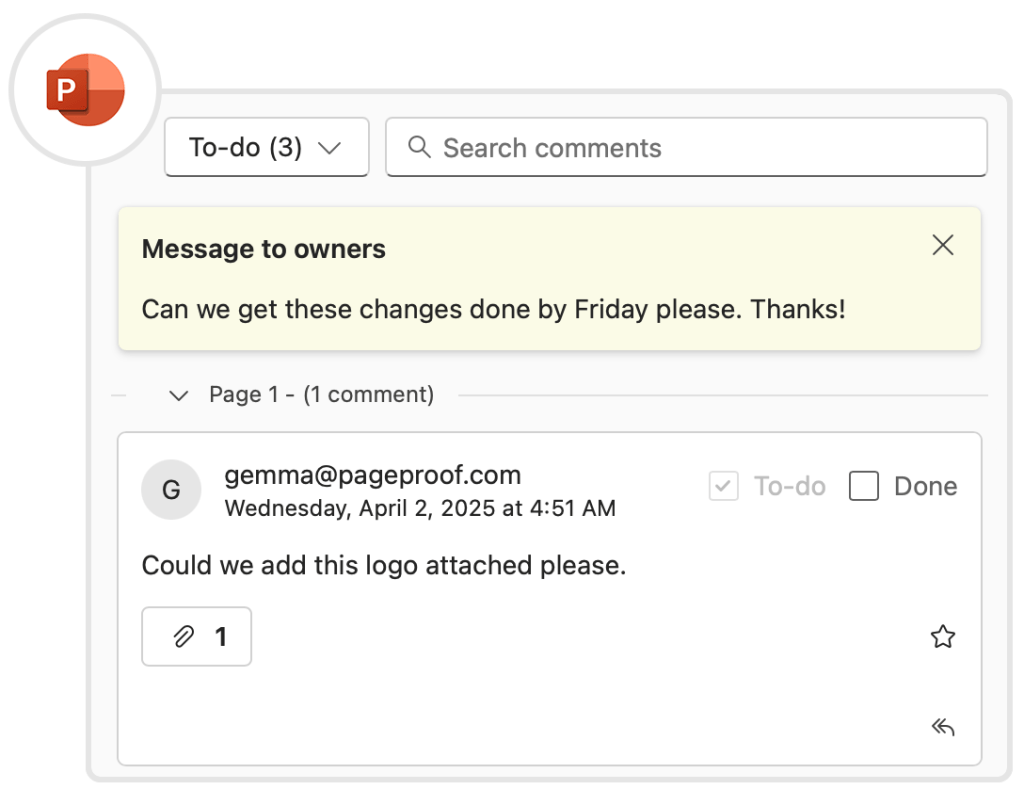
Action feedback via PageProof’s in-app task pane.
Perfect for teams working in Word, PowerPoint, or Excel, this productivity powerhouse lets you manage reviews without ever leaving your Microsoft files.
.png)
Watch the latest PageProof Academy on-demand
Our most recent PageProof Academy is now available on-demand. Learn how to manage users, team members, and the new groups feature to speed up your workflows.
Click here to access the webinar and explore our extensive PageProof Academy library.
PageProof’s fresh new feature videos are posted on YouTube every month. Ensure you’re up-to-date with all the latest enhancements by subscribing to our YouTube channel.
If you’d like a walk-through of these new features and to see how PageProof can help organizations streamline creative approvals, book a demo below.
