

Over the past month, the PageProof team celebrated another birthday! To mark the occasion, we had some exciting announcements over the past few weeks to enhance the efficiency of your creative workflows.
This release featured new monday.com integration capabilities, flexible workflow functionality, and we announced our biggest update yet – PageProof Intelligence™! Read on below.
PageProof special birthday release
Multiple approvers
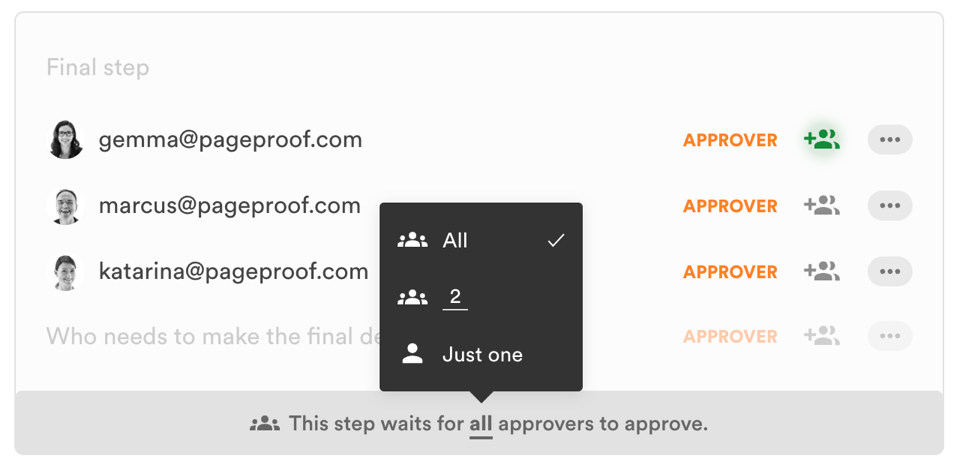
You can easily add as many approvers as needed in the final step of the workflow and control the number of approvals required before the proof gets final approval. This is perfect for situations where you’re unsure if either Anna or John will approve the proof, or if both Anna and John need to give their approval. Even set the exact number of approvals you need too.
Approvers not needed (or add them later!)
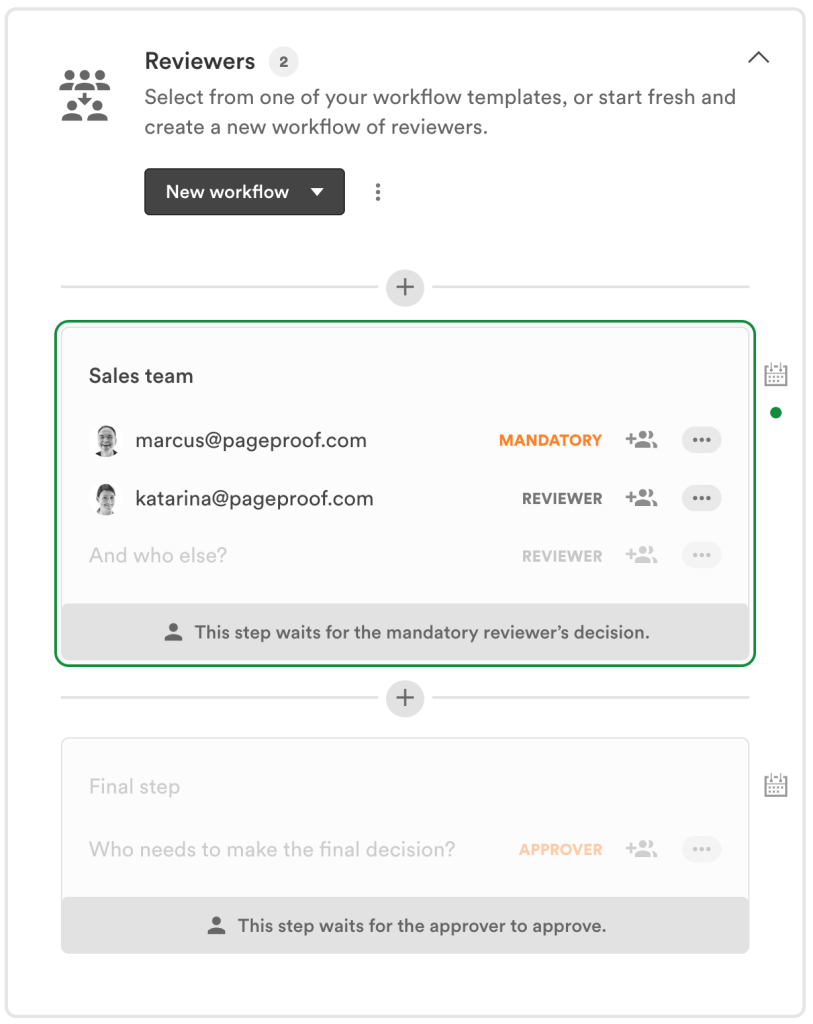
For some creative projects, you might only need feedback rather than formal approval when sending your proof. Now, it’s easy to send a proof without requiring an approver — just leave the final step empty. You have complete control over whether the proof comes back with a to-do list or receives final approval, all at your discretion as the proof owner.
You can also set up a workflow template that has an empty final step, then fill out the approver/s when you need to. There are many different ways you can construct a workflow for your proof, and our team is available to offer any advice if you need it. Just reach out via the in-app chat on your dashboard.
Naming of the final workflow step
It’s important to be able to name the final workflow step, especially if you have automation and triggers set up within PageProof integrations that automatically move tasks or cards, send notifications etc in work management tools such as monday.com, Asana, Trello, ClickUp etc. Enjoy the flexibility to add further automation to your creative workflows when the proof has reached the final step – however you wish to name it.
Automatically create proofs from monday.com using a people column
Using an integration recipe, a proof template, and a people column – automatically create proofs from monday.com in a click. Saving your team time and effort.
For example: When an item status is changed to ‘send first proof’, send a proof of the item’s file to people in the ‘approvers’ column. There are so many different ways you can customize and use this integration to save your team time and effort when creating proofs.
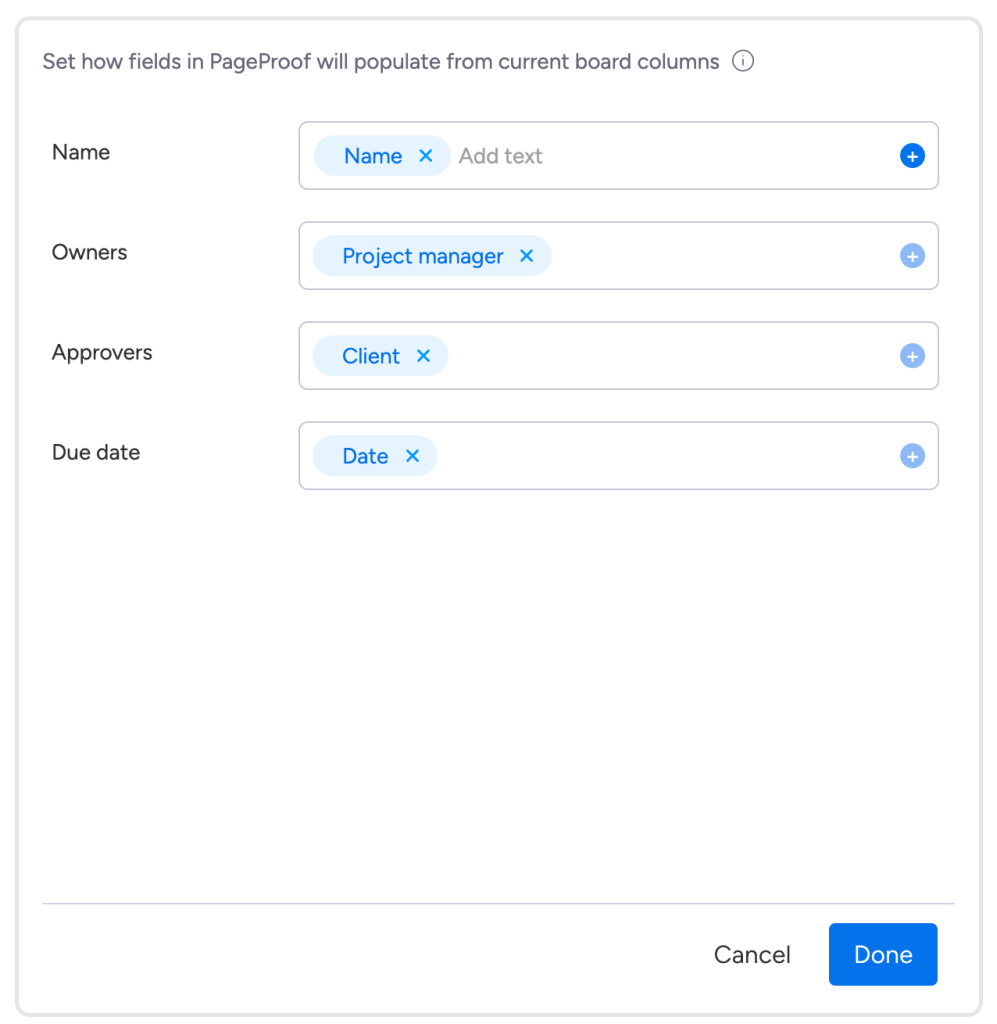
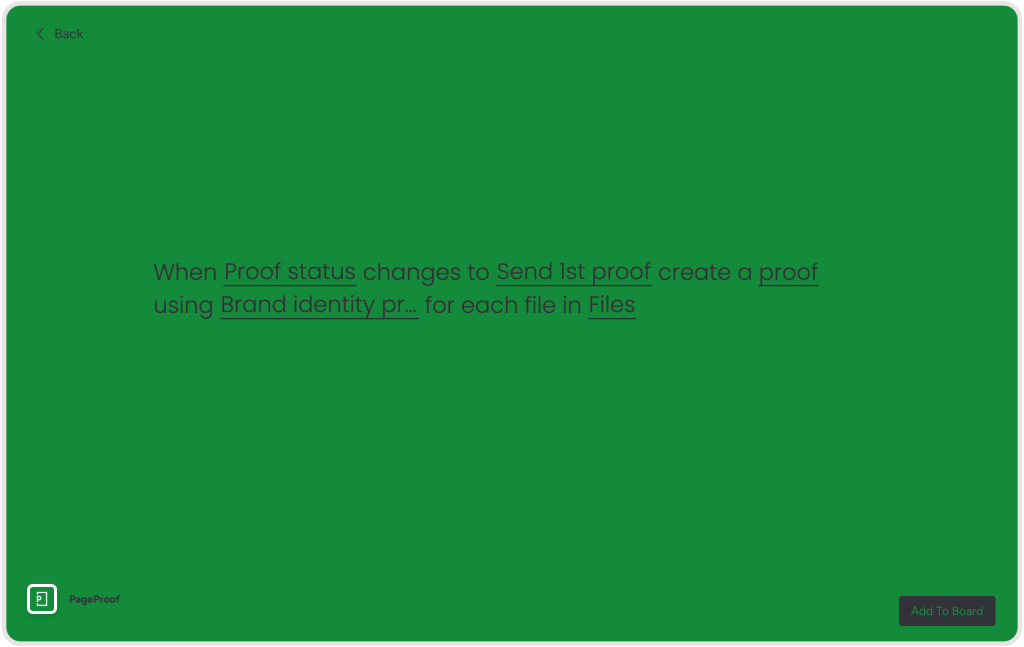
Learn how to automate sending proofs in this help article, or contact one of our team via the in-app chat on your PageProof dashboard for assistance with setting up this integration recipe on your monday.com board. Seamlessly create proofs in a click.
View only reviewer role
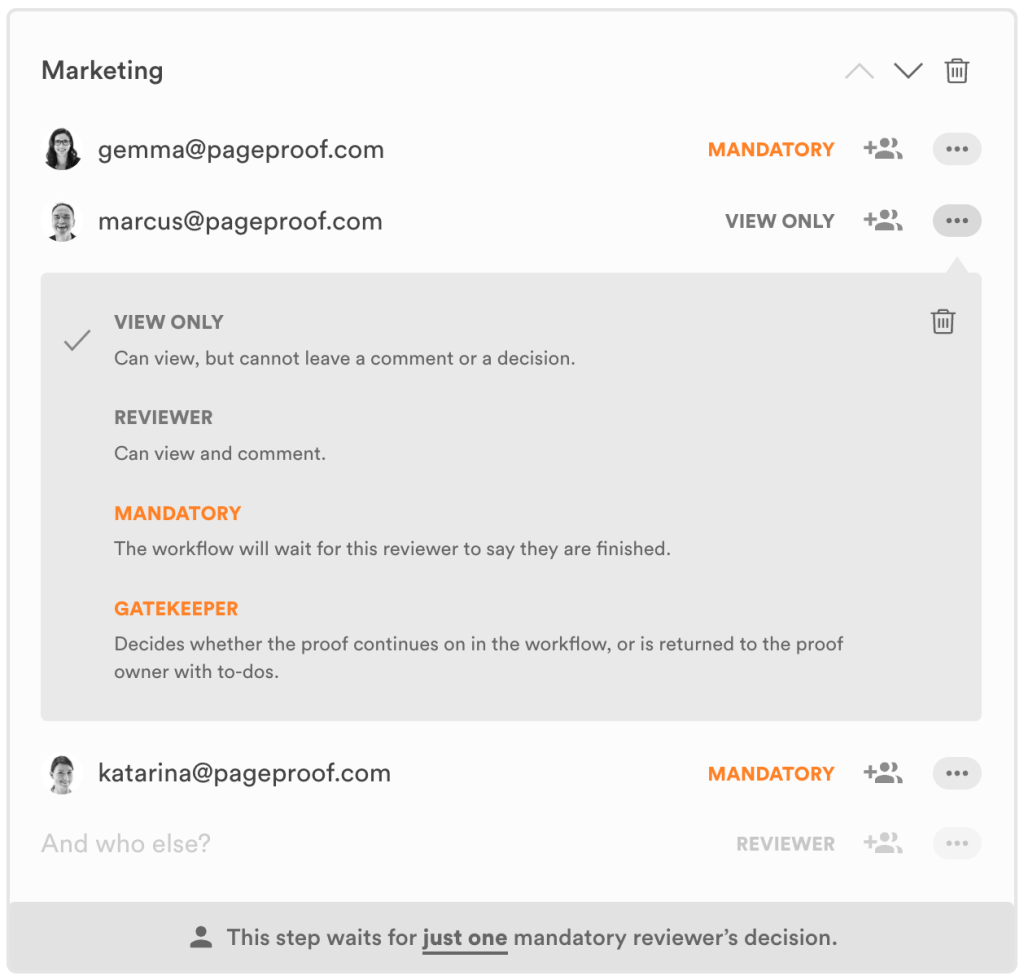
Introducing a new reviewer permission role, available to enterprise customers – view only. This role is particularly useful when you want to allow a user to see the proof if they are interested/want to be kept in the loop.
The view-only reviewer is someone who can see the proof but can not create a comment or reply to comments. A decision is not required from a reviewer who is view only. Workflows are now even more flexible to suit your organization’s needs.
PageProof Intelligence™ Smart Tags
Removing the need to rely on how the proof owner named and tagged the proof, PageProof Intelligence™ Smart Tags allows searching by describing the creative content. “White rabbit with blue shoes” will find that Easter creative. “Sunscreen bottle” will find the catalog advertising summer essentials. “Tattooed arm” will find that social media ad.
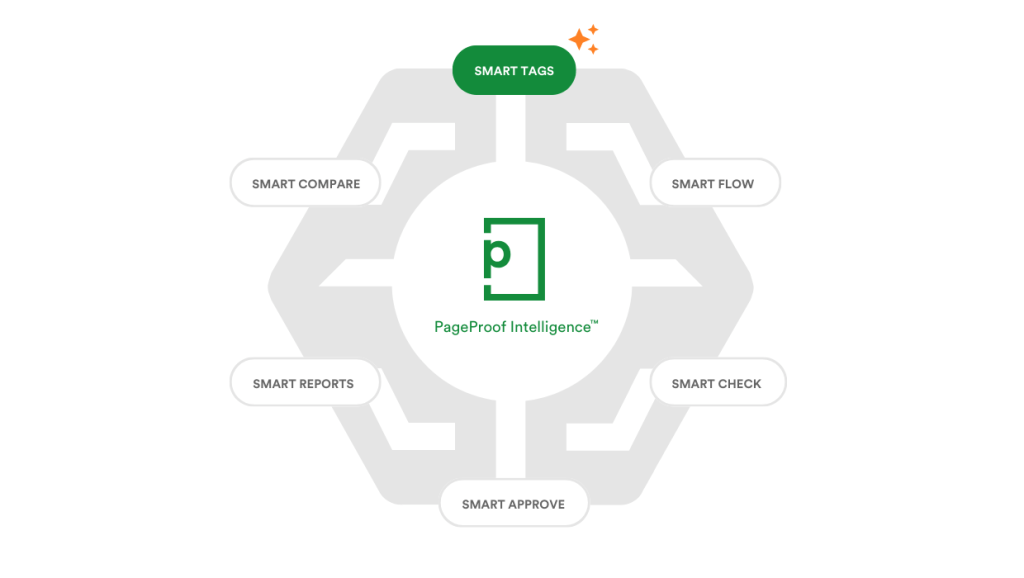
PageProof Intelligence™ amplifies the way marketing and creative teams review and approve creative content. Through a series of proprietary algorithms, artificial intelligence (AI), and data predictions through machine learning (ML), PageProof Intelligence™ enhances every facet of your organization’s use of the PageProof platform, whilst keeping your data secure.
PageProof Intelligence™ is rolling out now, and beyond 2024.
PageProof’s birthday release has come to an end! We couldn’t be more excited to see our customers make the most of our new features. If you’d like a walk-through of any of our features, book a time with one of our friendly team.
