PageProof festive feature release: 12 Days of Christmas 2024

The lead-up to Christmas always brings festive cheer and magic, with Rudolph the Red-Nosed Reindeer leading Santa’s sleigh, gifts to unwrap, and don’t forget PageProof’s 12 Days of Christmas feature release!
This December the team at PageProof revealed 12 festive features in the lead-up to Christmas. Such an exciting way to round off 2024 – with a new feature announced daily. From designers to marketers, there’s something for everyone. We love nothing more than bringing joy to our customers.
Day 1: Save your spot with a bookmark
With PageProof’s new bookmarking feature, it’s now easier than ever to pick up right where you left off in your review process. Whether you’re reviewing a lengthy document or a detailed video/audio file, simply click to add a bookmark to mark your spot. The next time you open the proof, you can jump directly to the exact page or precise time you marked, saving you valuable time and helping you stay organized. No more searching or scrolling — just seamless navigation to keep your workflow smooth and efficient.

Save your spot with a bookmark and pick up right where you left off in your review process.
Day 2: Enforce essential info with required reference field
Team administrators now have the option to make the reference text field mandatory when setting up proofs. This ensures that team members consistently include essential details, like customer codes or job numbers, every time they create a new proof. It’s a simple way to keep your proofs organized and trackable.
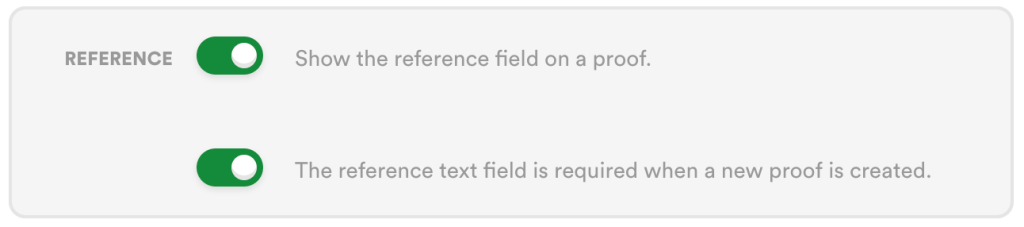
The reference field required setting within PageProof.
Day 3: Streamline video feedback with PageProof for Final Cut Pro
Introducing the PageProof plugin for Final Cut Pro – designed specifically for video editors. Create proofs directly from Apple’s Final Cut Pro, send them to a PageProof automated workflow (with reminders too), and even add a checklist to guide reviewers. When a to-do list is returned, view comments directly on the video timeline, allowing editors to quickly action comments and mark them as done. Once edits are complete, simply upload a new version with a click – streamlining your video production workflow and speeding up the review process.
Streamline your video review and approval process with the PageProof plugin for Final Cut Pro.
Day 4: Smart Check: Content Credentials for audio files
We’re excited to announce the extension of Smart Check: Content Credentials to include audio files, bringing greater transparency and trust to your creative review process. This powerful feature is designed for teams working with audio creatives—such as podcasts, sound bites, radio ads, and more—ensuring all audio assets meet quality standards and compliance requirements.
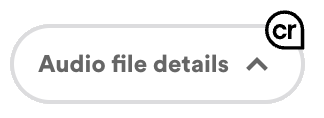
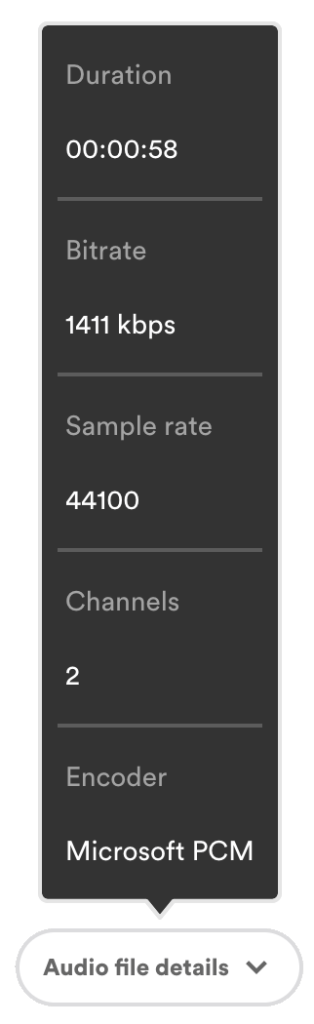
- Smart Check now analyzes audio files and displays critical details in the dimension pill, including:
- Duration of the audio file.
- Bitrate (data transfer rate) is an indicator of audio quality
- Sample rate (number of samples per second), affecting sound fidelity.
- Channels – Mono or stereo configuration.
- Content Credentials such as creator details, credentials, expiry dates, and generators.
This feature makes it easier than ever for reviewers to validate the integrity of audio assets, ensuring they align with your project’s creative and technical needs.
Day 5: Enhanced audit: Greater oversight for teams
Enjoy enhanced transparency and accountability in proof audits with two new audit events:
- To-do and approval message logging: When a to-do list is sent or final approval is given, the message communicated to the owners is now included in the audit log. This provides proof owners with detailed insight into the message sent, facilitating a deeper understanding and accurate documentation of the proof’s lifecycle.
- Track share link invitations: The full summary audit log (available to enterprise customers) now records when the share link feature on the proofing screen is used to invite additional reviewers to a proof, ensuring proof owners have complete visibility over who is invited into the review process.
These enhancements empower proof owners with comprehensive oversight of their proofs, promoting efficient collaboration and streamlined compliance management.
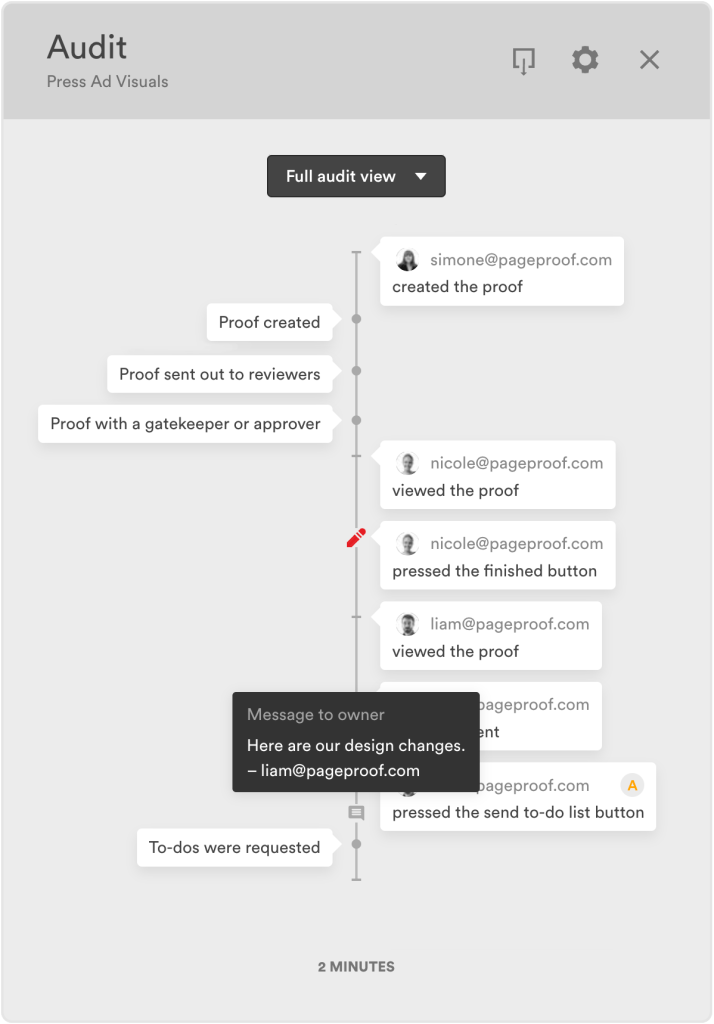
New events within PageProof’s audit view.
Day 6: GIF Proofing Your Way: Choose Video or HTML Format
Team administrators now have the power to control how GIF files are handled when creating proofs in PageProof. Choose between converting GIFs into a video proof format or an HTML web proof format.
With the video proof format, reviewers can add markup and comments along a timeline, pause and play the GIF, and even adjust the playback speed using the video player bar. Alternatively, the HTML web proof format preserves the original GIF format, allowing reviewers to add markup without any timeline-based functionality. This new feature gives you the flexibility to tailor the proofing experience of GIFs to the needs of your team and clients.
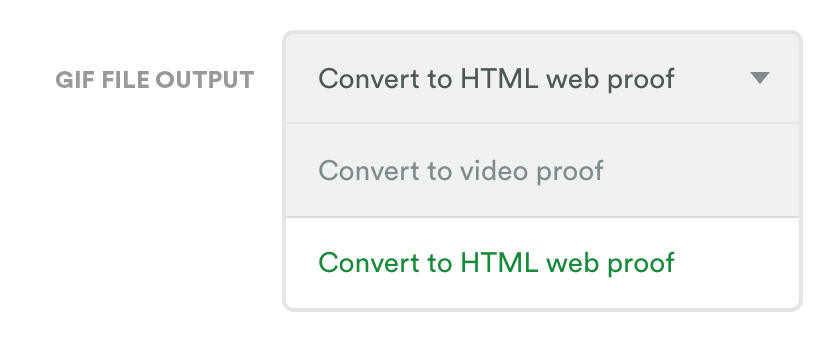
Control how GIF files are handled when creating proofs in PageProof.
Day 7: Deeper insights: New decisions report
Enterprise team administrators can now access a powerful new report that provides a detailed overview of reviewer decisions. Search by create date range of your team’s proofs to uncover insights.
The decisions report includes:
- Timelines: See when reviewers were invited, when decisions were submitted, and the time taken to respond.
- Comprehensive proof details: Name, reference, version number, create and due dates, current proof status, and approval dates for approved proofs.
Benefits for team administrators:
- Monitor progress: Identify bottlenecks and ensure reviews stay on track and deadlines are met.
- Boost efficiency: Gain insights to optimize team performance and accountability.
This new report equips enterprise admins with the tools to stay on top of their team’s proofing activity, giving greater control and clarity.
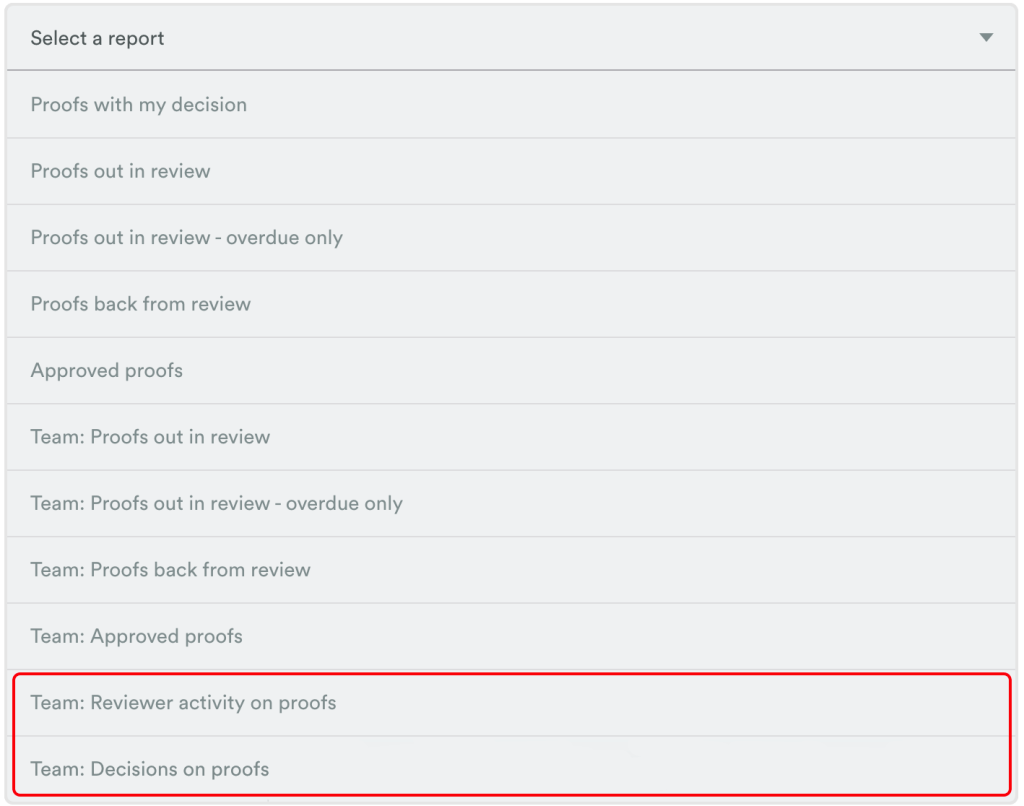
The two new reports provide deeper insights into reviewer activity and decisions on proofs.
Day 8: Personalize your comments: Default to public or private
We’re excited to introduce a new feature for team members in teams with the private comments setting enabled. You can now customize your comment preference directly from your user profile. Choose whether your comments on proofs default to public (the standard setting), or private.
This feature puts you in control of your proofing communication – whether you prefer open collaboration or need to keep feedback discreet. By setting your default preference, you’ll save time and maintain consistency in your review process, making every proof smoother and more efficient.
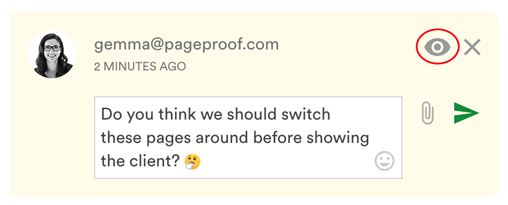
Private comments are useful for internal communication within proofs that include external stakeholders.
Day 9: Barcode measurements
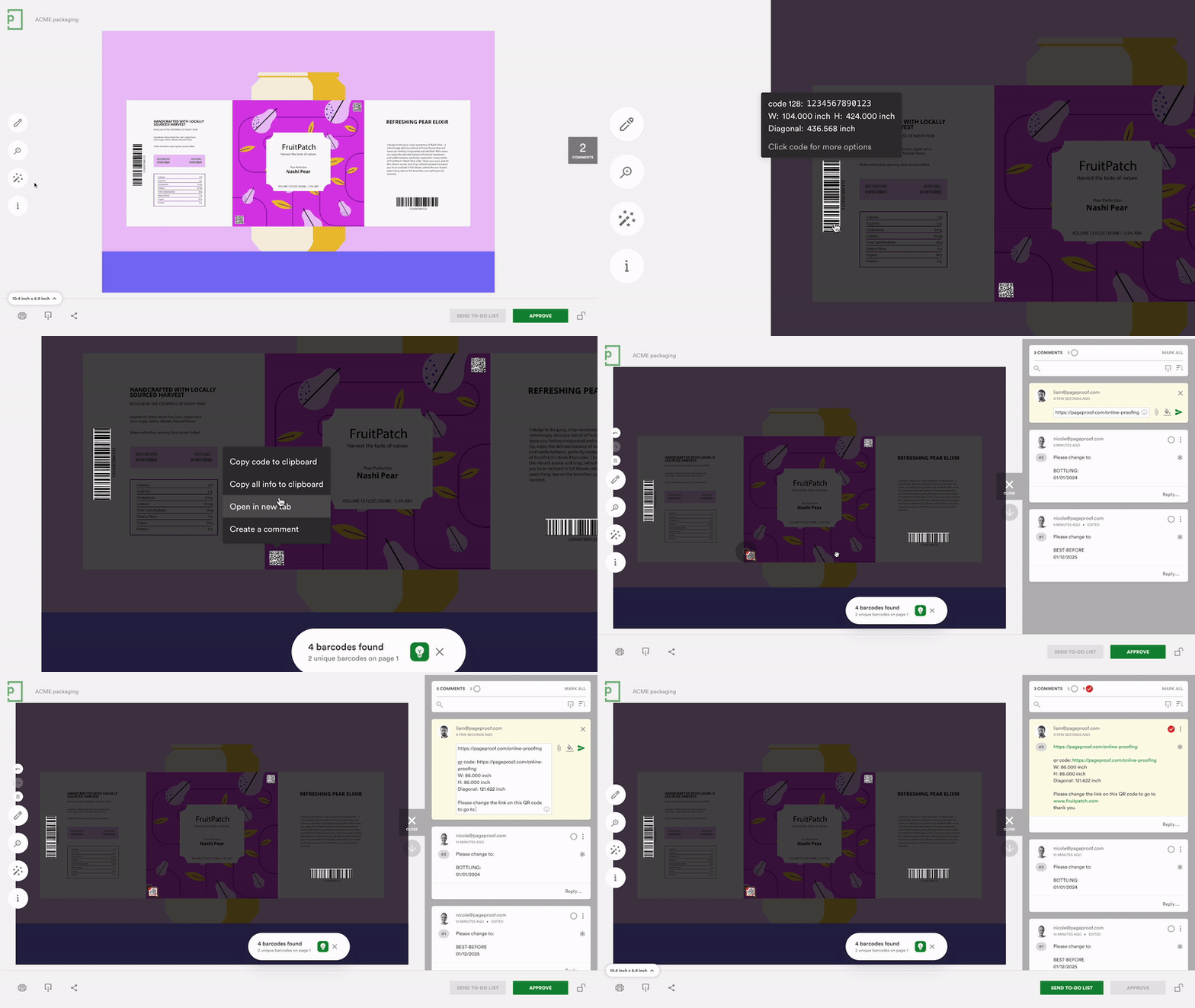
We’re excited to announce an enhancement to PageProof’s popular automated barcode scanner: it now displays the dimensions of the barcode or QR code. This update ensures your codes meet size specifications for optimal scanning and printing quality.
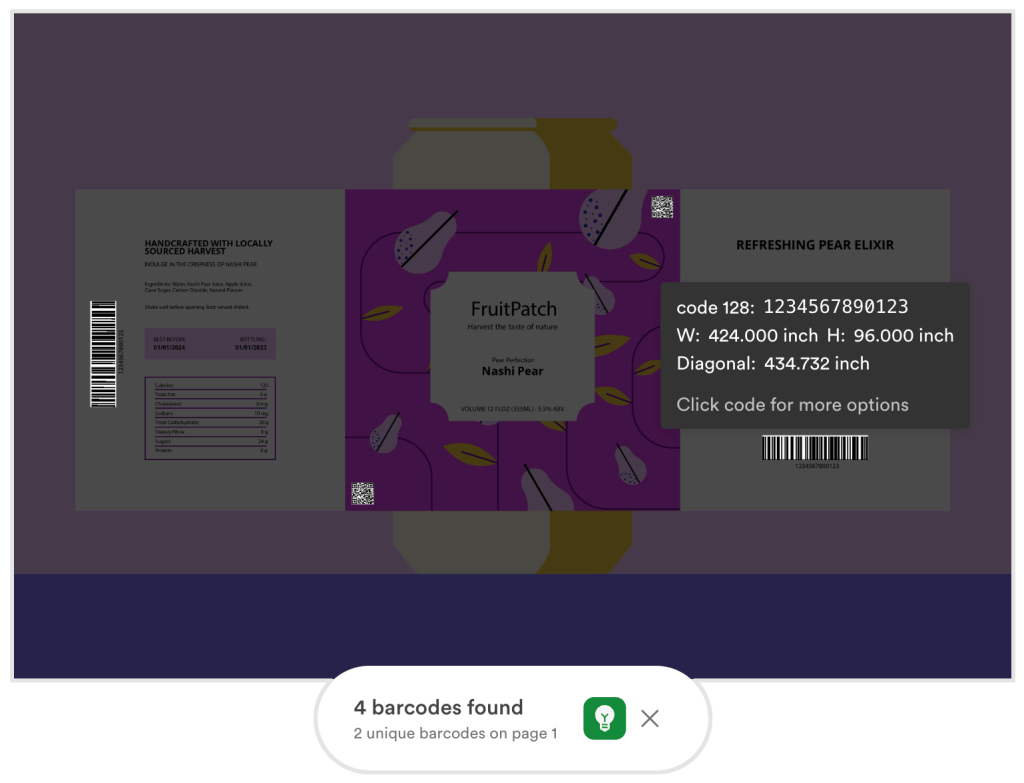
PageProof’s barcode scanner now displays dimension information.
Easily copy the barcode type, code, and dimensions, and with a click create a comment. Effortless! This enhancement streamlines your review process, reduces errors, and ensures your packaging and printed materials are flawless.
Day 10: Счастливого Рождества! Russian language support now available
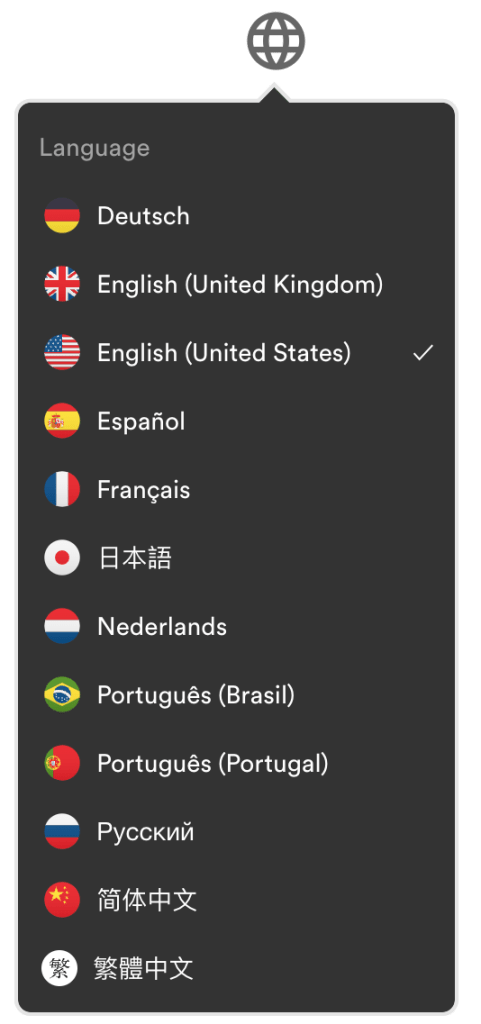
PageProof is excited to announce the addition of Russian to our supported languages, enhancing our commitment to global collaboration. Users can now set their language preference to Russian, ensuring a more intuitive and efficient proofing experience.
This update empowers teams to work seamlessly across borders, fostering inclusivity and understanding in the review and approval process. To change your language setting, simply click on your avatar, select the globe icon, and choose Russian from the list of available languages.
Day 11: PageProof plugin for Figma now available
We’re thrilled to announce the launch of the PageProof plugin for Figma, designed to make proofing seamless for designers. With this powerful new plugin, creating new proofs and new versions directly from Figma has never been easier.
- Export your way: Choose the format that works best for your project. Export your Figma prototype design as:
- A shared prototype URL: Create an interactive Figma proof where reviewers can click through links and experience your design’s interactivity.
- Static files (PDF, JPEG, SVG, or PNG): Perfect for creating a traditional proof with clear, fixed visuals.
After exporting, designers can seamlessly complete the proof setup in PageProof. Quickly add a handy checklist to guide reviewers, send the proof to an automated workflow, and set up automatic reminders—all designed to keep feedback organized and ensure deadlines are met.
This flexibility empowers proof owners to tailor the proofing process to meet the needs of their team and clients, whether they’re reviewing interactive prototypes or static designs. The PageProof plugin for Figma makes managing your creative workflow intuitive and efficient.
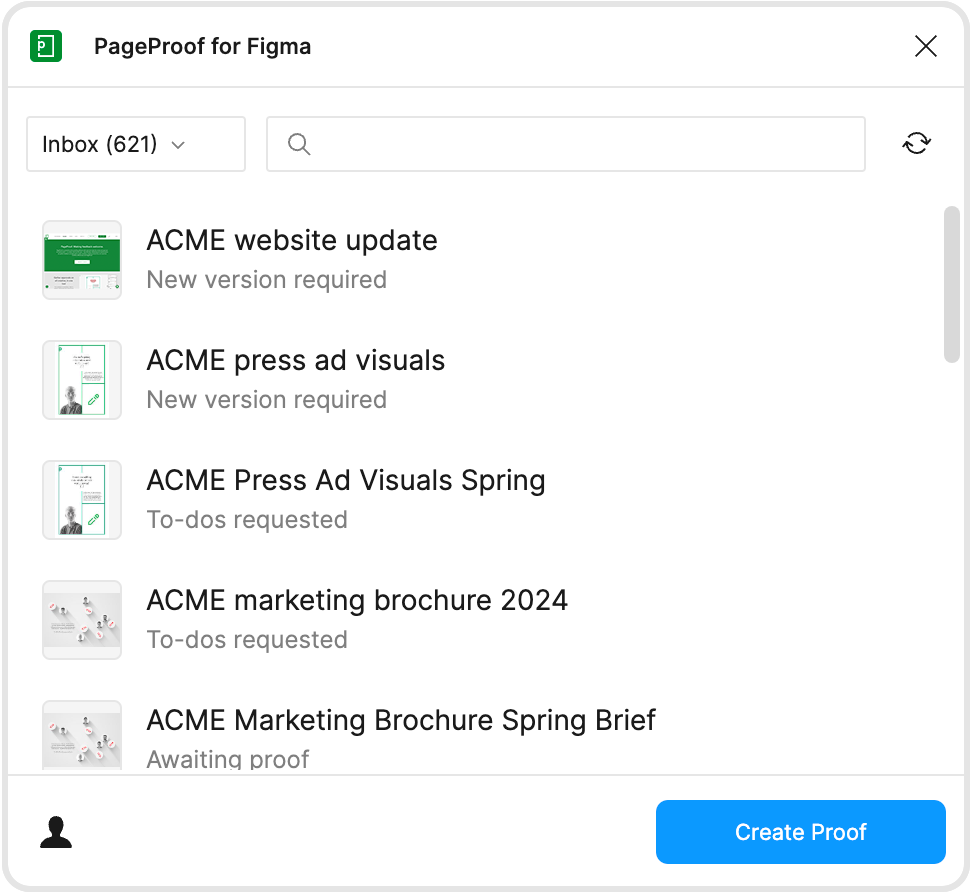
Create a new proof or upload a new version directly from the PageProof plugin for Figma.
Day 12: A big step forward with accessibility
At PageProof, we are committed to making our platform inclusive for everyone. As part of our journey toward greater accessibility across the entire platform, we’re excited to announce a big step forward with the proofing screen.
This enhancement ensures that users of all abilities can interact with the proofing screen seamlessly, fostering greater collaboration and inclusivity within your team and client workflows.
Stay tuned as we continue to expand accessibility throughout PageProof, empowering every user to contribute and collaborate effortlessly. If you spot any areas where we can do better, we’d love to hear from you. Your feedback helps us create a more inclusive experience for everyone.
From our team to yours, happy holidays!
We’d like to take a moment to thank all our users, customers, partners, and resellers. We hope you’ve enjoyed our special 12 Days of Christmas feature release. Wishing you all joy and fun festivities leading into the holidays and beyond.