
PageProof’s latest release is packed with fresh updates to make reviewing and approving work even smoother. A sleek new collections sidebar helps you stay on top of every related proof, multi-measure rulers bring pixel-perfect precision, and custom spell check dictionaries keep content perfectly on-brand. Enterprise teams can flag priority proofs, compare files faster, and access richer on-screen reports. Dive in to see how these enhancements help your team move from feedback to approval faster than ever.
Key takeaways
- Sleek new collections sidebar for faster navigation.
- Multi-measure ruler tool experience for pixel-perfect precision.
- Custom spell check dictionaries to keep content on-brand.
- Priority proofs to spotlight urgent reviews.
- Instant reporting with sortable insights.
New collection sidebar for easier proof reviews
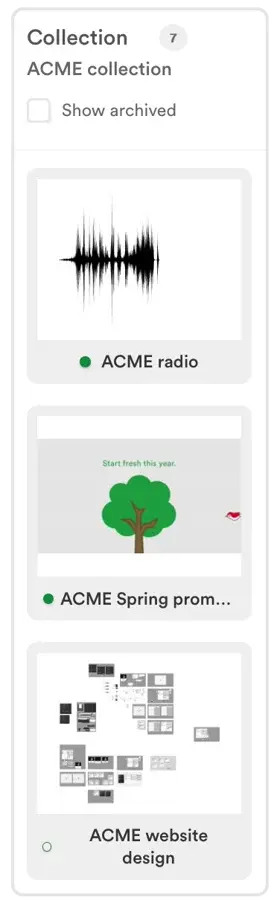
Collections just got a sleek new look. It’s easy to spot whether the proof you’re reviewing is part of a collection – the brand-new collection sidebar reveals the proofs in the collection for quick access, and shows which you’ve already viewed, and which are still waiting for you. See it in action.
Enhanced ruler tool makes it even easier to achieve pixel-perfect precision
Getting right into the details with gridlines and rulers is key for checking pixel-perfect precision. You can now make several ruler measurements at once, and easily move or resize them – perfect for ensuring consistency across every page. Learn more.
PageProof Enterprise Admins can now control user notification preferences
Enterprise team admins now have even greater control over team members. Easily adjust notification preferences for each user – ensuring the right level of alerts is set and communication is streamlined for your team. Learn more.
Keep your content on-brand with PageProof’s custom spell check dictionaries
PageProof’s spell check is quick, easy, and an essential part of every review. You can now create custom dictionaries to include your brand’s unique terms and words to ignore – keeping your content consistent and on-brand. Add new words as you proof, or visit your profile anytime to manage your custom dictionary. Take a look.
Flag priority proofs in PageProof to never miss an urgent review
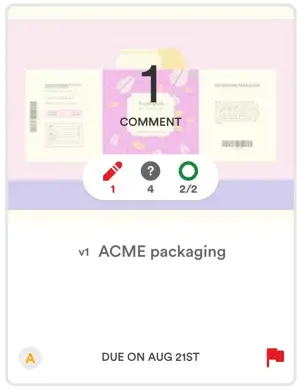
Some proofs can’t wait – and now they don’t have to. Enterprise customers can mark proofs as priority to bring them to the top of the dashboard, making urgent reviews impossible to miss. See how.
Compare proofs different proofs with PageProof’s enhanced compare mode
Switching to compare a different proof in Compare Mode is now easier than ever. Directly from the compare screen, choose “Compare different proof” to find and open another proof – no need to return to the dashboard. Take a look.
It’s perfect for checking localized content against a master, or comparing this year’s brochure with last year’s edition.
Navigate faster with PageProof’s new copy link and recently viewed area
On your dashboard, we’ve added a handy copy link icon on the proof tile, and the new Recently viewed area to help you jump straight back into your latest work. See it in action.
Gain instant insights with PageProof’s on-screen reporting
Reporting results now display instantly on-screen – sort by any column and click directly into proofs. Standard personal reporting is available to all users, with team admins seeing team-level reports, and enterprise team admins gaining access to deeper insights into approval times and decision-making trends. And there’s more on the way with visual graphs and enhanced analytics coming in the new year to make your reporting even more powerful. Learn more.
Improved InDesign and Photoshop plugins bring full comment context to PageProof
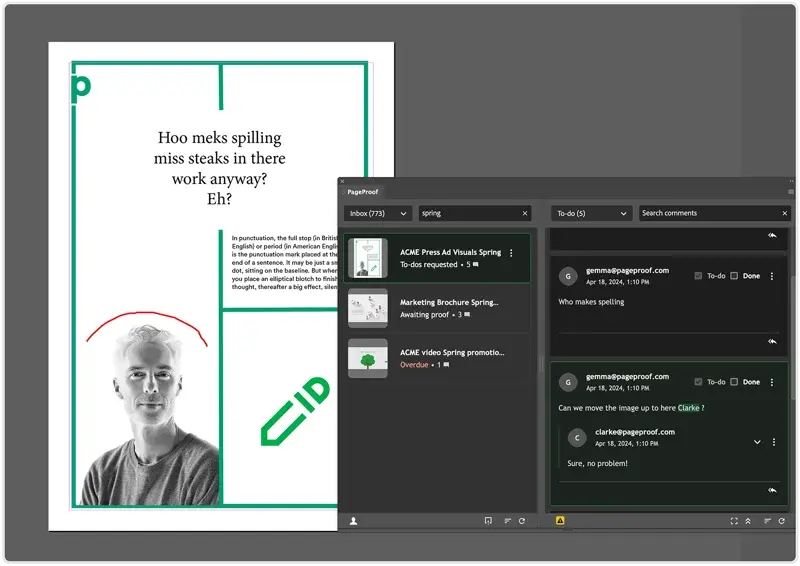
The PageProof plugins for InDesign and Photoshop have been enhanced to show the full context of each comment – perfect when major layout changes have occurred and you want to see feedback exactly where it applies. See it in action.
InDesign users can also export the InDesign file directly to create a proof, making it quick and easy to review layouts and share them for approval.
PageProof’s fresh new feature videos are posted on YouTube every month. Ensure you’re up-to-date with all the latest enhancements by subscribing to our YouTube channel.
If you’d like a walk-through of these new features and to see how PageProof can help organizations streamline creative approvals, book a demo below.
