Seamless review and approvals inside QuarkXPress with PageProof

Why we built the PageProof XTension for QuarkXPress
Designers working in QuarkXPress on print, publishing, and creative projects need a faster way to gather stakeholder feedback without breaking their flow. Jumping between email threads and shared drives slows teams down and leaves feedback disconnected from the artwork.
The PageProof XTension for QuarkXPress solves this by bringing structured review and clear approvals directly into your design environment. Feedback stays connected to the layout, stakeholders stay aligned, and your creative momentum never stalls.
The PageProof XTension makes it easy to send layouts for review, view and action comments, and manage approvals, all without leaving QuarkXPress.
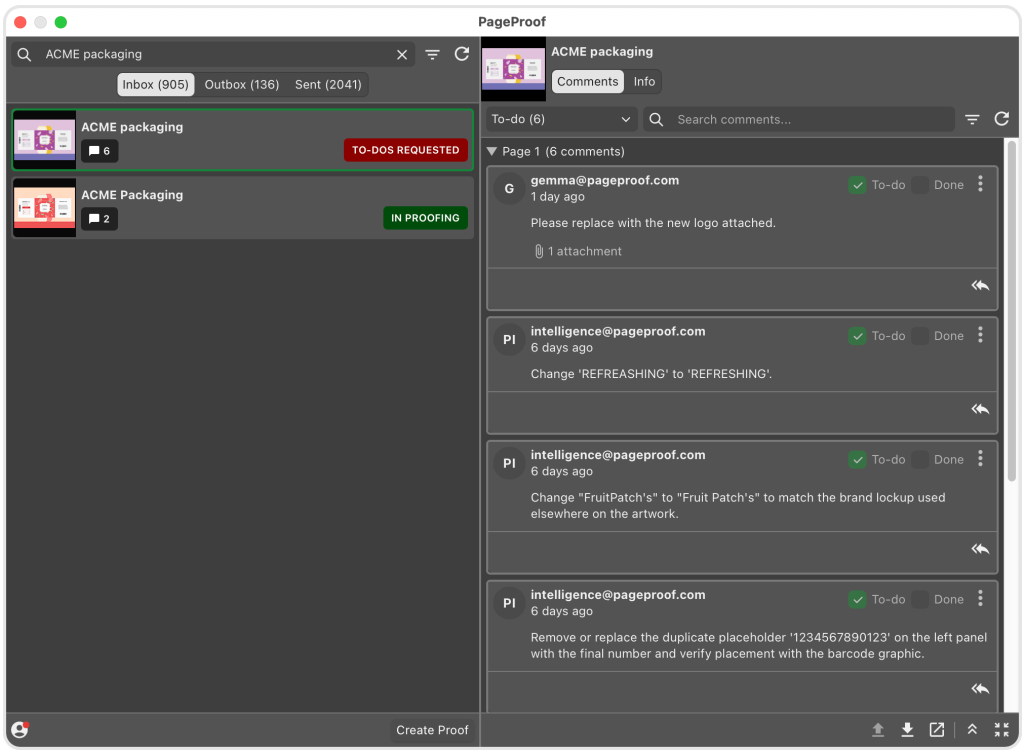
The PageProof panel inside QuarkXPress — view and action reviewer comments directly alongside your artwork.
Installing the PageProof XTension for QuarkXPress
Getting started takes less than two minutes. Download the .pkg file, and follow the installation instructions. With your design layout in QuarkXPress open, navigate to Utilities → PageProof to launch the XTension.
The PageProof XTension is compatible with QuarkXPress 2026 or higher.
How does the PageProof XTension work?
Once installed, the PageProof XTension panel lives inside QuarkXPress — giving you everything you need to create proofs, gather feedback, and manage approvals in three simple steps:
1. Create a proof directly from QuarkXPress
Create proofs and new versions directly from your QuarkXPress files and send them into a PageProof workflow. The proof name autofills, then choose your format (PDF, EPS, JPEG, PNG, or TIFF), layout, and PDF style, and upload. Your layout is live for review in seconds — along with automated reminders, a checklist to guide reviewers, and complete visibility of progress.
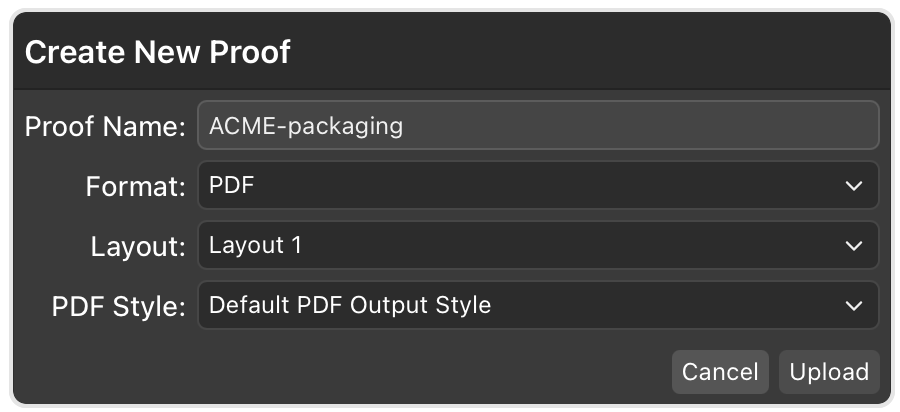
Create a new proof directly from QuarkXPress.
2. View and action comments inside QuarkXPress
When feedback is placed, you can see comments and markup layered directly over your artwork after opening the PageProof XTension panel. Reply to comments, download attachments, place files directly into your layout, select and replace text with comment text in a click, and mark items as done — without switching tools.
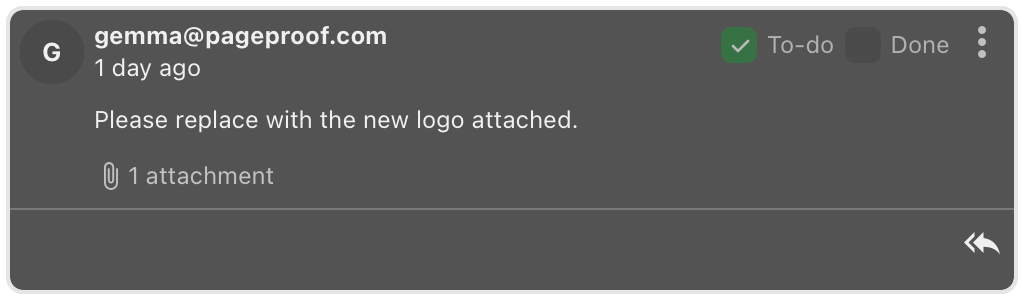
A comment with an attachment inside the QuarkXPress panel — download files from reviewers and place them directly into your layout.
3. Upload a new version
Once changes are complete, upload a new version right from QuarkXPress. Perfect for seeing all your proofs at a glance, with status badges showing where each one is in the approval process. Every proof, version, and comment is automatically tracked in PageProof’s secure audit trail, keeping your creative process clear and connected from first draft to final approval.
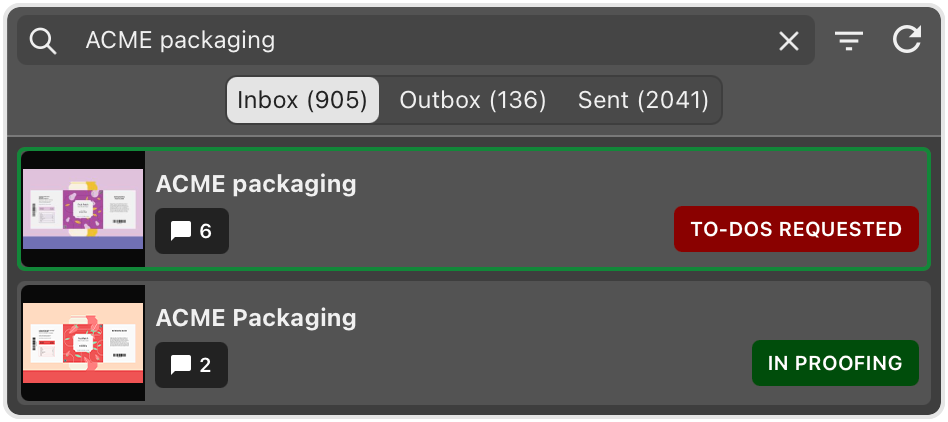
The inbox inside the QuarkXPress panel — with status badges showing where each one is in the approval process.
From first layout to final approval — faster.
With the PageProof XTension inside QuarkXPress, you can:
- Create new proofs and versions directly from your layouts
- See feedback and markup layered in context over your artwork
- Download attachments, reply to comments, place files, and action feedback without leaving QuarkXPress
- Mark comments as done to keep your workflow organised
From print layouts to publishing projects, the XTension keeps your designs moving smoothly from first draft to final approval — faster and with less rework.