

Graphic design is filled with creativity and is often an intuitive field of work, but that doesn’t mean there shouldn’t be procedures behind the graphic design process to help bring those imaginative ideas to life.
In fact, the synergy between creativity and strategy is what can help make graphic design truly impactful. Understanding and implementing a well-defined graphic design process, including design proofing, helps guide professionals through the steps involved when turning concepts into compelling designs.
In this blog, we aim to unravel these intricacies and provide a comprehensive guide for designers eager to elevate their designs and streamline their creative workflows.
Key takeaways
- Begin with a clear brief and a solid understanding of your target audience.
- Make sure all content aligns with brand guidelines and accessibility standards.
- Use feedback from stakeholders to strengthen and refine your creative work.
- Always secure final approvals before publishing or launching content.
The principles of graphic design
Before we dive into any specifics, it is important to understand the principles of graphic design, as they play a role in shaping how users perceive and interact with a design.
When these principles are considered throughout the process, they can help evoke emotional responses and elevate the overall user experience.
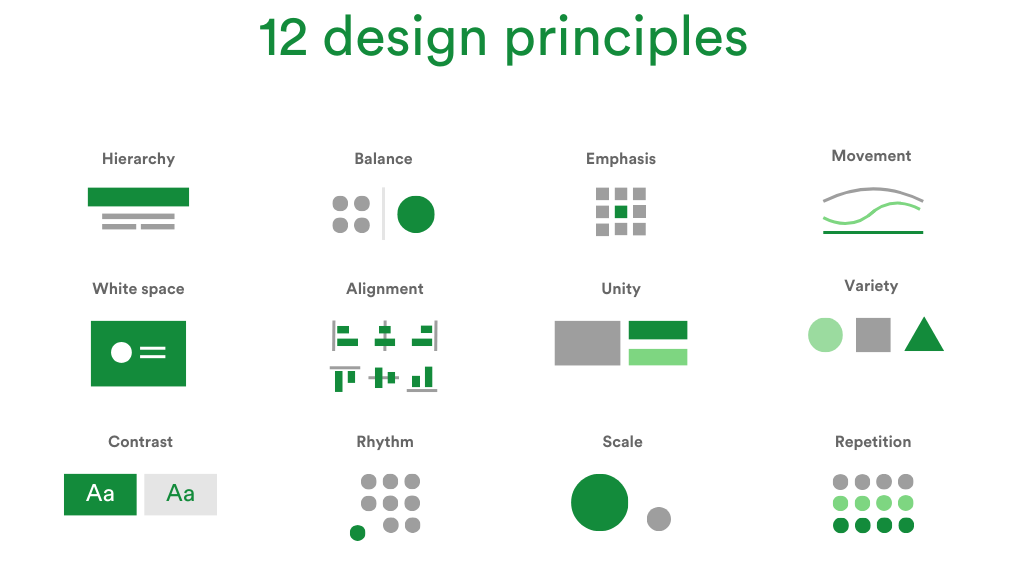
There are twelve fundamental principles of design, including:
- Balance: achieving balance in design by distributing visual elements harmoniously.
- Contrast: enhancing visual interest by juxtaposing elements with significant differences.
- Emphasis: directing attention to a focal point or key element within the design.
- Hierarchy: organizing elements based on importance to guide viewers through a structured experience.
- Movement: creating a sense of motion or flow within the design to engage the viewer. The most important element in your design must be seen first, your design should then lead the viewer to the second most important element.
- Alignment: ensuring elements such as text, images, and shapes are positioned in a cohesive manner,
- Scale: ensuring the relative sizes of elements contribute to a balanced and aesthetically pleasing composition.
- Repetition: using repeated visual elements to create consistency and reinforce the overall design.
- Rhythm: establishing a visual flow and tempo through the strategic arrangement of elements. There are five types of visual rhythm: random, regular, alternating, flowing, and progressive.
- Unity: achieving a cohesive and harmonious overall design through the integration of all visual elements.
- Variety: introducing diversity in visual elements to add interest and prevent monotony.
- White space: Utilizing empty or negative space to enhance clarity, focus, and overall aesthetic appeal.
These principles collaboratively contribute to designs that are not only visually appealing but also achieve your desired outcome.
Step 1. Crafting a detailed design brief
The first step in the process is arguably the most important, as it informs how all other steps will proceed. Start the design journey with a comprehensive design brief that acts as the foundation for the creative process.
The intention is to guide the reader, helping to convey context, project expectations, and deliverable specifics.
How do you create a graphic design brief?
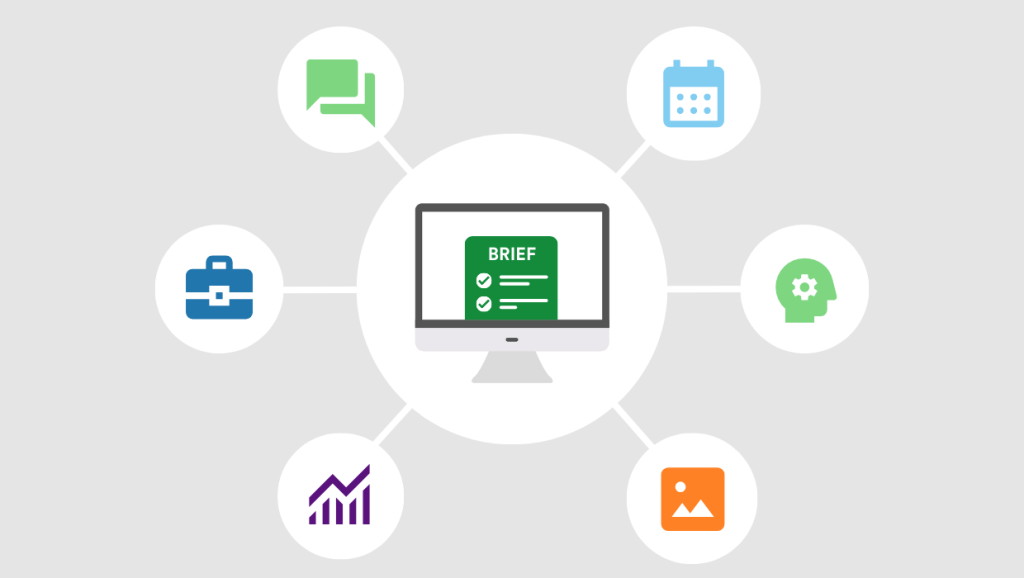
Creating a graphic design brief involves several key considerations to ensure a comprehensive and effective framework.
Briefs should be:
- Succinct: Express ideas succinctly for easy understanding.
- Precise: Provide specific technical specifications for deliverables.
- Organized: Arrange ideas logically, avoiding scattered information.
- Illustrative: Use examples to convey trends, preferences, and moods.
- Contextual: Offer background information about the brand, industry, and guidelines.
A well-rounded design brief should also include these essential sections:
The problem
To start off, stress the importance of having a clear goal and detailed questions to steer the design project. This sets the foundation for a thoughtful design process that matches up with the main objectives. In simpler terms, think of it as laying down a roadmap that helps designers stay on track and reach the desired destination.
The target audience
Understanding who will use the design and what they’re like—this step helps designers know who they’re making things for. Knowing the audience well is essential for making designs that really hit home. It’s about tailoring the visual elements to speak directly to the intended consumers.
Data collection
This is about collecting information that matches the goals of the brand’s image. It’s important to gather data in ways that reflect how things happen in real life. For example, picking the right color for the logo involves understanding what customers like in a detailed way. It’s all about using actual data to make design choices that will make the brand more appealing.
Brand guidelines
If existing brand guidelines are in place, they should be provided to the designer as a reference. These guidelines typically include information on colors, fonts, logo usage, and other essential brand elements. In the absence of established guidelines, a detailed description of the desired look and feel for the design should be communicated. This ensures your designs align with the brand’s identity and values.
The key message
In simple terms, it’s important for designers to clearly express the main ideas or information they want to get across through their designs. This means figuring out what’s most important and making sure it stands out. By doing this, designers can create a structure in their designs that helps people understand what they’re trying to say.
Scope of work
When starting a graphic design project, it’s important to clearly list what needs to be created. This could be things like logos, brochures, or website designs. It’s also helpful to specify the exact look you’re aiming for and if there is any particular way you need the final designs to be formatted or sized, so they work well on different devices and software programs.
Budget
It’s really important for both the designers and the business hiring them to be upfront about how much money is available for the project. Knowing the budget helps designers figure out what they can and can’t do within those limits. This way, everyone’s on the same page about what’s possible and what isn’t, which avoids any confusion or disagreements later on.
Timeline
Specifying the project timeline is crucial for effective project management. This includes defining key milestones and deadlines for different phases of the design process. It is important to be realistic about the time needed for revisions and feedback to maintain a smooth workflow and ensure the timely delivery of the final design.
This approach ensures clarity, coherence, and a solid foundation for successful graphic design projects.
Step 2. In-depth research
Researching in the design process helps to back up your creative decisions. For graphic designers, this phase is not just a preliminary step but a foundation for the creation of impactful designs that engage their audience.
As designers start this research phase, there are some key areas that demand careful consideration to ensure a successful outcome:
Competitor analysis
When designing something, like a product or a logo, it’s crucial to look at what other similar designs are out there and what’s popular in the industry. This helps us understand what works and what doesn’t. By studying what our competitors are doing, we can find ways to make our design stand out. Consider using the Golang web scraper to help you streamline this process and gather the necessary data automatically. It’s important to be both creative and practical so that our design catches people’s eyes and fits well with what’s already out there.
Legal and ethical considerations
In the world of design, it’s important be legally compliant and consider the ethics behind your design. This means making sure you’re not stealing other people’s work and respecting their ideas. It’s not just about following the law; it’s about doing the right thing. Designers also need to think about how their work might affect different cultures and if it could be offensive.
Industry trends and inspiration
Keeping up with what’s “in” in design for the field you’re working in is crucial. Checking out creative work from other designers, websites, or art movements can really get your creative juices flowing and give you new ways of looking at things. When you mix in ideas from what’s hot right now and get inspired by different sources, it makes your designs stand out and feel fresh and exciting.
This approach to research ensures that design decisions are not merely aesthetic but strategically rooted in an understanding of the market and target audience.
Step 3. Creating your designs
It’s time to let the creative juices flow and start creating! To kickstart this process, we usually sketch out rough ideas, make basic outlines, or wireframe. Trying out different ideas on paper before using computer programs can save time and make sure you’re starting off on the right track.
After you’ve drawn your sketches, use computer programs like Adobe Photoshop, Adobe Illustrator, or Canva to start creating your design digitally. At this stage, adjust things like how easy it is to use, the style of writing, and the colors used, making sure everything looks smooth and matches what you had in mind.
Typography selection
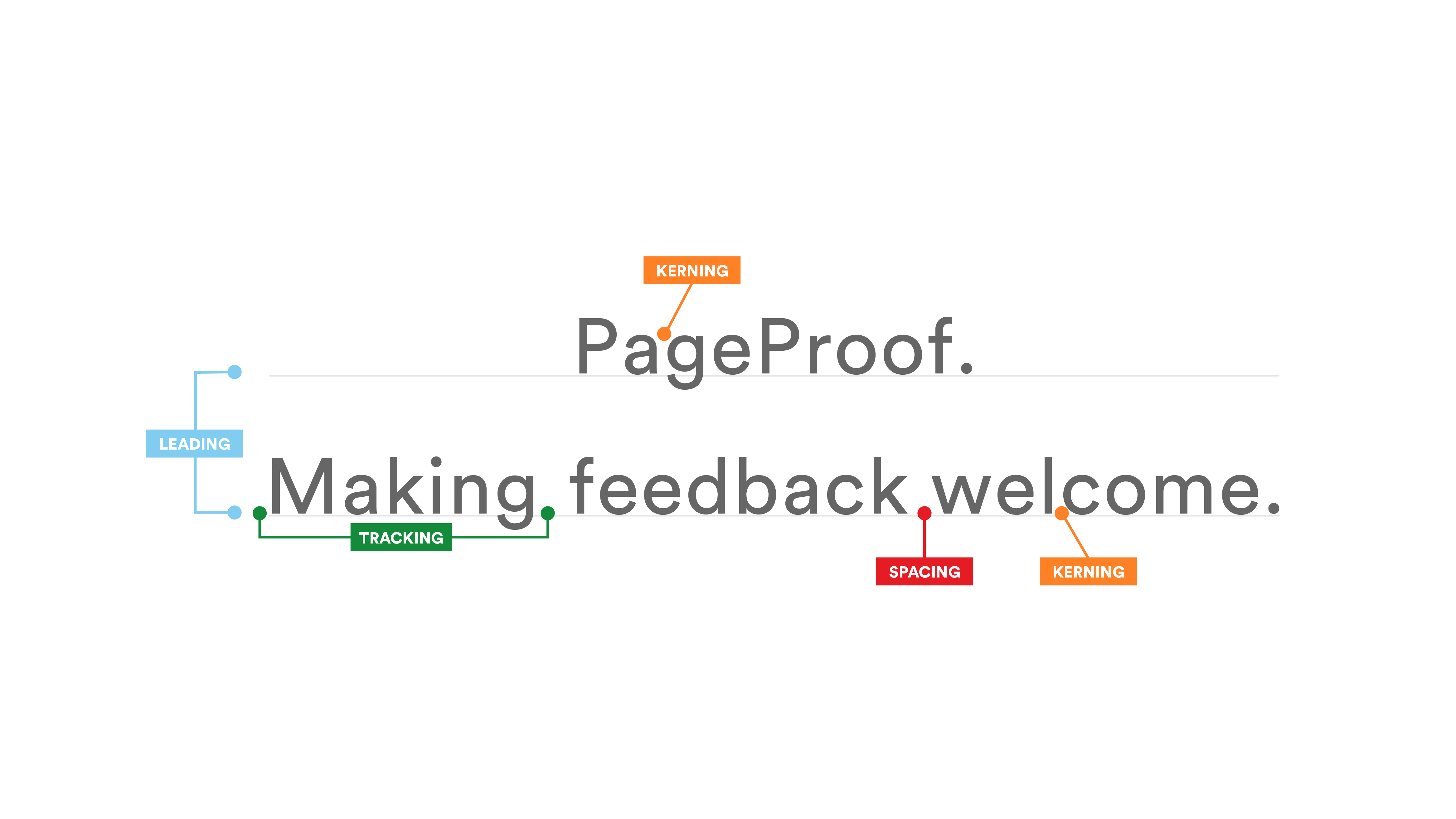
Typography is super important in design. When you’re selecting fonts, make sure they go well with your design and match the brand’s style. Also, pick fonts that people can read easily. Little things like how big the font is, the spaces between letters (kerning), and which text stands out the most are all key to making your design look great.
Some fonts that are easy to read include Arial, Helvetica, and Calibri, which are known for their clean and straightforward designs, enhancing overall readability in various contexts.
Accessible design
Accessible design is crucial for enabling people with disabilities to navigate and interact with the world. It not only benefits the intended users but also enhances the experience for a broader audience.
Designing with accessibility in mind results in less clutter, focused information, and features like captions and alt text for images.
Considering the World Health Organization’s statistic of one billion people with disabilities globally, including visual, auditory, motor, and cognitive impairments, it emphasizes the importance of inclusive design.
Visual disabilities affect 2.2 billion people globally, with common issues such as low vision, muscle degeneration, cataracts, diabetic retinopathy, glaucoma, and color blindness.
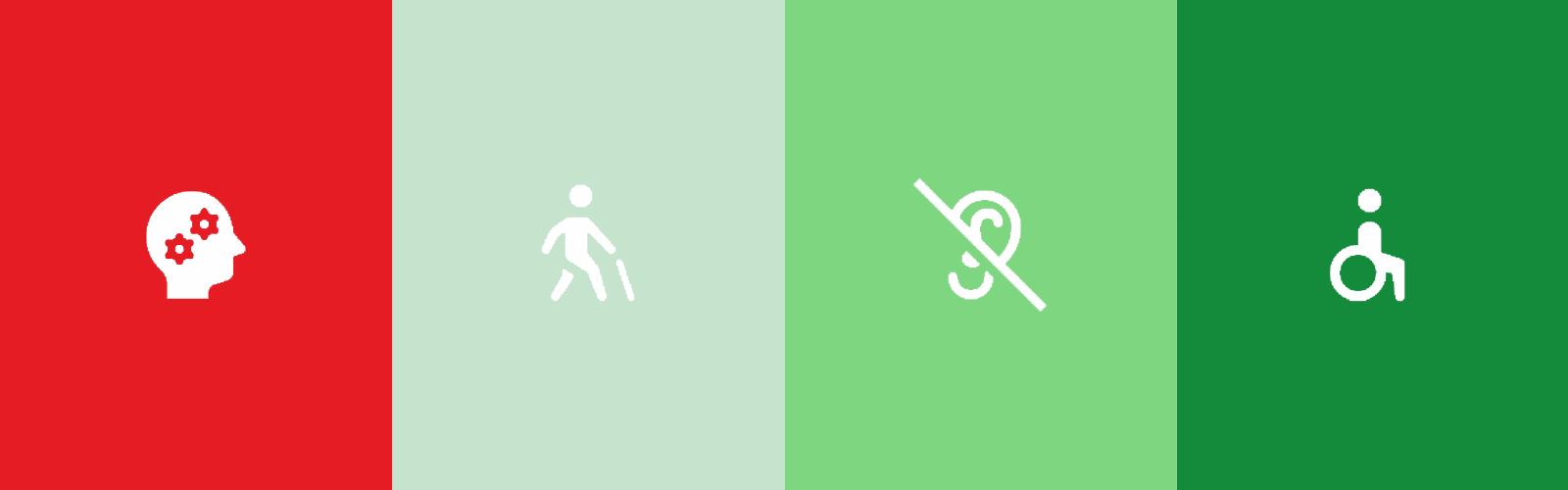
Neurodiversity, includes conditions like autism, ADHD, dyslexia, and others, adds to the spectrum of user experiences. Accessible design is not only for those with permanent disabilities; even able-bodied individuals may benefit in certain situations, like pregnancy or temporary injuries.
The benefits of accessible design include expanding the potential market, reducing design workflow iterations, and avoiding legal issues and negative publicity. A human-centered design philosophy, addressing visual, auditory, motor, and cognitive needs, is essential for achieving accessible design.
Color choice
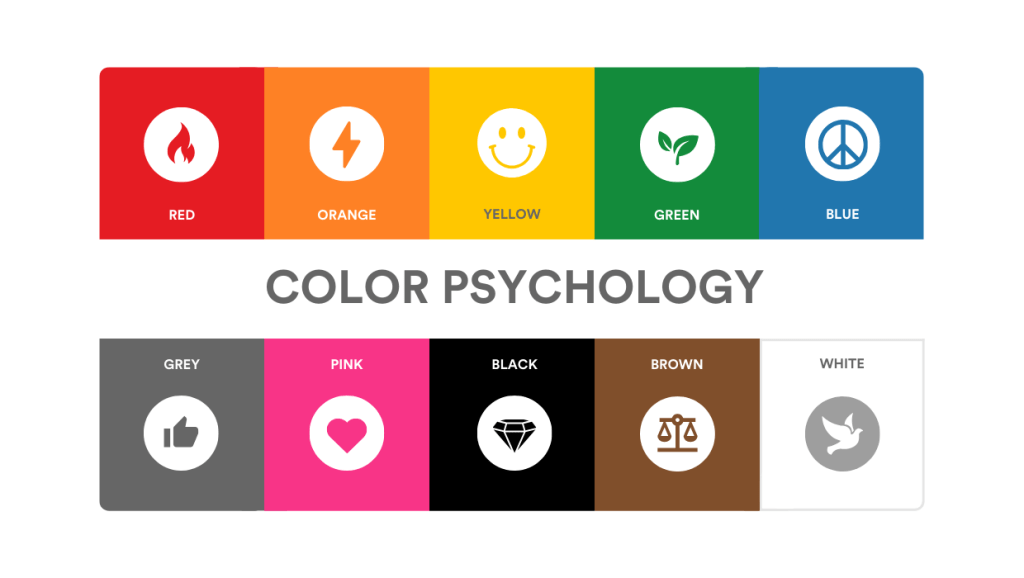
Color selection is equally vital. So, opt for a cohesive color palette that aligns with the project’s goals and your brand identity. You can even consider the impact of color in branding; for instance, incorporating yellow hues can effectively convey a sense of optimism, clarity, and warmth.
On the other hand, branding that incorporates blue hues tends to evoke feelings of trust, strength, and dependability. Consider the psychology of color that aligns with your brand.
By following these steps, your ideas will smoothly progress from the first draft to a design ready for feedback and improvement from others involved.
Step 4. Feedback and refinement
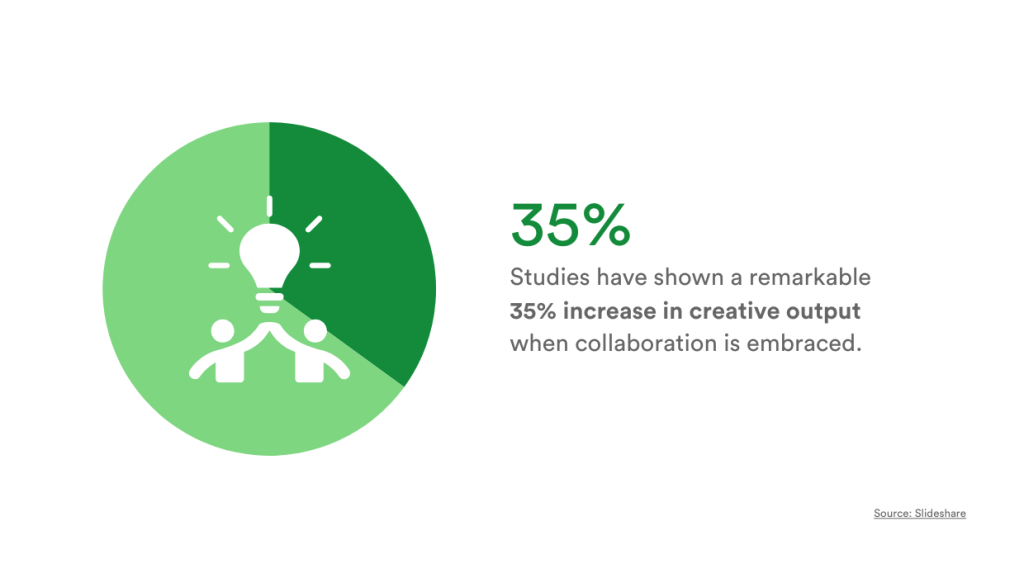
Getting input from different people at this stage helps make the final product better and brings in different viewpoints that make the design more complete. Research has found that when people work together and give feedback, there’s a big 35% boost in creative ideas, showing how important feedback is for making design projects better.
Constructive criticism
To encourage specificity in feedback, designers should prompt actionable insights from clients or team members. With this in mind, the ability to handle criticism gracefully is a valuable skill. In artistic endeavors, personal tastes and preferences will differ, so a subjective approach is needed to understand other contributors’ perspectives. To encourage specificity in feedback, designers should prompt actionable insights from clients or team members. With this in mind, the ability to handle criticism gracefully is a valuable skill. In artistic endeavors, personal tastes and preferences will differ, so a subjective approach is needed to understand other contributors’ perspectives. For seamless client collaboration and to streamline the feedback process, designers can use PageProof as an effective solution.
Managing expectations
Finding the right mix of satisfying clients while also following design standards is super important. Designers need to use smart and tactful ways to help clients choose the best solutions.
Progress check-ins
Showing clients or stakeholders how the design is coming along is important. Sharing pictures or visual updates helps everyone stay on the same page and understand what’s happening with the design as it evolves.
Effective communication, adaptability, and a commitment to improvement help guide the collaborative design process from concept to final deliverable.
Step 5. User testing
Often, designers and involved stakeholders can be so close to a project that an outside perspective can provide a fresh perspective.
To make sure you’re on the right track, it’s important for you to get input from people who would actually use the product or service, rather than just trusting your own thoughts and ideas.
First-click and 5-second tests
One effective method is the use of 5-second tests or first-click tests, where designers present their work to users for a brief time, gathering opinions on what stands out and what goes unnoticed.
Prototype tests
In packaging design, prototype tests help us understand how people feel about the product’s packaging. We use realistic models of the packaging and watch how people interact with them in real-life situations.
By changing the order of designs during testing, we can avoid unfair influences, and we gather feedback through people’s explanations, the words they use, or scores they give to understand what they think about the brand.
A/B testing
If you’re trying to see which version of something works better online, A/B testing is a great way to do it. Basically, you compare two different versions of a webpage, email, or design to see which one people like more. You can change things like colors, shapes, fonts, sizes, or where things are placed to figure out what works best!

The testing process is where regular people try out your design and give their thoughts to help refine and improve the design. By using testing methods and getting feedback from others, designers can make products that better match what their intended audience wants.
Step 6. Finalizing your design
Now that you’ve got the thumbs-up from everyone involved and your design has been tweaked several times, it’s time to pay attention to all the small details and make sure everything is perfect!
Apps like Google Suite, Canva, and PageProof make online proofing much easier for people to work together and review documents or designs online. It’s really important to carefully go over these proofs with your graphic designer or printer to catch any errors before they become expensive problems.
Make sure everything you publish is current and correct, whether it’s words, images, logos, or pictures. Double-check the small stuff like spelling, punctuation, and using the same style of writing, even if it’s British or American English.
To add an extra layer of security, it’s good to have a fresh set of eyes review the proof before giving final approval.
Start designing!
Creating visual designs involves a lot of creativity, teamwork, and attention to detail. Designers spend time and energy turning their ideas into reality, using tools and technology to make their work faster and easier. As designers get busier, technology also advances to help them work more efficiently and get approvals faster.
Keeping this in mind, it’s crucial to use tools and platforms that make your work easier. That’s where PageProof comes into play! PageProof has powerful features, including briefing, workflows, and a native integration with Adobe C-Suite tools. It is also ingeniously easy to use, making it a vital tool for improving your creative work.
Book a demo with PageProof today to learn firsthand how our platform can completely change the way you work on creative projects and get approvals.
FAQs
What software is commonly used in graphic design?
Popular graphic design software includes Adobe Photoshop for image editing, Adobe InDesign for layout design, After Effects for motion graphics, and Canva for user-friendly online design. Learn how PageProof integrates with your favorite design tool.
How does accessibility impact graphic design?
Accessibility in graphic design ensures that designs are inclusive and user-friendly for individuals with disabilities. It involves considerations like clear typography, well-chosen color schemes, and alternative text for images, creating a positive impact on both disabled and non-disabled users.
What are the key elements of a graphic design project?
Some of the essential elements of a graphic design project include careful consideration of typography choices, thoughtful selection of color schemes, and the effective use of imagery to convey the intended message. Proofing tools for color separation can help ensure files will print in the way they have been intended.
What are some current graphic design trends?
Recent graphic design trends include the use of thick fonts and unique typography, a resurgence of nostalgic packaging styles, and a shift towards human-centric design as a response to the prevalence of AI-generated art, emphasizing a more personal and relatable approach.
