What are the benefits of workflow automation?
Before, business workflows were mainly manual. The result was time-consuming, error-prone, and financially burdensome procedures. Enter workflow automation, a transformative solution that not only eliminates these obstacles but also results in significant gains in productivity and efficiency for companies.
According to McKinsey’s research, 50% of all work is automatable, and 31% of businesses have already embraced automation in at least one function. This article provides an overview of the benefits of workflow automation tools for your team.
We also explore the powerful combination of workflow automation and online proofing for effortless review and approval of creative work.
Key takeaways
- Save up to 30 hours a month by automating repetitive tasks and streamlining processes.
- Minimize costly errors with automated data entry and approval workflows that improve accuracy.
- Gain full visibility and control over every step of your workflow, ensuring transparency and accountability.
- Reduce operational costs with efficient, automated processes that eliminate manual inefficiencies.
What is workflow automation?
Workflow automation optimizes and streamlines business processes. It employs technology to automatically direct tasks and information between systems and users within an organization. Workflow automation can remove repetitive tasks or manual data entry.
It may also include automatic routing. Instead of forms, paperwork, and tasks being manually handed over, these are automatically sent through a pre-defined workflow. This is particularly beneficial for approval processes as it leads to consistent workflows.
The benefit of using workflow automation
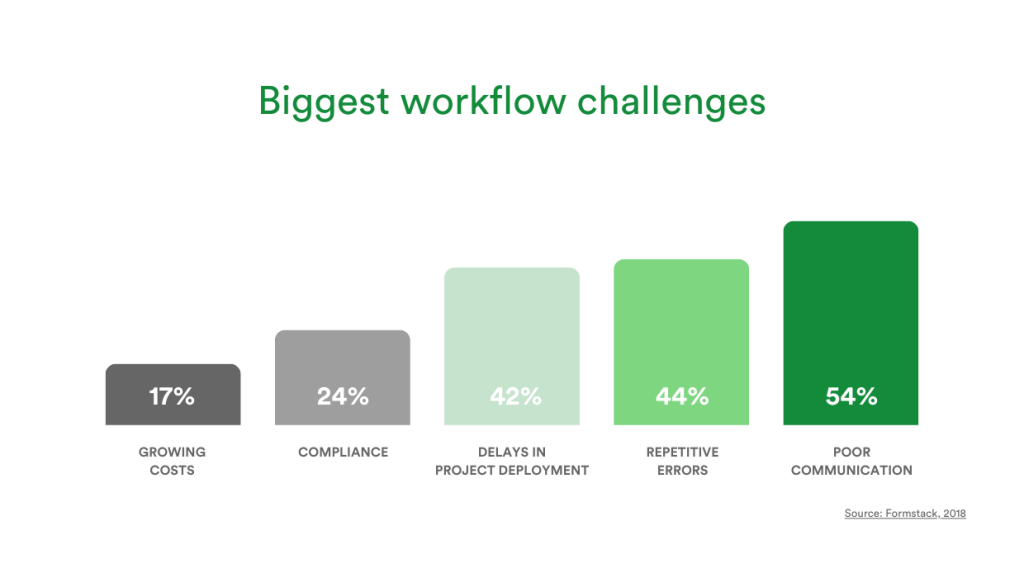
Manual procedures may be hindering your operations. They can result in slower business processes, errors, a lack of ownership, and negatively impact your profits.
Therefore, incorporating workflow automation is essential. The main benefits to businesses are to enhance efficiency, save time, and minimize errors.
1. Save time
Workflow automation saves time by enabling the rapid creation and autonomous execution of processes. Every step in the workflow is automatically initiated, resulting in substantial time savings.
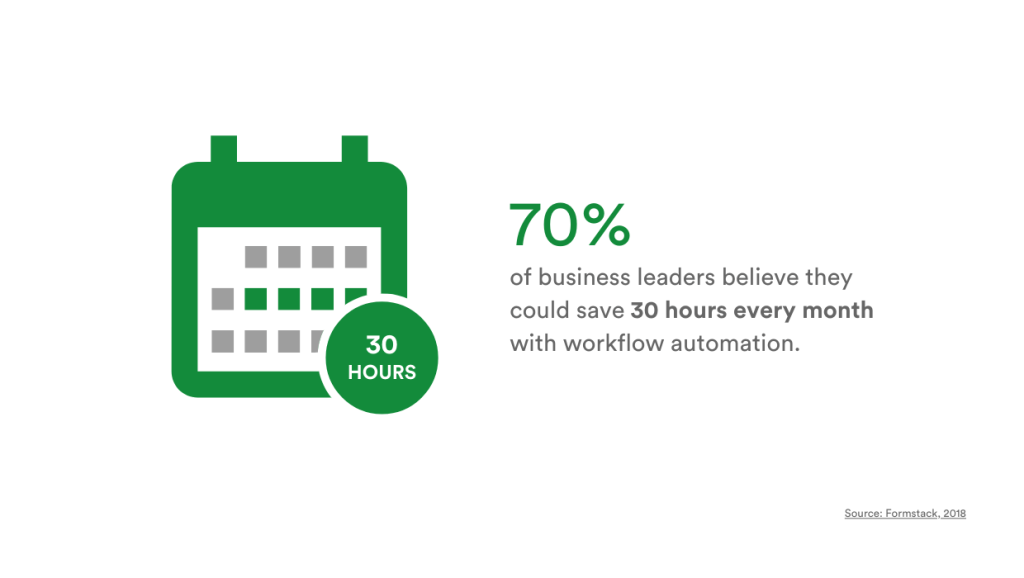
This eliminates the need to set reminders, send emails manually, or manage paper records. In fact, 70% of business leaders believe they could save up to 30 hours every month with workflow automation.
By streamlining processes across teams, workflow automation allows employees to allocate more time to high-impact projects.
2. Reduce errors
Manual processes not only take up time but are also prone to errors that can manifest in a range of ways. Illegible handwritten forms, inaccuracies in entering information from digital forms, and errors in manual calculations are common issues.
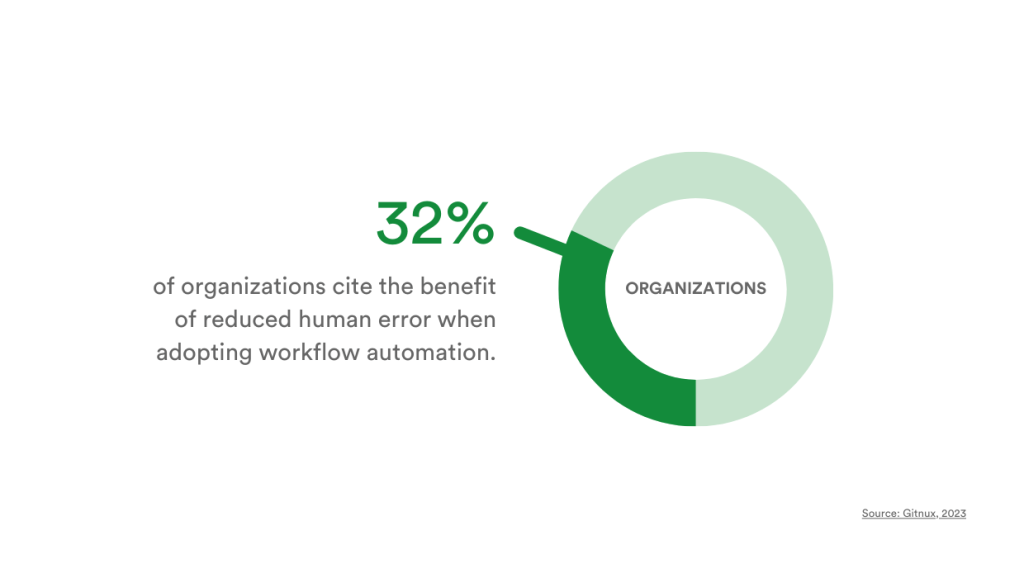
Workflow automation eliminates human error at its source by automating data entry and approval workflows. Surveys show that 32% of companies adopting workflow automation experience reduced human error, leading to increased productivity, efficiency, and accuracy.
3. Improved transparency
Manual execution of tasks often leads to disconnection between steps, preventing a comprehensive understanding of the entire process. This lack of transparency and consistency poses challenges for understanding, analyzing, and enhancing any workflow.
Forbes reports that 50% of workers believe a lack of transparency hinders their organizations. Utilizing workflow automation enhances the visibility of each step of any process, as well as who is responsible for that step. This approach provides clarity about the expectations of employees and even the impact of each task, fostering accountability.
4. Save money
Automation can also lead to substantial cost reductions. The adoption of workflow automation software reduces dependence on costly and outdated legacy solutions that require manual input from employees.
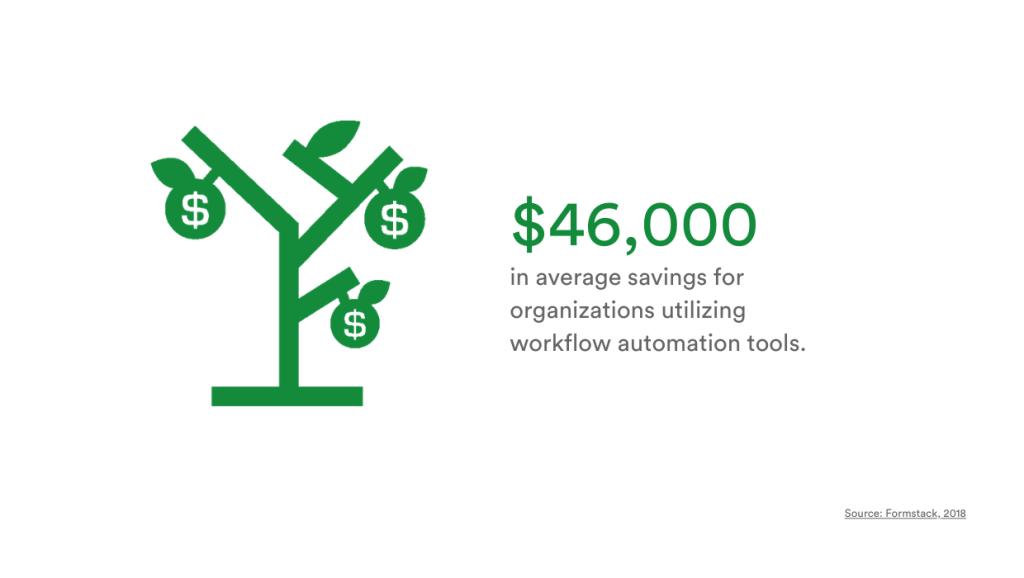
In addition, the combination of fewer errors and enhanced compliance means companies spend less on rectifying mistakes and addressing regulatory issues. According to surveys, the implementation of workflow automation can result in annual savings ranging from $10,000 to millions for companies, with an average yearly savings of $46,000.
Workflow automation is integral to online proofing
Online proofing is where review and approval of files take place in one place – online. Since there are often a number of steps and stakeholders involved, it lends itself beautifully to workflow automation.
PageProof’s powerful workflow automation
PageProof is an online proofing platform that is simple to use and powerful enough to make the review and approval of creative work feel effortless.
PageProof’s creative workflow automation gives you control over when reviewers are invited to proof, ensures that key collaborators can oversee your work, and ensures that the appropriate stakeholder has final approval. It gives you the control and flexibility to reflect the way you really work.
Streamlined approval workflows
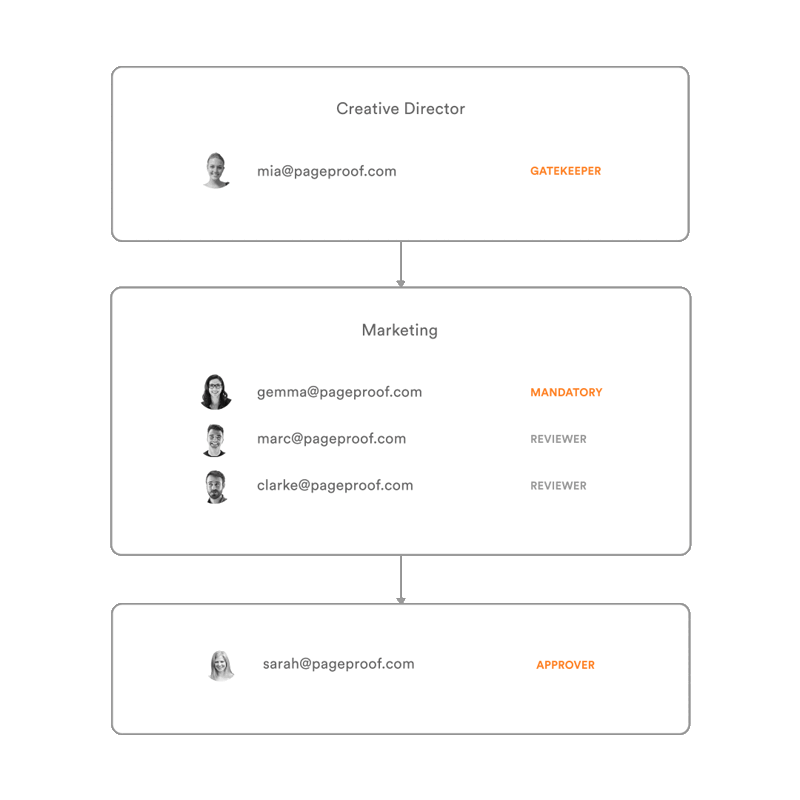
An approval workflow is made up of multiple steps that contain reviewers and, of course, a final approver step. When you require feedback from more than one reviewer in PageProof, you can create a new workflow from scratch, or assign an existing workflow template for quick setup.
You are able to assign different permission roles to reviewers. These include reviewers, approver, gatekeeper, and mandatory. The most common of the elevated permission roles is ‘mandatory’ reviewer.
This means PageProof won’t move onto the next step of your approval workflow until the mandatory reviewers have cast their eyes on the proof. And you can control whether all or just one mandatory decision is required before the proof flows on. Best of all, if you name the workflow, it is saved as a workflow template for you to use again later (or even share with your team).
You’re in total control
PageProof lets you control who sees your proofs and when, keeping your creative work and confidential projects secure. Choose who can view and give feedback on your work to prevent leaks and protect your intellectual property.
With PageProof, your reviews are thorough, relevant, and come from the right people at the right time to maintain your project’s integrity from start to finish.
Simple to use
Effortlessly add reviewers by entering their email addresses, with no need for additional account setups, or login and password hoops for reviewers to jump through. Tailor permissions for each reviewer, ensuring that the proof progresses through the workflow exactly as you desire.
You’re in charge of the feedback flow, with the option to require all or just specific reviewers to complete their input before moving forward.
Making sure proofs come back on time
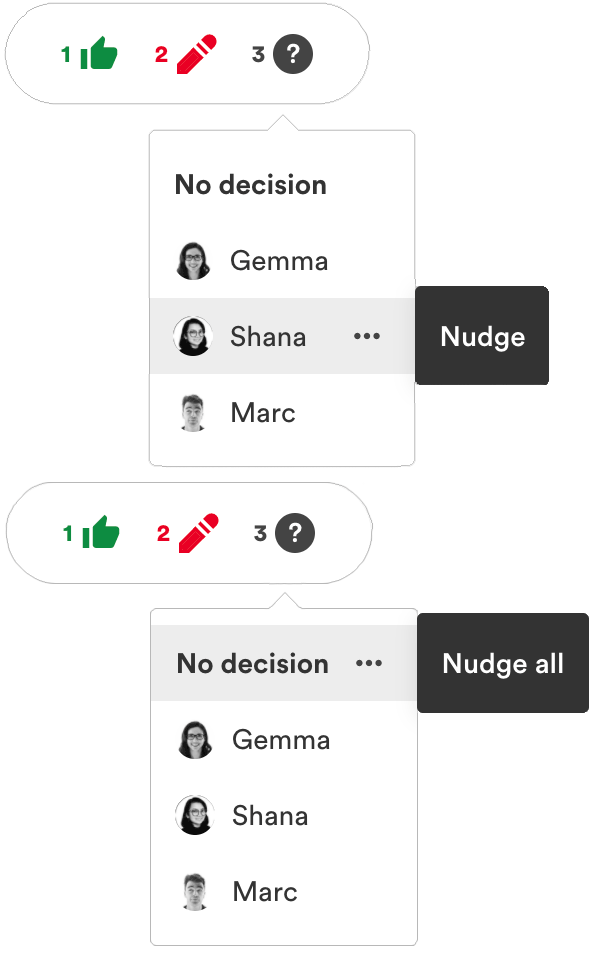
If someone has yet to give you feedback or their decision, PageProof’s workflow has that covered with automatic reminders, nudging, and skipping.
- Automatic reminders: When you create a proof, you can set an automatic reminder to occur either a number of hours or days before the proof deadline – and after the deadline has passed too.
- Nudging reviewers: A nudge will send the reviewer an email reminding them there’s a proof still requiring their input and decision.
- Skipping: If any mandatory and gatekeeper reviewers haven’t made their decision on the proof yet, you can choose to skip them so that the proof can continue through the workflow.
Marketing compliance with ease
PageProof’s powerful workflow aligns your marketing sign-off process with your compliance strategy and has the essential elements of an audit.
- One-click audit: PageProof offers a crucial audit log for proofs, enabling a single-click deep dive into each event, revealing decision details, and quick information export.
- Download a PDF of the proof’s history: It’s easy to download a PDF of the proof’s history, detailing the feedback and approvals gathered from version to version.
- Checklists: You can even ensure a checklist must be completed before final approval is given, and effortlessly track who checked each item and when. Perfect for guiding reviewers and ensuring the business’ compliance needs are met.

Wrap up
In the digital transformation era, workflow automation will effectively improve the more traditional, and often cumbersome, completion of tasks.
According to a survey, 90% of employees are being hindered by repetitive tasks that can be automated easily. Embracing workflow automation offers significant advantages such as time and cost savings, error reduction, and enhanced accountability.
PageProof’s powerful online proofing platform includes workflow automation, providing you with unmatched control and flexibility. With its user-friendly proofing experience and smart tools, it ensures your team meets deadlines while offering comprehensive workflow documentation for all your marketing compliance and audit requirements.
PageProof’s workflows can be as simple or complex as your organization needs. Book a demo below to see this in action!