
Online proofing software has become a must-have tool for businesses working on design projects, marketing campaigns, and other creative endeavors.
But what is online proofing, and how does it work? In essence, online proofing is all about streamlining the often complex review and approval process.
In this article, we’ll explore why online proofing has become so popular among marketing teams, creative agencies, and project managers alike. Whether you’re new to online proofing or looking for an alternative to your current tools, you’ll find everything you need to know to get started and collaborate more effectively.
Key takeaways
- Speed up reviews and approvals by eliminating back-and-forth emails and manual feedback collection.
- Collaborate effortlessly in one place, with real-time feedback from internal and external stakeholders.
- Ensure accuracy and brand compliance with powerful tools that help catch errors and maintain consistency.
- Maintain security and accountability with controlled access, audit trails, and triple-layer encryption.
What is online proofing?
Online proofing is a collaborative process that allows teams to review and approve digital content. Traditionally, creative work was shared for review by printing hard copies or sharing versions via email. With an online proofing platform, it is easy to share any file type — graphics, images, videos, or documents — online. It is simple for teams to collaborate in real-time using powerful tools that improve the efficiency and accuracy of the creative review and approval process.
Online proofing is a collaborative process to review and approve creative work in one place, online.
Before we delve into the power of online proofing, it’s important to first understand the common challenges it solves. To do that, let’s take a step back in time and examine the review and approval process prior to online proofing.
Problems with traditional proofing methods
Traditionally, proofing creative work involved a series of steps to ensure that relevant stakeholders could give feedback and final approval to the creative team. This process was most often done manually, with physical hard copies of the work being sent back and forth for review. With the onset of digital transformation, proofs were most often emailed to stakeholders to provide feedback.
Reviewing work is chaotic
With traditional proofing, the approval process to gather signoffs on creative work is chaotic. Stakeholders can ask for and provide feedback in a number of ways: printouts with handwritten notes, phone calls, emails with attached files or screenshots, and scanned images of the requested changes, to name a few. These methods result in a jumbled collection of feedback, leading to multiple issues:
- changes are difficult to track
- feedback is difficult to prioritize
- comments can be missed and mistakes made
- the process is cumbersome and time-consuming
- the number of stakeholders is often limited to reduce complexity
So you can see that the traditional way of proofing can be confusing and time-consuming. It can also be prone to errors and miscommunication, both of which can have serious consequences.

Collaboration before online proofing is chaotic, frustrating, and inefficient.
Lack of brand compliance
When the process of reviewing and approving work is disorganized or poorly defined, creative work may lack brand consistency, negatively impacting compliance with brand standards. In the worst-case scenario, this could lead to regulatory violations or legal issues. Resulting in significant fines or damage to the reputation of the company.
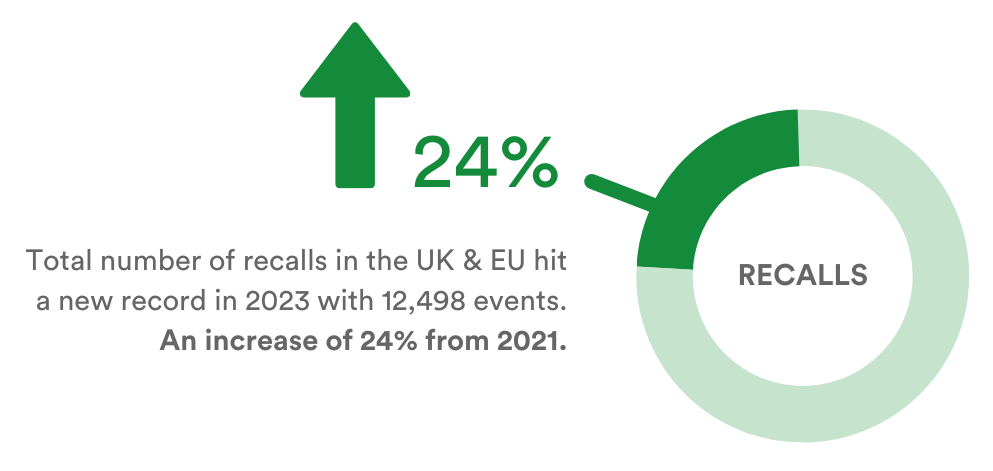
Source: Sedgwick – 2023 was a record-breaking year for European product recalls
5 key benefits of online proofing
Online proofing has revolutionized the way creative work is reviewed and approved. Gone are the days of tedious and time-consuming back-and-forth between designers, copywriters, and project managers. Feedback and comments are streamlined by bringing everyone together in one place — online.
This makes it easy for reviewers to see, review, comment on, and approve work within a centralized platform. Not only does online proofing save time and increase efficiency, but it also helps to ensure the accuracy and consistency of the approved work. Overall, online proofing is a game-changer for creative teams looking to streamline their workflow and improve collaboration.
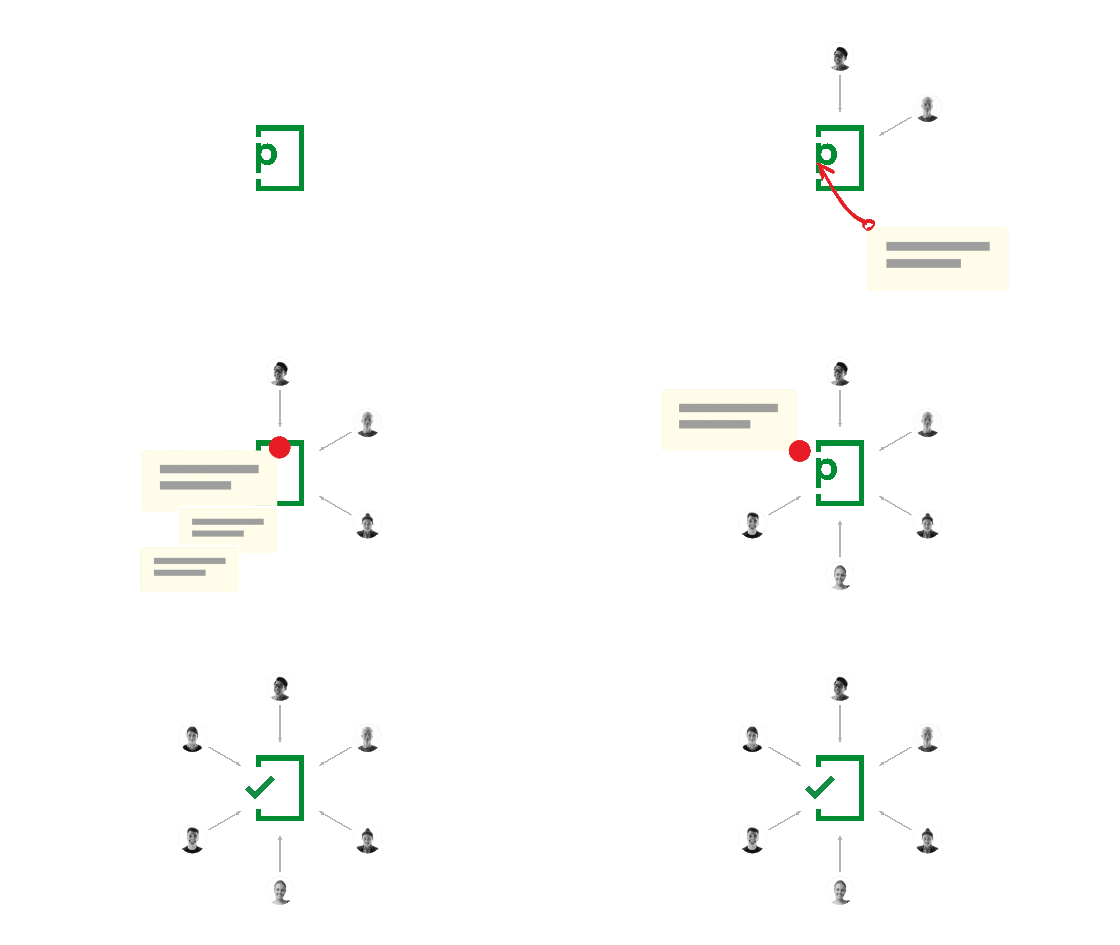
PageProof’s online proofing software makes creative collaboration effortless.
1. Increased efficiency and speed
Online proofing eliminates the need for physical proofs and back-and-forth emails. No more time wasted with manual sharing, trying to decipher scribbles on printouts, or digging through long email threads looking for clear feedback.
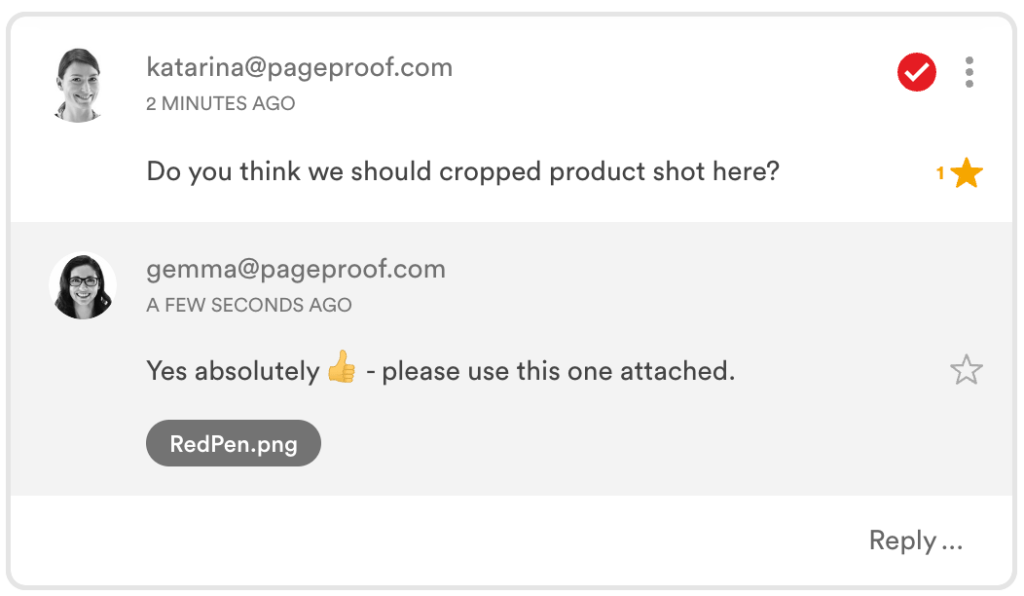
When everyone comments on the same file in real-time, along with threaded replies and @ mentions, creative work can be reviewed and approved faster.
2. Better collaboration
Online proofing allows multiple stakeholders to access and review the most recent version of a roof simultaneously, making it easier to collaborate and communicate changes in real-time. Reviewers can be internal or external.
Access to proofs is available from any device and any location worldwide, eliminating geographical constraints and time zone differences.
3. Improved accuracy and compliance
With online proofing, there is less risk of errors and miscommunication compared to traditional proofing methods (printing or emailing files for example).
PageProof helps catch errors, brand inconsistencies, and issues that might have been overlooked in a traditional proofing process with its specialized proofing tools and checklists.
Online proofing allows simple approval of all kinds of creative files, and by bringing them into one place for review, brand consistency is ensured.
At a minimum, file types should include:
- Adobe PDF
- Adobe Photoshop, Illustrator, and InDesign
- HTML websites, web banners, emails
- Microsoft Office – Word, Excel, and PowerPoint
- Videos – mp4, mov, gif, avi
- Audio – mp3, wav
- Imagery – jpeg, tiff, png, svg, webp
4. Increased accountability
PageProof promotes accountability by providing visibility of who requested changes, made decisions, and when. Resulting in transparency, traceability, and responsibility in the proofing process.
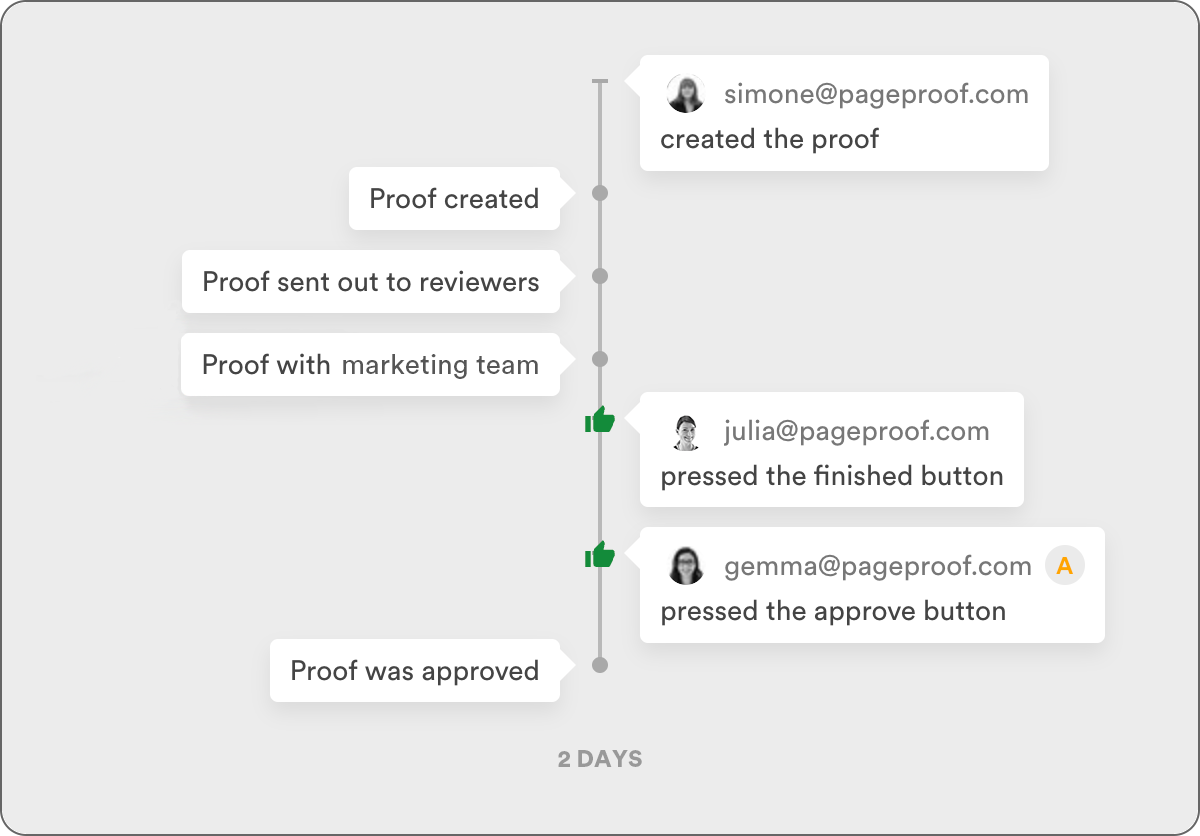
A full audit history is available for each proof.
5. Enhanced security
PageProof provides controlled access to proofs, protecting confidential pre-release, or sensitive information from being shared outside of the intended audience. Storage of files is secure, and data is encrypted using PageProof’s triple-layer encryption.
Online proofing solves the issues that exist with the traditional way of proofing creative work.
Who benefits from online proofing?
Any marketing or design team that reviews and approves work can benefit from using online proofing software, saving them time and money. Teams can be of any size and from any industry – from small specialized teams to large global organizations. Creative agencies are also frequent users because traditional ways of getting feedback on work from clients can easily lead to misunderstandings and missed comments, which can have a range of implications.
Key drivers for moving to online proofing
Online proofing software becomes essential when:
- Reviewing or approving high volumes of content.
- Seeking sign-off for complex files or a range of file types.
- A large number of people are involved in the review and approval process.
- Collaborating with clients or stakeholders outside the immediate team, or even outside the organization.
- Creative approvals where a greater level of compliance is required.
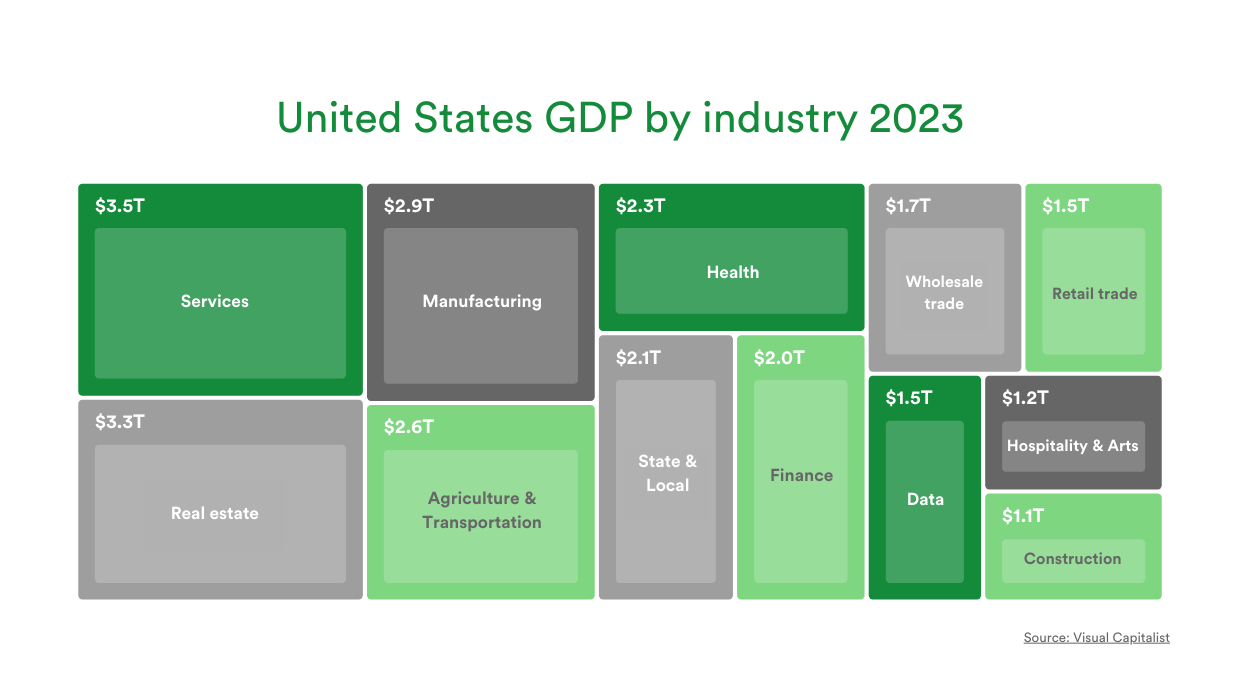
Online proofing is a powerful tool that can benefit organizations of all sizes and industries, and across different teams.
Compliance & security
Any company that requires a formal process to manage creative work will see the many advantages of online proofing. From small- to medium-sized businesses right through to enterprise-level organizations, all have a need to ensure compliance is met during the sign-off process of marketing materials.
Industries particularly concerned with compliance include: pharmaceuticals, banking, insurance, food and beverage, telecommunications, government and councils, education, and manufacturing.
Security of creative work will be of utmost importance for these companies, and a secure, enterprise-ready online proofing solution is a must-have.

PageProof’s patented triple-layer encryption in action.
A checklist for choosing an online proofing platform
With a number of online proofing solutions available in the market, it can be difficult to choose which one is the most appropriate for you. From companies that offer a project management tool with an online proofing component, to software providers that exclusively focus on online proofing, there are multiple options. Therefore, you need to determine what your business requirements are before choosing a solution to ensure that it meets your needs. We have created a handy checklist to help you work through key considerations step-by-step.
Online proofing with PageProof feels effortless
Now meet PageProof, the online proofing platform that is ingeniously simple to use yet powerful – making reviewing and approving work feel effortless.
Ease of use
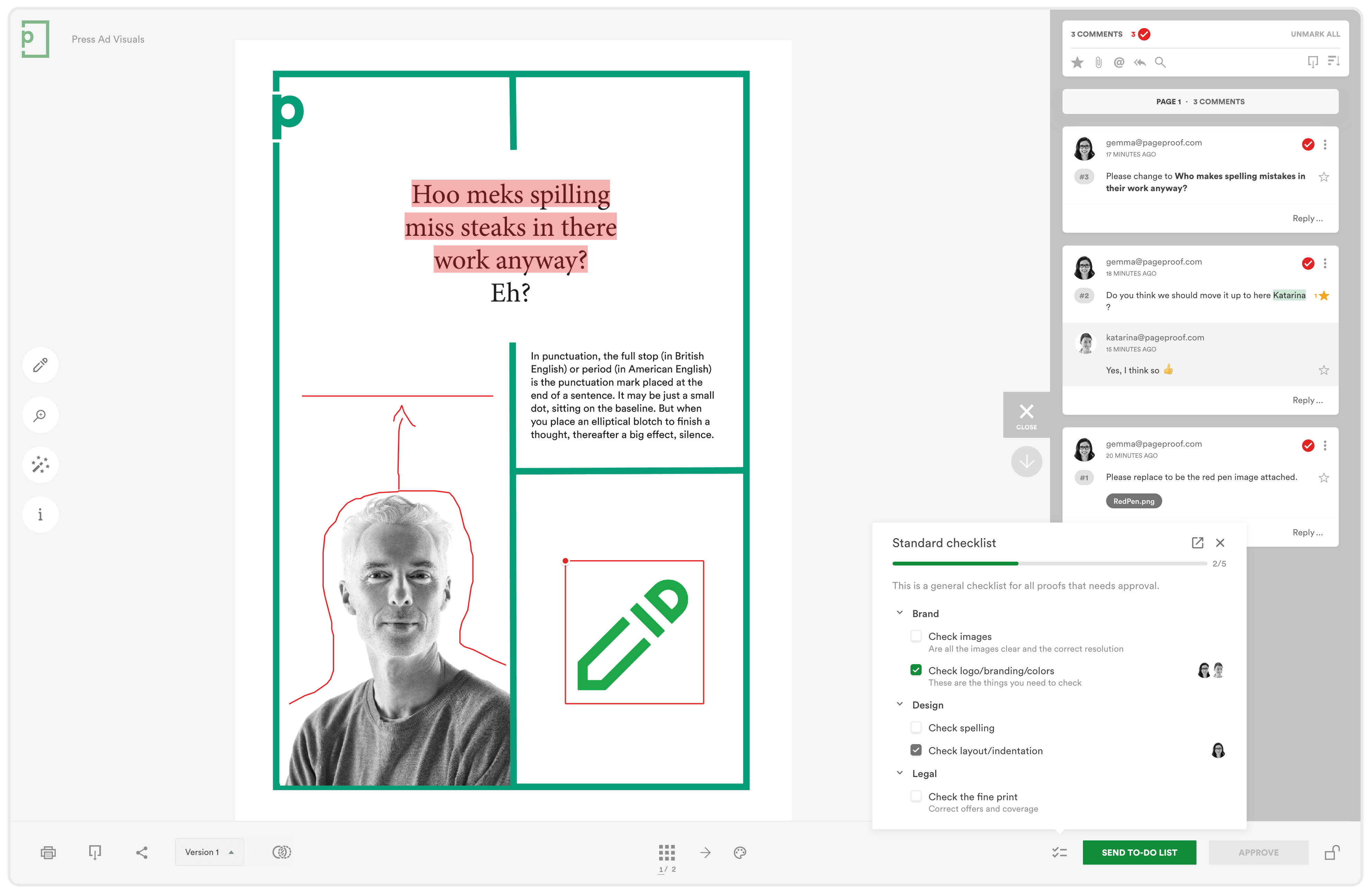
PageProof has been designed with the customer in mind. Meaning the User Interface (UI) is simple to use, yet layered with powerful features. Use the red pen to place feedback directly on the work with pinpoint precision. When a lot of people are involved in the sign-off process, @ mentioning draws attention. It is simple to attach files to support your feedback if you need to.
PageProof has been voted time and time again as the platform with the best usability in the G2 online proofing category report. The Best Usability badge reflects the highest overall score for usability:
- highest ease of use rating (93%),
- highest ease of admin score (93%),
- and the highest meets requirements score (94%).
And if you ever need assistance, the team from PageProof is there every step of the way. It is no wonder they continuously received the Best Support vote for the category.
File support
PageProof has the most comprehensive spectrum of files and native app support in the market to cater to the ever-expanding needs of marketing teams, and creative organizations globally.
- Adobe PDF proofing – PDFs are a common output made by designers for artwork designs, including packaging and print. It is simple to ensure these are pixel-perfect with PageProof’s powerful features.
- Static image artwork proofing – PageProof supports all other static artwork files too: jpeg, png, tif, eps, heic, webp, etc.
- Microsoft Office, Google Docs, and Apple proofing – Microsoft Word, Excel, and PowerPoint are all supported – as well as Office 365 links to documents, spreadsheets, and presentations. For Google Docs there is support for Google Sheets, Google Slides, and Google Forms. PageProof makes proofing Apple documents as easy as pie with support for Apple Keynote, Pages, and Numbers.
- Video proofing – Easily share proofs of video formats including mp4, m4v, avi, mkv, mov, and gif. Reviewers can markup comments directly on video frames, even span comments over time, move through the video frame-by-frame, and control playback speeds.
- Design proofing – PageProof’s Adobe add-on lets you create proofs directly from your designs in Adobe Creative Cloud. It is simple to bring comments and markup layered over your creative files too saving time and ensuring clarity when working through changes. Adobe InDesign, InCopy, Photoshop, Illustrator, Premiere Pro, and After Effects are all supported natively.
- Audio proofing – Music, podcasts, radio ads, and more, can be proofed with markup and comments placed directly on the waveform. Mp3 and wav are all supported. You can span comments over time, and each comment clearly states the timecode.
- Website proofing – Zipped HTML files, and live website URLs – all sites supported including password-protected sites, basic authentication, staging server sites, and popular website design tool sites such as WordPress, Shopify, Squarespace, Wix, and more. Revolutionize your website proofing with PageProof.
- UX and UI prototype design proofing – PageProof even supports UX prototyping design tools such as Sketch, Figma, and Adobe XD. UX designers simply add shared links to PageProof to begin gathering feedback and approval.
- Email proofing – PageProof’s unique approach to email proofing means a test email from any email marketing tool can be sent to PageProof to create a proof. All content can be easily reviewed and a link checker automatically scans through all links in the email and highlights any issues for reviewers. Even check for email responsiveness on mobile devices.
- 3D content – Simply share your 3D content link to PageProof to enable reviewers to interact with the 3D design, turning it to review it at different zooms and eye levels rather than leaving a 2D view to the imagination.
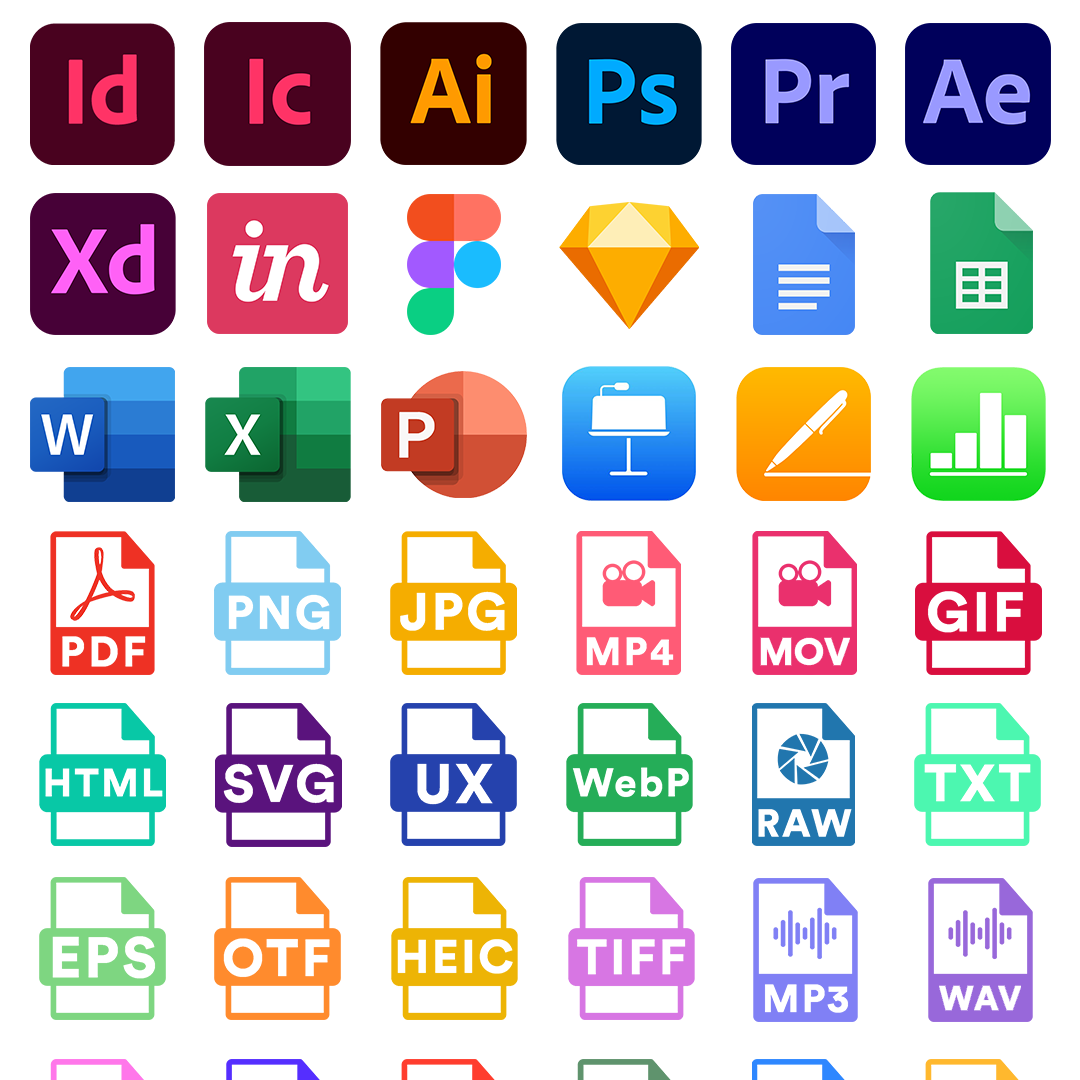
PageProof offers the broadest file support for online proofing.
Smart features
PageProof offers an endless range of powerful and innovative features that are ingeniously simple to use. In fact, PageProof is the innovation leader in this space. A few of our favorites are highlighted below:
- Magic tools: smart features to ensure your documents are pixel-perfect. These include a ruler, gridlines, focus mode, an automatic link checker, barcode and QR code scanner, import for PDF comments, eyedropper to verify colors and contrast levels, just to name a few.
- ColorSep: Users can preview the color separation plates, optimizing the proofing process for printed artwork and packaging. And see the ink coverage breakdown easily.
- Smart compare: Users can view and compare different versions of a document side-by-side, with differences automatically highlighted for easy identification. Explore the new ruler tool in this mode. Customize the way differences are displayed with options like color, opacity, strobe effect, and jiggling.
- Checklists: Fully audited, collaborative checklists enable users to monitor who completed a task and when, thus ensuring compliance with marketing and brand guidelines throughout the proofing process. You can also seamlessly duplicate checklist templates – a huge time-saver.
- PageProof X-Tools: Users can add custom tools to the proofing screen on a proof-by-proof basis, such as a unit conversion tool, calculator, word counter, or calendar. Or one of your own.
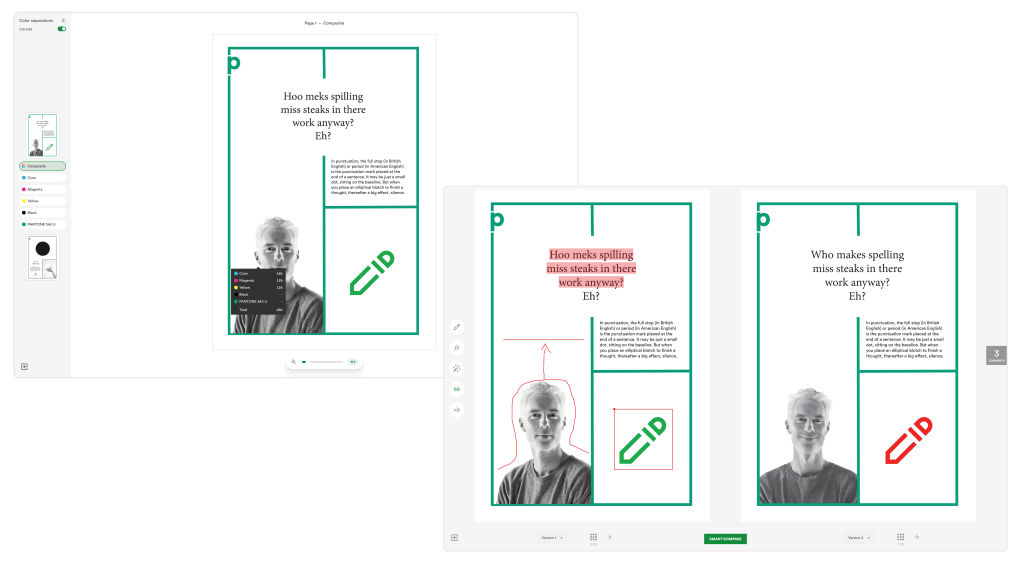
PageProof’s color separation previews and compare mode for side-by-side accuracy.
Seamless collaboration
PageProof offers a flat pricing plan that gives unlimited team members a voice, unlimited storage, and unlimited proofs – no limits to collaborate seamlessly.
Automated workflows give you control and flexibility to reflect the way your team really reviews work. Regardless of whether they are internal or external reviewers, based in the office, working remotely, or elsewhere in the world, with automated workflows, users have complete control and flexibility to ensure that key stakeholders see work at the right time. It is simple to customize access levels, notifications, and deadlines. Route your proof from marketing, to sales, to legal, and then for final sign-off by the marketing director.
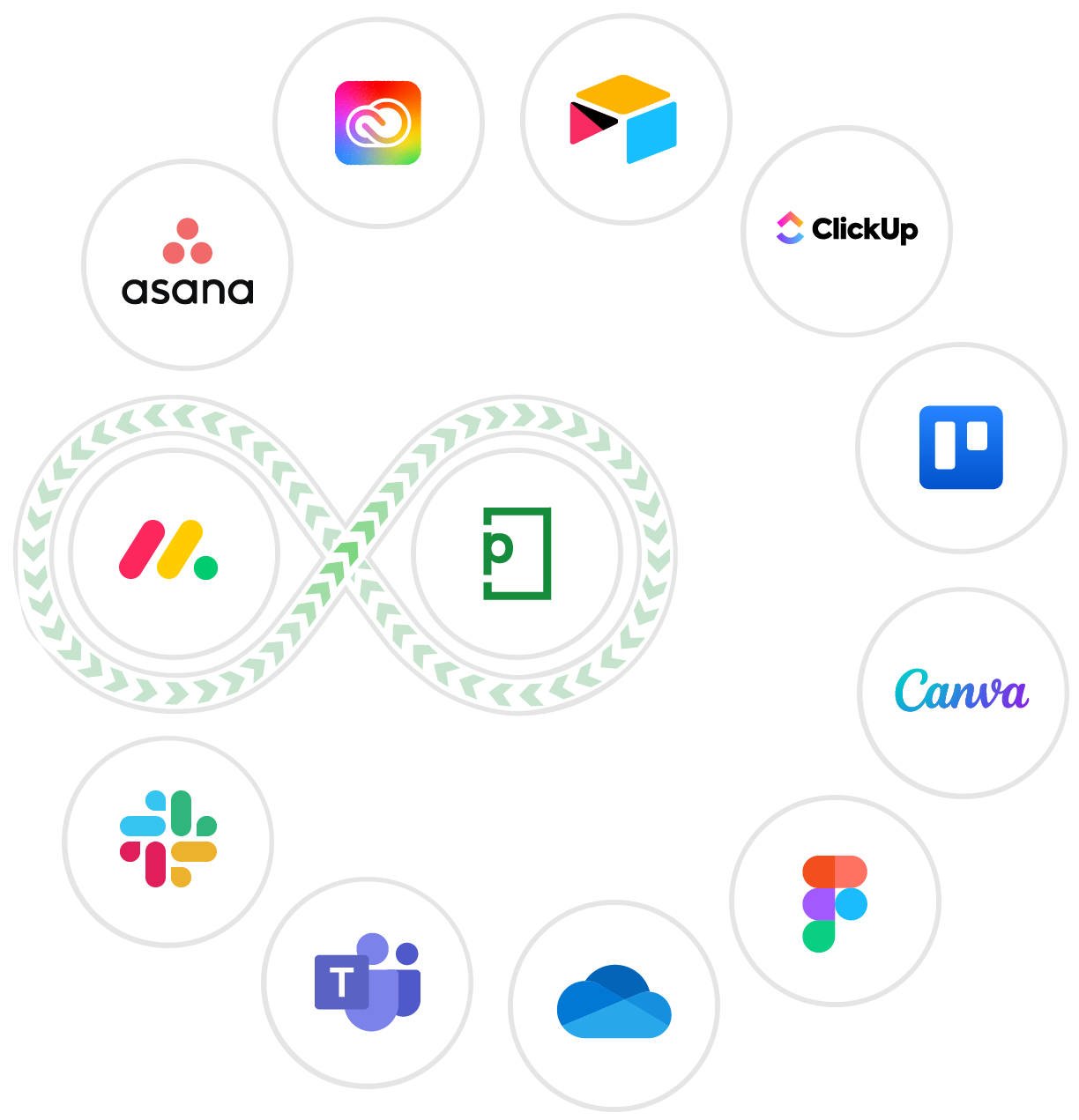
PageProof offers native integrations into all your favorite design, communication, and project management tools like Adobe Creative Cloud, Figma, Canva, Microsoft Office, monday.com, Asana, ClickUp, Airtable, Trello, Slack, MS Teams, and more. Meaning you can continue the way you are used to, with the added power of PageProof.
Security of platform
PageProof takes the security of your creative work seriously, offering a world-first triple-layer patented encryption technology. This encryption approach ensures that your data is encrypted prior to transmission from your device, during transmission, and post-transmission. This means that your proofs cannot be accessed by anyone else. In addition, PageProof sits on top of a highly secure and rigorously tested platform with ISO 27001 certification.
Wrap up
Online proofing is a game-changing tool that can revolutionize the way organizations collaborate and streamline their approval processes. Without it, organizations may experience chaos, reduced productivity, and even errors, leading to a potential lack of compliance. However, with online proofing, teams can work together seamlessly, streamline their approvals in one place, and review anything and everything, resulting in increased efficiency and reduced costs.
All teams, regardless of industry, can profit from a move to online proofing. Reduced effort, improved clarity, expanded brand knowledge, assured delivery, fewer versions, no leaks of pre-release material, and marketing compliance are all key benefits. Selecting the right online proofing tool is critical, and our checklist can help organizations choose the best option to suit their needs.
PageProof is continually voted the preferred solution in the online proofing space. It is ingeniously simple to review any file type, and offers a range of powerful features. In fact, PageProof is the leader in innovation in this space. Enjoy seamless collaboration with automated workflows and native integrations into all your favorite tools. And you can rest assured that all your data is secure. Try it out today to save time and money.
