PageProof festive feature release: 12 Days of Christmas 2023

The lead-up to Christmas is synonymous with wreaths and stockings, sparkly lights and candles, the first snowfall … and the PageProof 12 Days of Christmas feature release.
The team at PageProof is delighted to kick off the countdown to Christmas with 12 festive features to round off 2023 – with a new feature hitting your screen daily. From designers to marketers, there will be something for everyone. We love nothing more than bringing joy to our customers.
Take a peek at what festive fresh new features were released last year.
Our advent calendar of features has now ended for 2023. Read on to learn more about each new feature.
Day 1: Twinkly and bright
Bulk approve files in a single proof, zoom page thumbnails, and file names!
If you have several files, for example, several PDFs, jpegs, or PNG files – using the handy combine feature will result in a single proof being sent out to reviewers. Reviewers can then view the files in a single screen, and zoom in on page thumbnails to quickly glance over the proof, before approving on the same screen. The file names will be displayed under the thumbnails. Click here to learn more.
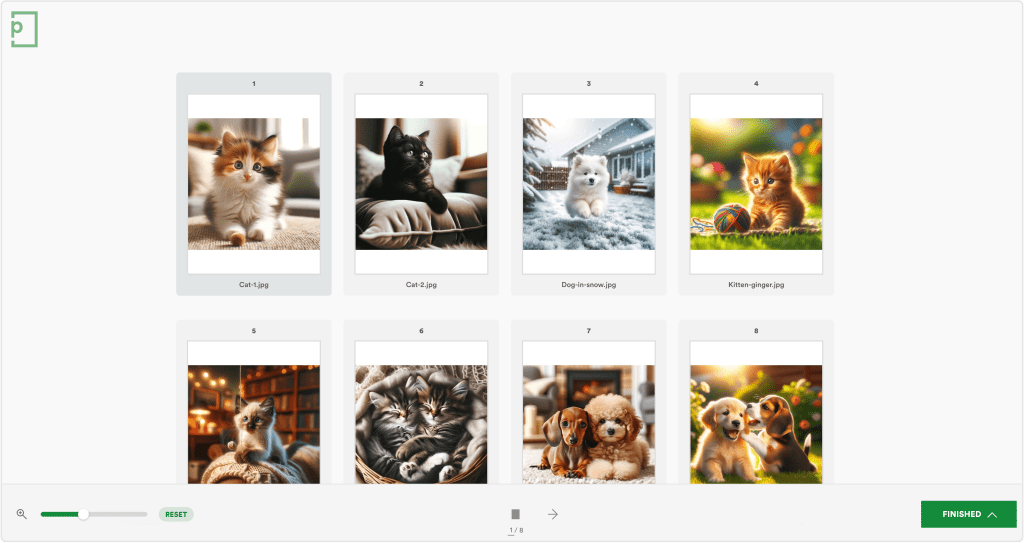
Zoom page thumbnails to quickly glance over the proof before approving on the same screen. We display the file names too.
Day 2: A partridge in an Apple tree
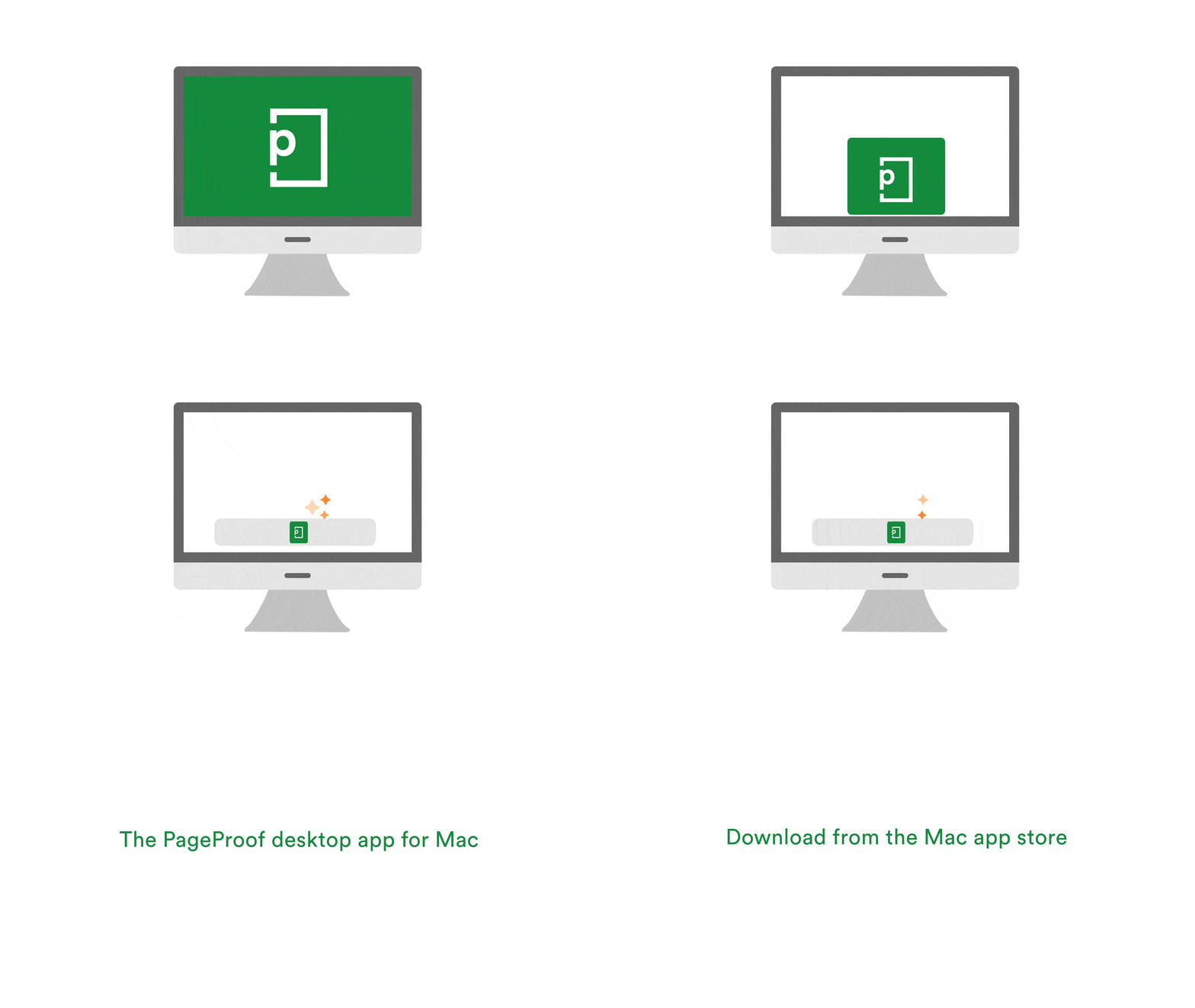
Introducing the PageProof Desktop app for Mac!
Perfect for designers and Mac users, the PageProof Desktop app is a full-featured experience that allows you to manage your proofs with ease, collaborate with your team without friction, and maintain the momentum of your projects without interruption. Even better, for those who frequently review live website proofs, the PageProof Desktop app eliminates the need for installing the PageProof browser extension. Its built-in capabilities provide a seamless review experience directly from your desktop. Download the PageProof Desktop app from the App Store today.
Day 3: A speedy delivery!
Automatically upload the final approved file to an Asana task.
And say hello, 你好, to our new language – Chinese (Traditional).
Team administrators can turn on a new advanced setting for the Asana integration that will automate the uploading of the final approved file to the Asana task. Saving huge time and effort for Asana users. It’s easy to set your language preference in PageProof – and from today, enjoy a further language option – Chinese (Traditional).

Day 4: How quick are the elves?
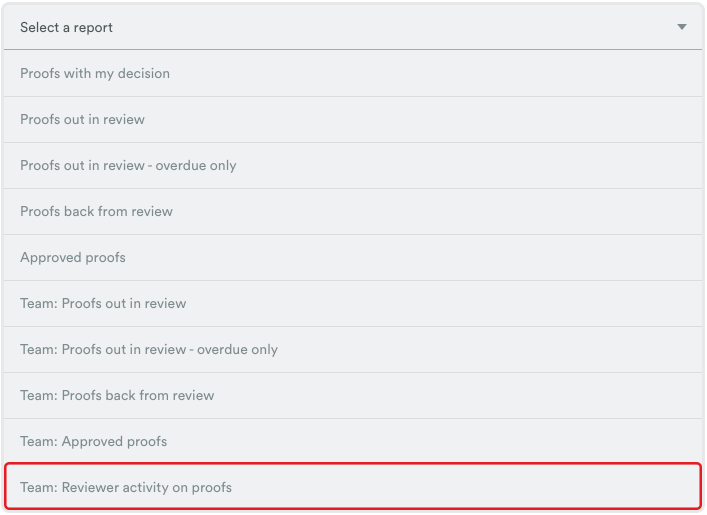
A new report for Enterprise customers gives valuable insights into how long reviewers take.
Enterprise team administrators can quickly see how long reviewers take to leave their decision on proofs with a new report. Perfect for seeing bottlenecks, and setting targets. Does a reviewer take on average 2 days to approve a proof, or 10? Does it take them longer to ask for changes, or give an approval? This data is now available at the fingertips of team administrators.
Day 5: A magical experience
No account creation, logins, or passwords are needed for reviewers to open proofs – it’s simply magic.
We understand the hesitancy to introduce new tools that may require complex account setups and remembering yet another password. That’s why we’ve made the process of inviting reviewers incredibly simple – almost like magic. Adding a reviewer is as easy as entering their email into the proof’s workflow—whether they’re within your organization or beyond it; there’s no need for them to create an account or remember a password. With one click, they’re in and reviewing the proof with no login hoops to jump through. There’s no hassle if they switch devices or browsers either. Learn more.

Day 6: Sharing festive cheer
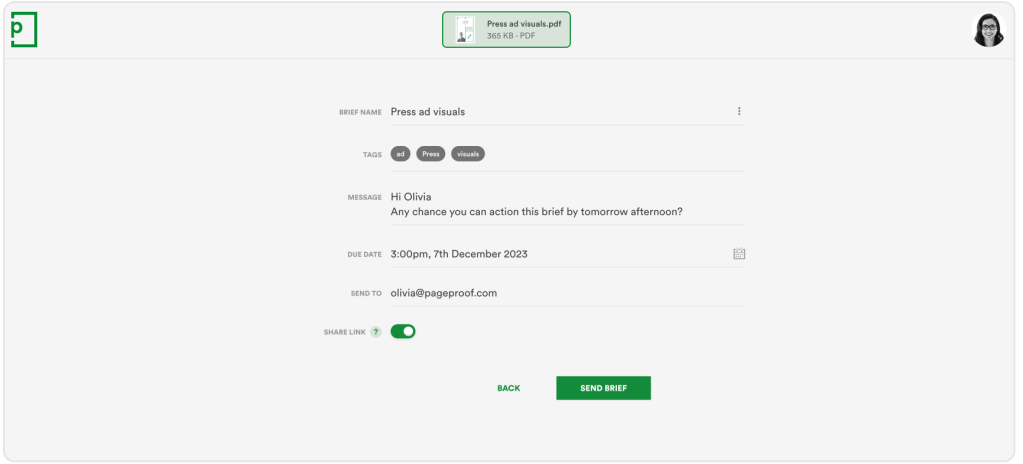
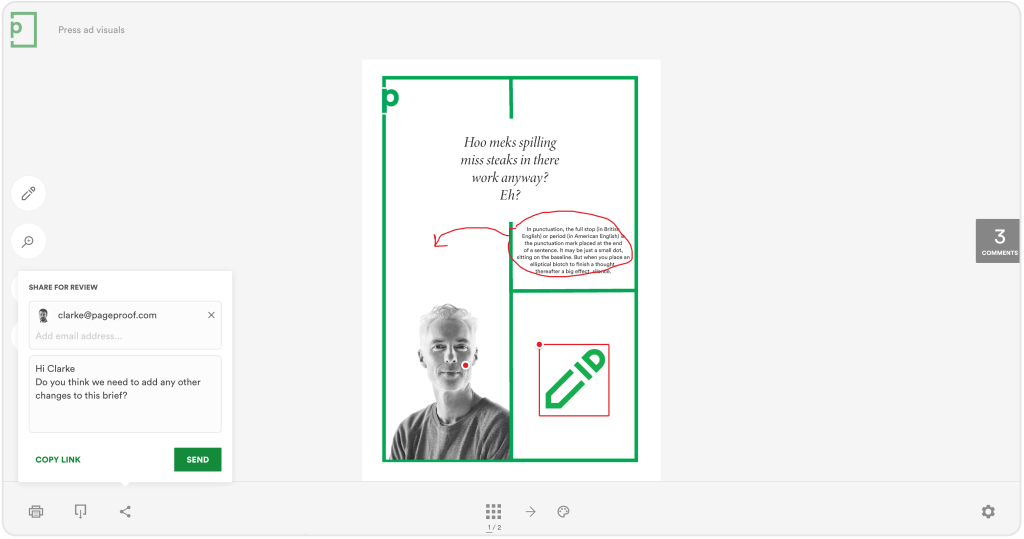
Briefs can have a share link – perfect for wider sharing of the brief for commenting and visibility.
Either during the setup of the brief, or afterwards in the brief’s manage pane – turn on the share link to allow the brief to be shared wider for additional commenting, and visibility when comparing the brief to the creative proof. Setting up a brief is easy – add a few details and the email address of who you want to send the brief to. Turn on the share link if you like.
Day 7: You’re on the nice list
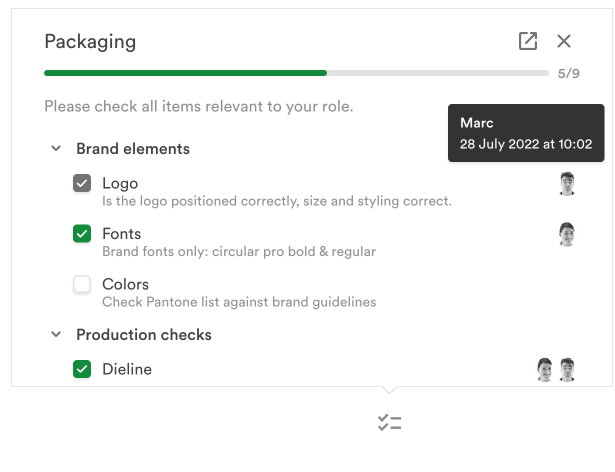
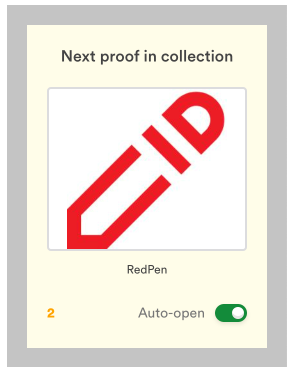
Checklists can be added after a proof is sent. And, for reviewers of proofs in a collection – enjoy a new setting to control the auto-load.
Checklists help guide reviewers during their review, and ensure quality and consistency are achieved across creative projects. A checklist template can be applied to the proof during its setup. And now, if the proof has already been sent and you decide that you’d like to add a checklist, you can. Checklists are a powerful feature that adds a list of essential items to be checked off whilst reviewers are proofing creativity.
As a reviewer of a proof inside of a collection, you can control whether the next proof you need to review automatically opens up for you after you have left your decision. Nice!
Day 8: Candy canes galore
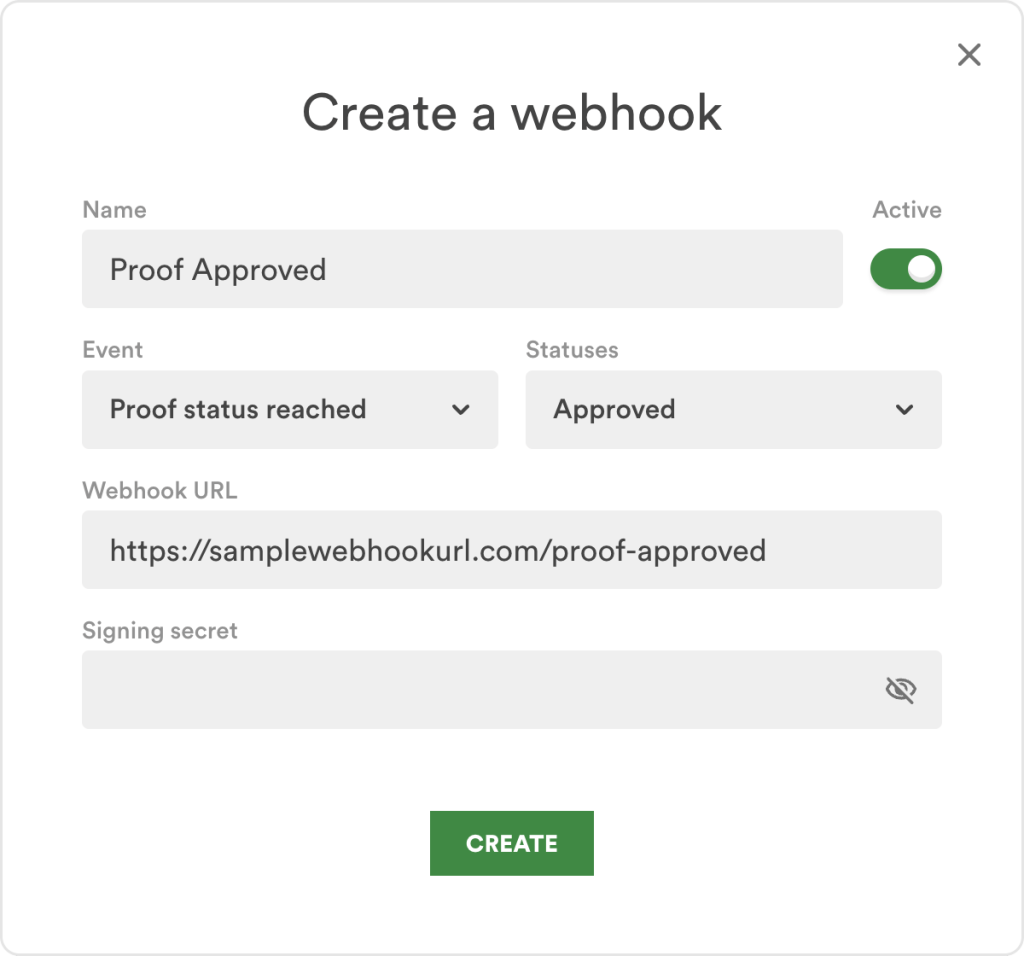
Introducing webhooks! Webhooks can be set up by team administrators to deliver proof information from PageProof to your other systems.
PageProof’s webhooks are a powerful tool for Teams Plus* and Enterprise customers, enabling smooth integration with other business platforms keeping you informed about your proofing activities. Webhooks are automatic – an event triggers the webhook and passes a data payload. In the case of PageProof webhooks, the data payload will contain information about the proof which can be used to update another system. Team administrators can set up multiple webhooks, all easily manageable through a dedicated, easy-to-use webhook dashboard.
You don’t need to write any code or navigate complex systems. A simple setup — a few clicks here and there — and you’re ready to streamline your data flow, saving precious time.
* Webhooks is a feature available for an additional fee on the Team Plus plan.
Day 9: Shiny and new
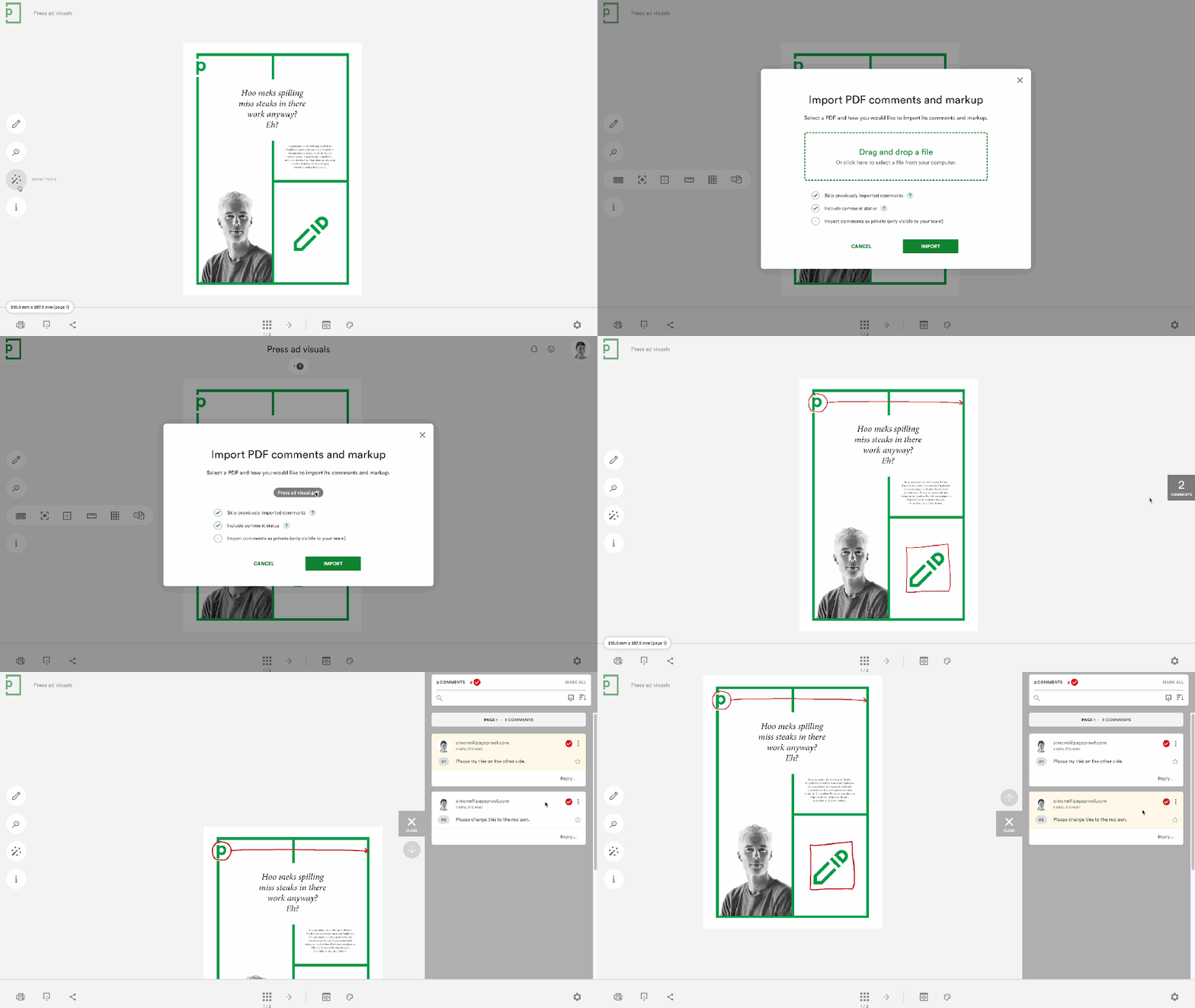
Our easy import of PDF comments onto a proof is now out of beta. And, enjoy a brand new PageProof plugin for Adobe Photoshop.
Our PDF import feature makes consolidating feedback from different sources seamless. Allowing you to import PDF markup and comments from Adobe Acrobat PDFs directly onto the PageProof proof in just a few clicks. This ground-breaking feature has been further enhanced and is now out of beta.
And, designed to run seamlessly on Intel and Apple Silicon devices, the new PageProof plugin for Adobe Photoshop is available from the Adobe creative cloud marketplace. Showcasing a brand new look and using a new architecture, you can expect more powerful plugins across Adobe creative applications to be released in 2024 and beyond.
Day 10: Joining in on the fun
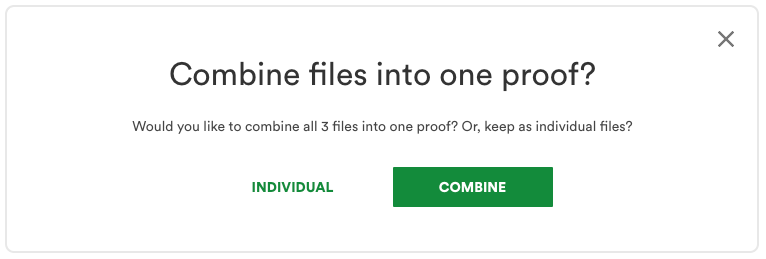
Microsoft Office, Adobe Illustrator, and Photoshop files are now supported in our combining feature!
Drag and drop multiple files – PDF, images (png, jpg), Adobe Illustrator, Adobe Photoshop, Microsoft Word, Excel, PowerPoint – and combine them together to create a single proof with one click. So quick and easy to send a single proof to your reviewers.
Day 11: All I want for Christmas is…
A monday.com mega update! A brand new look, a new way to create proofs, create proofs from URLs, and so much more!
We’re excited to release a huge update to our monday.com integration – perfect for monday.com users.
- A brand new look, that supports your preference of light, dark, or night theme, right across all areas of the integration.
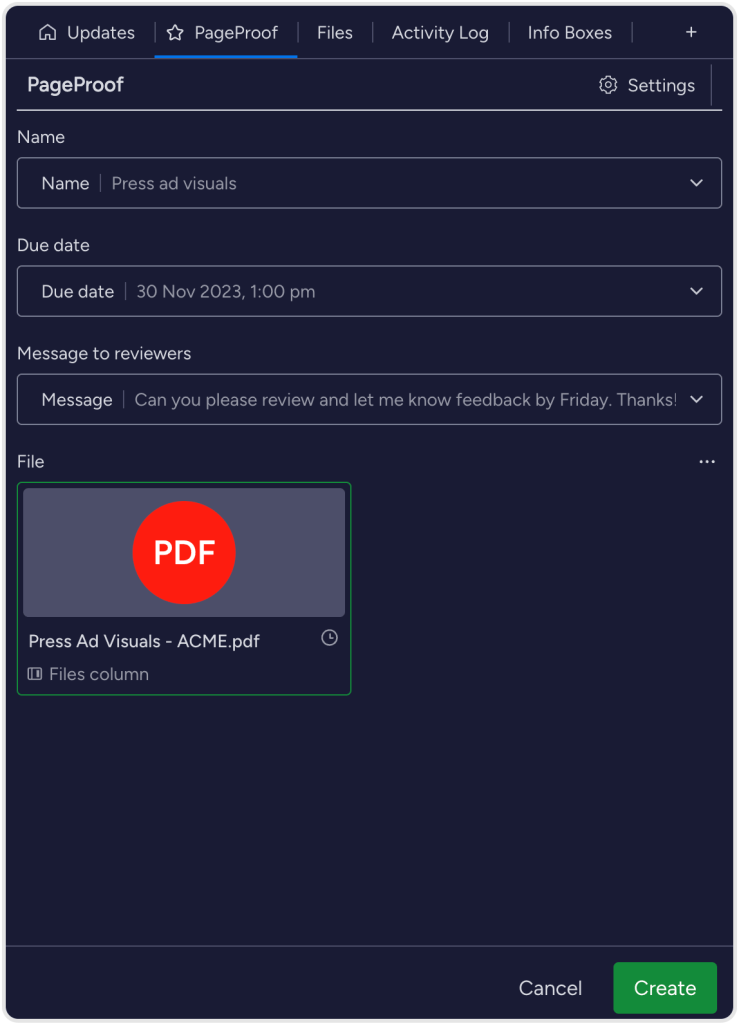
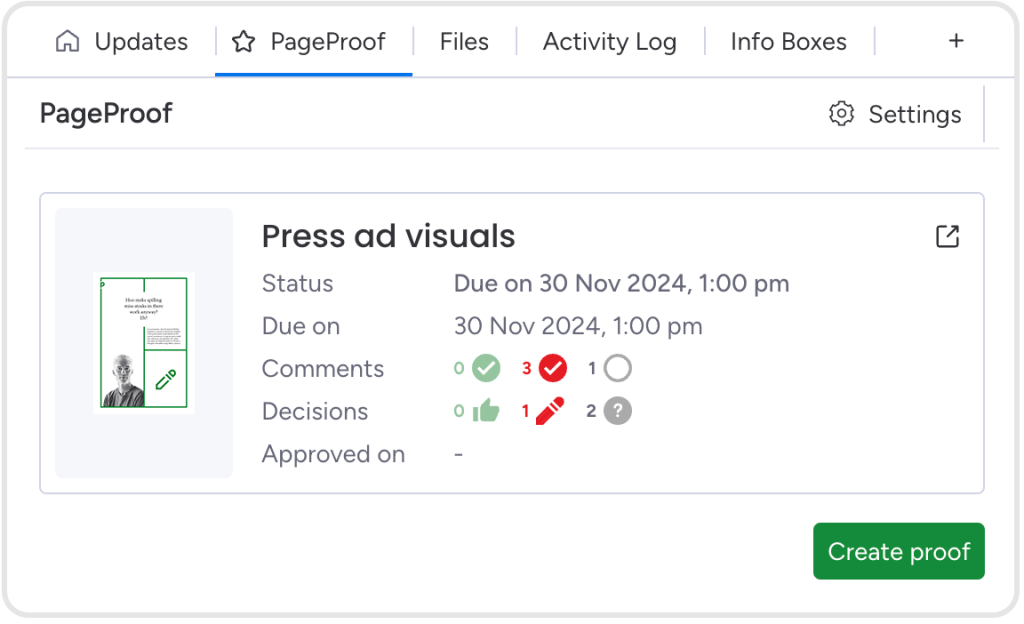
- The PageProof item view has been enhanced with additional information that can be displayed from proofs referencing the monday.com item: Status, due date, comment counts, decisions, and the approved date. Make your selection of what proof information to show under the item view settings.
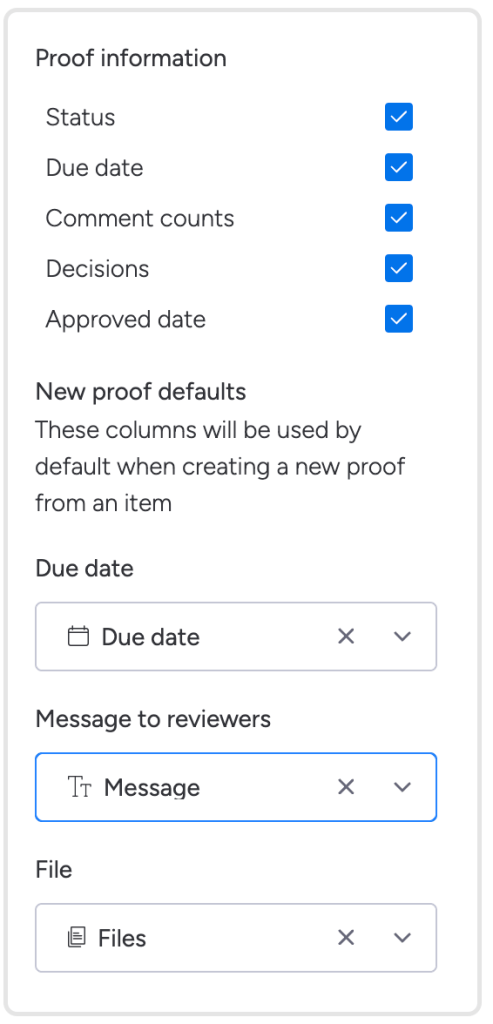
- In the create proof screen, not only will you see your file thumbnails displayed, but clicking the 3 dots icon gives further options for your proof file source: monday.com file, email, and website URL.
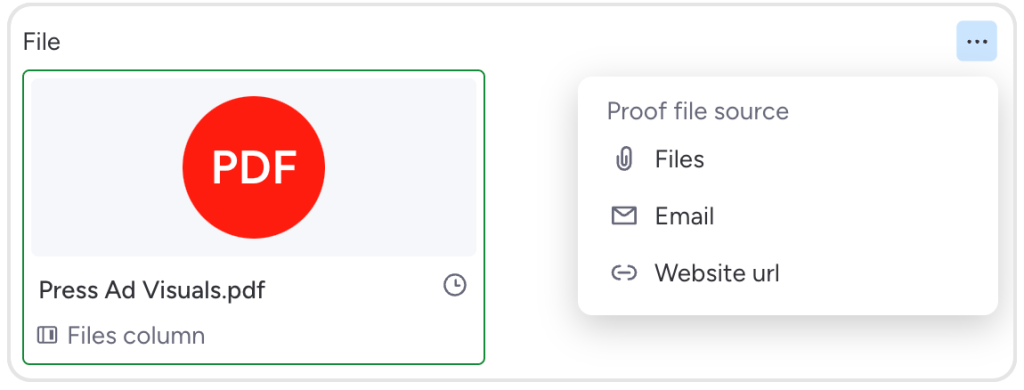
Further options are available under the 3 dots icon: select a monday.com file, email, or website URL.
- A new way to create a proof – click the 3 dots icon next to the item to open the board item menu and select apps, then create proof.
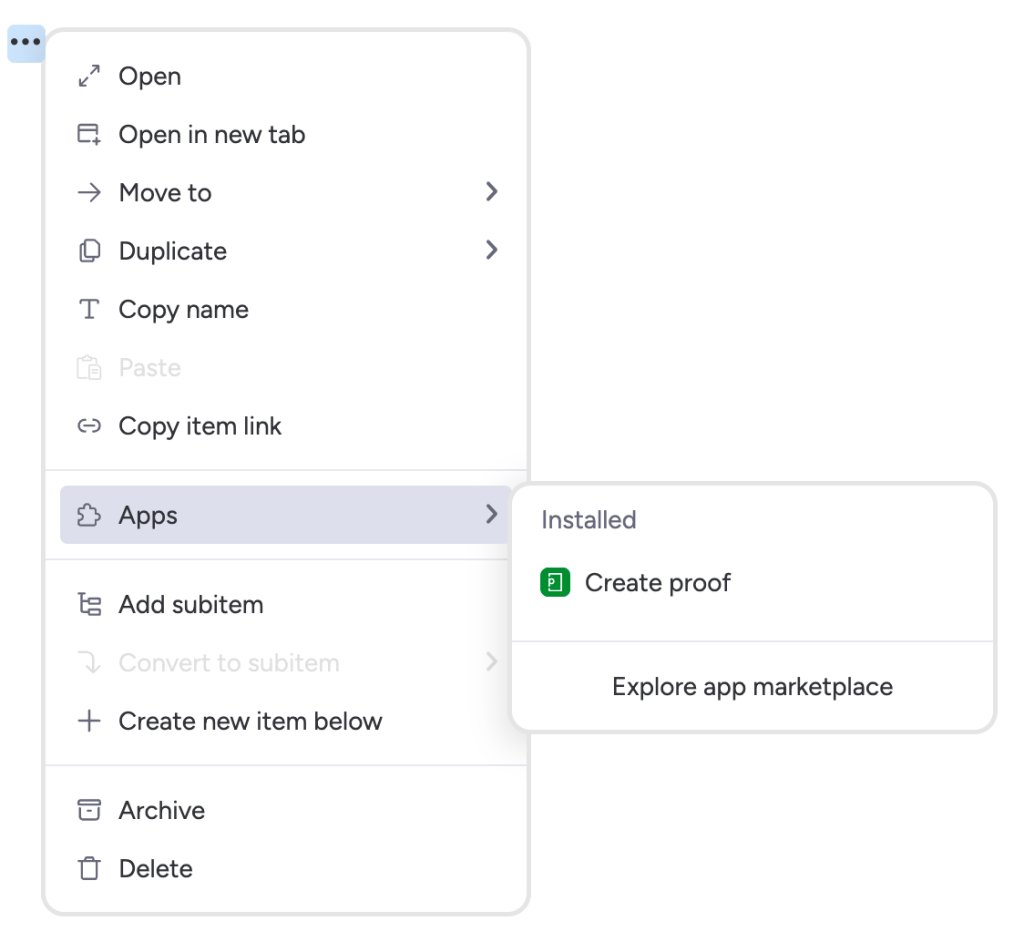
You can see why our Day 11 feature is a ‘mega’ monday.com update! Find out more on the integration here.
Day 12: Unlock efficiency
Maximize efficiency and consistency with proof templates!
For marketing team leaders and studio managers at creative agencies, finding ways to work smarter is crucial. We’re excited to launch proof templates! These handy templates can be created by team administrators and will help you quickly create proofs to gather feedback and approvals.
Using proof templates means you automatically set up proofs the way you want them, every time. They help you assign the right proof owners, organize with preset tags, add the precise checklist, and even link workflows to specific clients.
Here’s how it works: you drag and drop your file, apply the proof template, and it fills in all the pre-set details for you – each and every time.
With these templates, your team’s workflow is not just faster, but smarter. Try proof templates today and see your team’s productivity soar. Find out more here.
From our team to yours, happy holidays!
We’d like to take a moment to thank all our users, customers, partners, and resellers. We hope you’ve all enjoyed our special 12 Days of Christmas feature release. Wishing you all joy and fun festivities leading into the holidays and beyond.