How Asana creative workflows are enhanced with PageProof
The native integration between Asana and PageProof is a powerful solution for your creative flows. The integration with PageProof adds online proofing to your creative review and approvals, seamlessly. The benefits of this are endless for both marketing teams and creative agencies – from time savings to enhanced collaboration, and increased efficiencies across teams.
Bring approval workflows into Asana with PageProof
With the PageProof integration for Asana, creative teams can create proofs right from any task and instantly see key proof details without switching tools. Proof status, versions, decisions, and to-dos surface inside the task itself – giving everyone clear visibility on progress and keeping the entire project moving in sync.
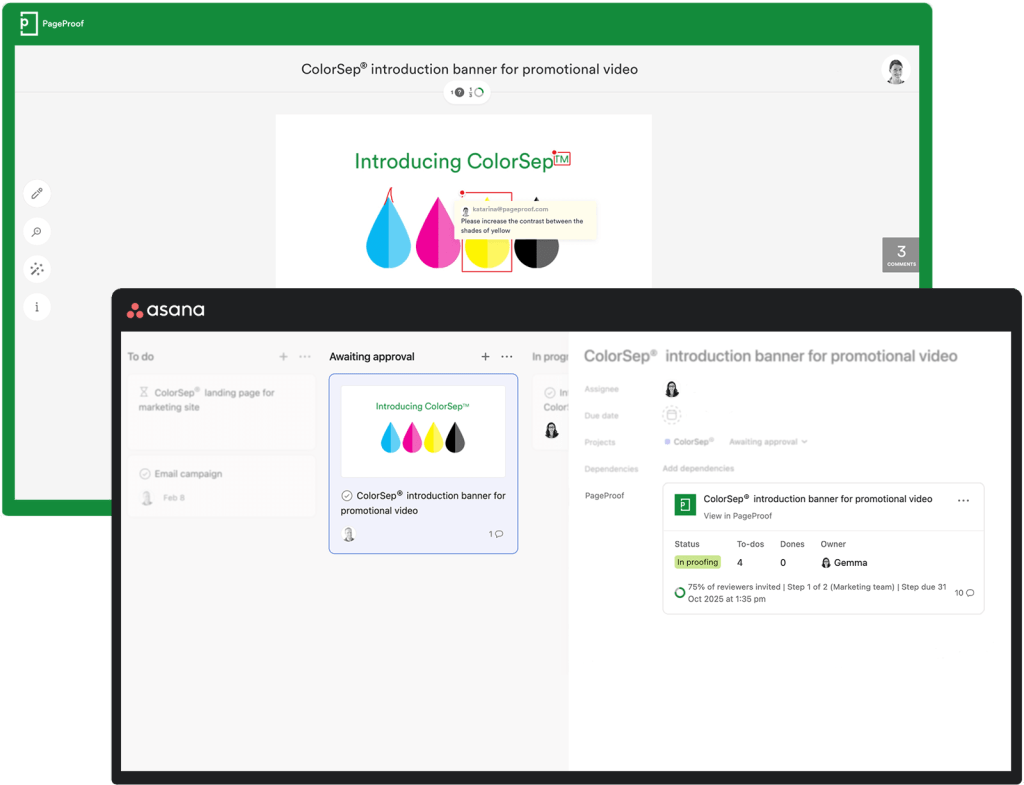
Enhance team collaboration with Asana and PageProof.
Discover how your team can work more efficiently with the native Asana and PageProof integration – download our integration guide to see the full workflow in action.
Let’s take a closer look at how the Asana and PageProof integration supports marketing and creative teams in their day-to-day work.
Create proofs directly from Asana
You can create a proof directly from an Asana task. Choose from an attached file, a website URL, or an HTML email.
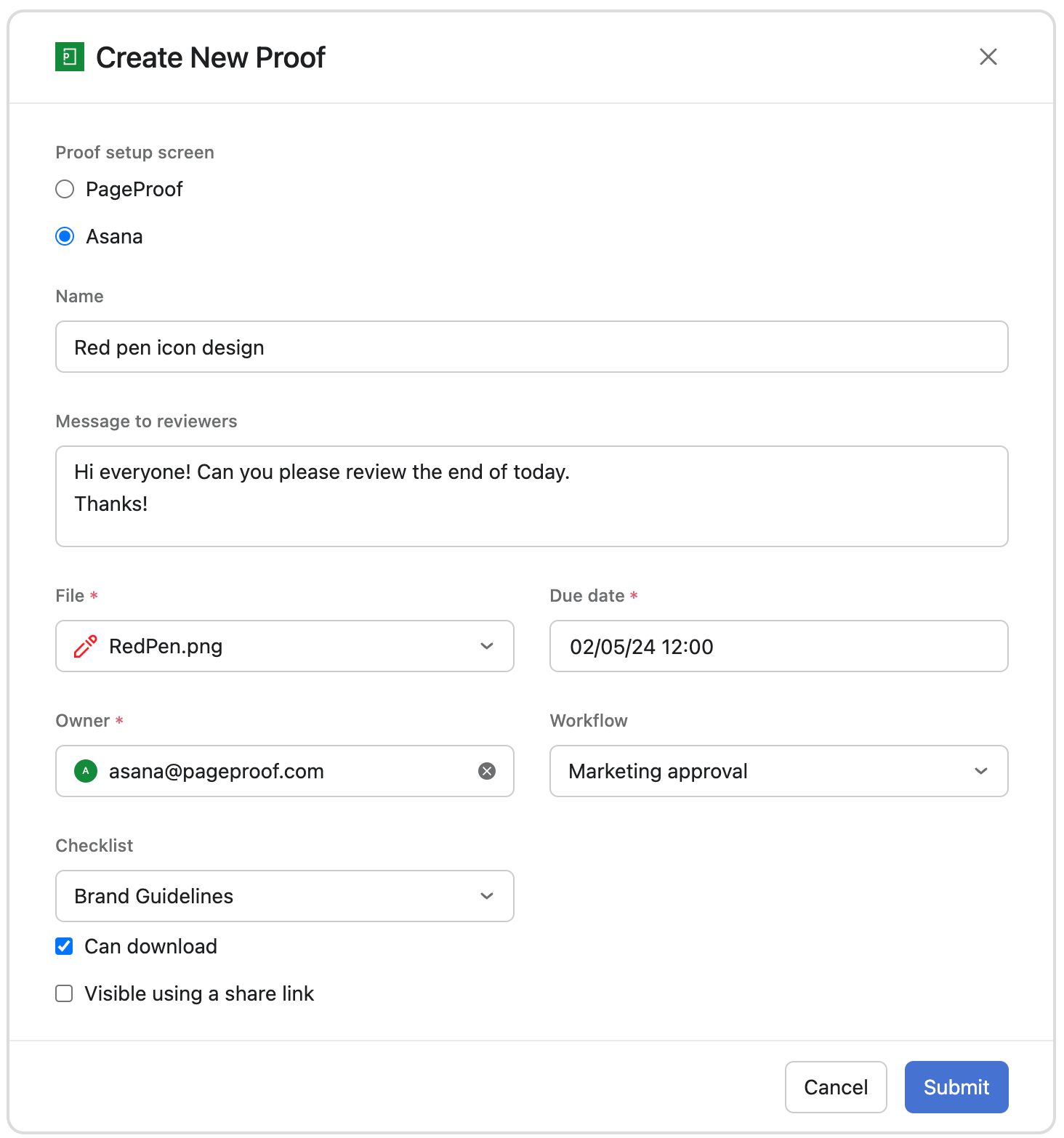
Create a new proof directly from an Asana task.
- Attach a file from an Asana task. All file types are supported, including imagery, design files, audio, video, and of course Microsoft Office and Adobe PDF files.
- Add a website URL for review, allowing you to review live websites, staging sites, and design links from Figma, Sketch, Adobe XD, as well as documents and presentations created in Google Workspace and Office 365, with ease.
- Create an HTML email proof from any marketing system.
If you’ve created the proof directly in PageProof (or via the PageProof plugin for Adobe Creative Cloud, Canva, Figma, Final Cut Pro or Microsoft) – you can add an existing proof to the Asana task too – simply paste the PageProof proof URL.
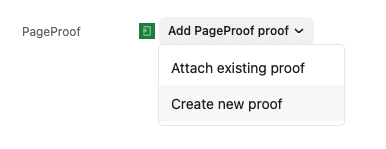
Create new proofs directly from Asana tasks, or attach existing proofs.
See the progress of the proof at a glance
Without leaving Asana, you can see at a glance at which stage your proof is at in its lifecycle. The PageProof widget at the task level gives an overview of the key information of each proof.
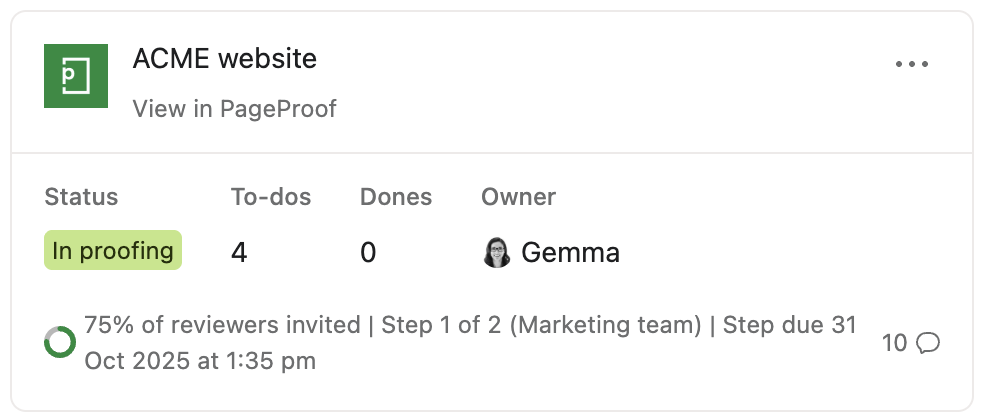
The PageProof widget in an Asana task.
Vital proof information can be seen at a glance including:
- Progress of the proof through the proof’s workflow
- Status of the proof
- Due date of the proof or workflow step
- How many comments have been added, and how many to-dos are left to action
- Easily open the proof.
A simple way to keep your team up to date with the progress of approvals by adding greater transparency.
Bring proof visibility into Asana with PageProof custom fields
The native Asana integration now supports a wide range of PageProof custom fields, giving teams real-time proof information directly inside their Asana projects.
These fields surface key proof details at a glance, making it easier for teams to stay aligned and understand progress without needing to open the proof.
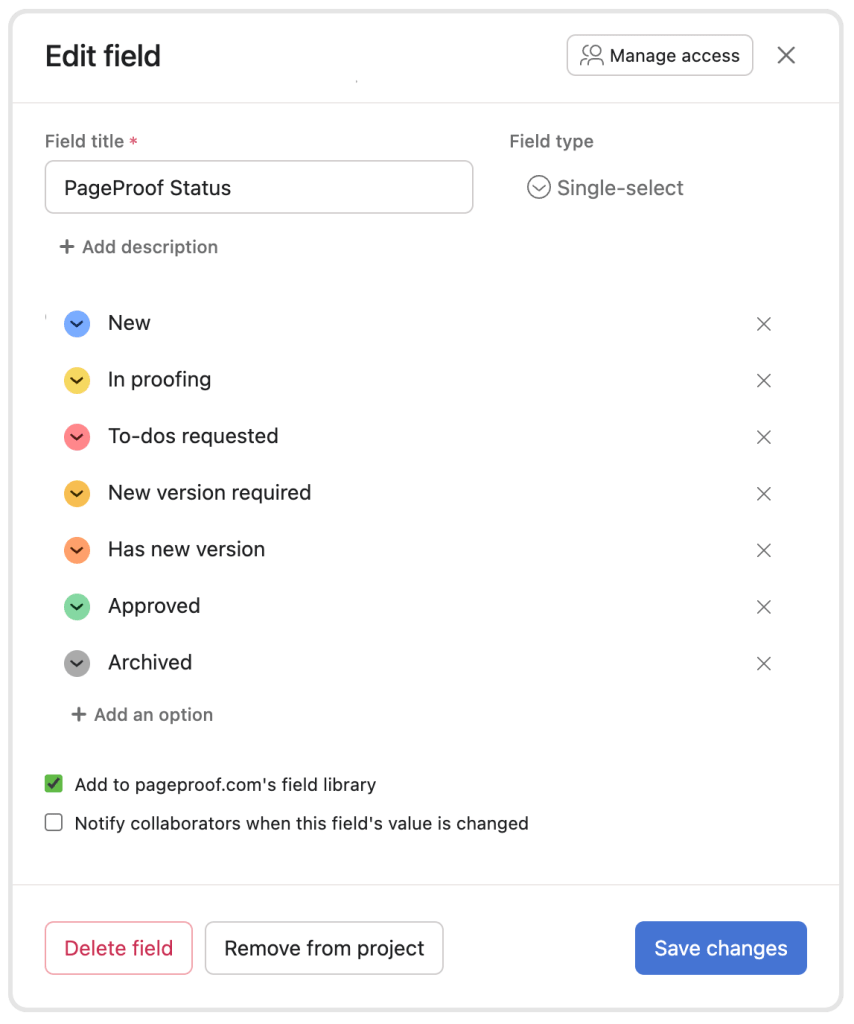
Add richer proof visibility to Asana with PageProof custom fields.
Asana team administrators can add any of the following PageProof fields to their projects:
- Proof status
- Proof URL
- Proof version
- Collection URL
- Collection name
- Total comments
- Total to-dos
- Total dones
- Created date
- Approved date
- Current workflow step name
- Current workflow step number.
Each field displays live PageProof data inside Asana. Proof status shows exactly where a proof sits in its lifecycle, the version field displays the current iteration, and the feedback-related fields highlight how much activity remains.
Current workflow step name and step number give additional visibility into where a proof is within its approval process.
These custom fields bring clear, up-to-date proof visibility into Asana, helping teams understand progress instantly.
Automate actions using PageProof triggers in Asana rules
The custom fields can also be used with PageProof triggers inside Asana rules to automate proof actions and reduce manual steps in the review process.
Available PageProof triggers include:
- Nudge reviewers who have not yet finished reviewing the proof
- Skip the current workflow step
- Approve the proof
- Archive the proof.
By combining custom fields with these triggers, teams can create automations that match how they work and update tasks based on real proof activity so nothing gets held up unnecessarily.
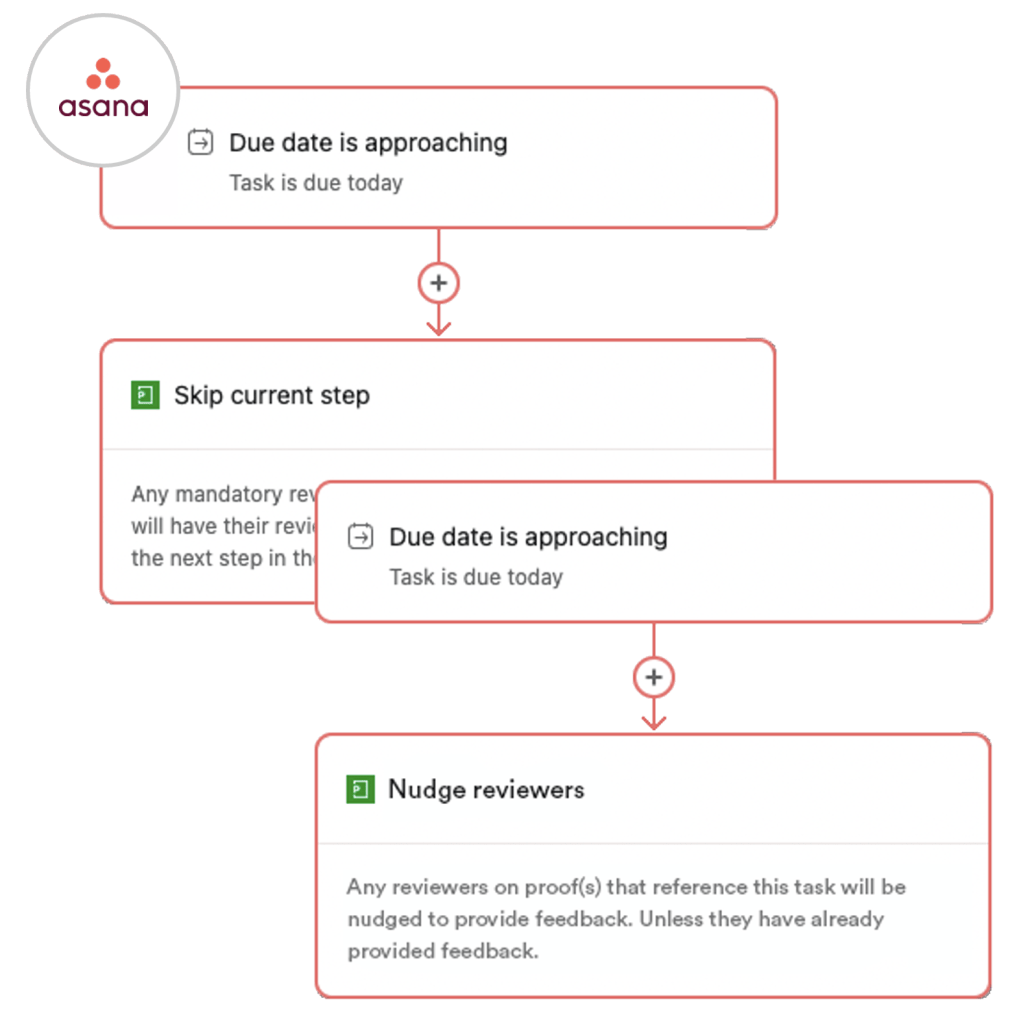
Asana rules can trigger actions in PageProof.
Feeding Asana AI
On top of rules-based automation, teams can also use Asana’s AI features to take this even further.
By adding PageProof custom fields to your Asana projects, key proofing information flows directly into Asana’s AI – giving it the context it needs to understand where work sits and what needs attention.
Details like proof status, version history, workflow steps, and comment activity provide Asana AI with clearer context about how a proof is progressing.
With this insight, Asana AI can surface next steps, highlight potential blockers, and support faster team decision-making. PageProof custom fields give Asana AI the visibility it needs to guide work more intelligently and help teams move with greater confidence.
Automatically upload approved files to tasks
Teams also have the option to enable a setting where PageProof uploads the approved file back into the Asana task once the proof reaches final approval.
This removes the need for exporting, downloading, renaming, or manual handling – the final file arrives exactly where your team needs it, keeping projects organized and ensuring teams are always working from the right version.
Get started with Asana and PageProof
The native Asana and PageProof integration gives teams a seamless creative workflow – all the visibility across projects, none of the micro-managing. Create proofs directly from Asana and tap into PageProof’s powerful proofing tools to keep work moving from draft to sign-off faster.
To begin, you’ll need an Asana account and a PageProof account. Book a demo below to learn more.




One thought on “How Asana creative workflows are enhanced with PageProof”
Comments are closed.